

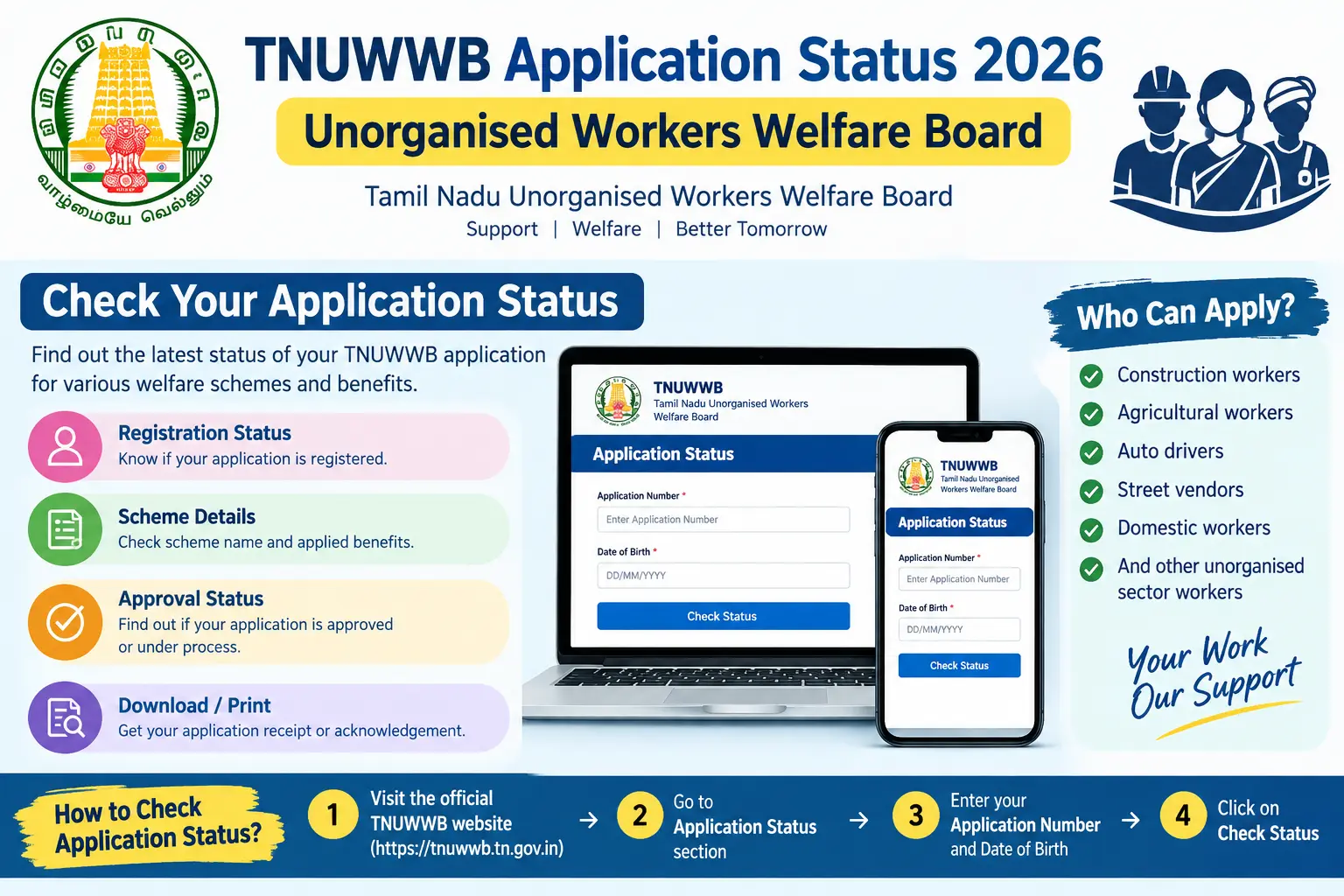
You submitted your Labour Card application weeks ago. Your child’s scholarship deadline is approaching. Your maternity benefit paperwork is ready. But you have no idea whether your application has been approved, is stuck under review, or was rejected for a document you thought was fine. The TNUWWB portal shows a status, but nobody explained what each status actually means or what to do next.
That uncertainty is what this guide addresses. It covers how to check your TNUWWB application status online, what to do when the portal shows “Pending Clarification,” which document mismatches cause the most delays, and how the APAAR ID fits in if you are applying for your child’s education scholarship. No generic advice — just the steps, the pitfalls, and the practical details that actually matter.
Discover More About:👇
West Bengal Labour Card Status Check by Aadhaar Number
E Shram Card Download by Mobile Number
What TNUWWB Does and Why Your Status Is More Than a Formality
The Tamil Nadu Unorganised Workers Welfare Board is not a single scheme. It is an umbrella body under the state Labour Department that governs welfare boards for construction workers, manual labourers, drivers, domestic workers, and other informal sector workers. It was constituted under the Tamil Nadu Manual Workers (Regulation of Employment and Conditions of Work) Act, 1982.
A valid Labour Card from TNUWWB opens access to education scholarships for your children, marriage assistance, maternity benefits, funeral assistance, accident insurance, and old-age pension. These are not automatic transfers. Each benefit requires a separate application, and each application requires proof that you are a registered member in good standing.
Your application status is the gatekeeper. If it shows “Approved,” you can proceed with benefit claims. If it shows “Pending Clarification,” your file is stalled until you respond. If it shows “Rejected,” you need to understand why before reapplying. Without checking that status, you are working blind.
How to Check TNUWWB Application Status Online: Step-by-Step
The TNUWWB portal at tnuwwb.tn.gov.in is the primary way to check your status. Here is the process, along with the problems that commonly trip people up.
Step 1 — Go to the official portal. Open tnuwwb.tn.gov.in in your browser. Do not use a saved link from an old SMS or WhatsApp forward; those sometimes point to outdated pages.
Step 2 — Find the login section. You will typically need your registered mobile number and either a password or an OTP sent to that number. If you applied through a labour office and never received login credentials, your application may still be processed offline — visit your district labour office with your application receipt.
Step 3 — Log in and check your dashboard. Your status will typically display as one of four values: “Under Review,” “Pending Clarification,” “Approved,” or “Rejected.” Each has a different next step.
Step 4 — Respond to clarification requests immediately. If your status shows “Pending Clarification,” an SMS is usually sent to your registered number with the specific query. Log back in, upload the corrected document, and submit. Do not wait — some queries have a response window, and missing it can lead to automatic rejection.
Step 5 — Download your certificate once approved. After approval, your permanent registration number and password are sent via SMS. Log in and download your registration certificate. Keep both a digital copy and a printed copy.
Common pitfalls to watch for:
- OTP not received. This usually means your registered mobile number is incorrect or inactive. You cannot fix this online. Visit the Assistant Commissioner of Labour (Social Security Scheme) office in your district with your Aadhaar card to update the number.
- Server timeout during upload. If the portal times out while you are uploading a document, do not assume it saved. Log back in and verify that the document appears in your application. If it does not, re-upload.
- Wrong application number entered. If you have multiple applications or previously applied and were rejected, make sure you are checking the correct reference number. Old application numbers may still show old statuses.
The portal layout and login process can change. For the most current instructions, check the official TNUWWB website or your district labour office.
Common Reasons Applications Get Stuck or Rejected
Most delays are not about eligibility. They are about documents that do not match or certificates signed by the wrong authority.
Name mismatches across documents. The spelling of your name on your Aadhaar card, ration card, and bank passbook must match. Even a missing initial or a different spelling of a surname can trigger a clarification request. Fix the mismatch before you apply, not after.
Employment certificate signed by the wrong person. Your employment certificate must be signed by a Village Administrative Officer (VAO), a registered trade union, or an Assistant Inspector of Labour. In Chennai, the Revenue Analyst’s signature is required. In other districts, the VAO signs. A certificate signed by a ward member or a panchayat secretary who is not authorised will be rejected.
Bank passbook without IFSC code. The first page of your passbook must show your name, account number, and IFSC code. Some old passbooks do not print the IFSC code. Get a new passbook or a bank statement with the IFSC code before applying.
Duplicate registration under EPF or ESI. If you are already covered by the Employees’ Provident Fund or Employees’ State Insurance, your TNUWWB application will typically be rejected. The board’s rules exclude workers covered by formal employer-employee social security.
Technical losses. In the past, server issues have caused applications to be lost or stuck. The board has allowed affected workers to reapply in such cases. If you suspect a technical issue, keep a record of your application number and follow up in person.
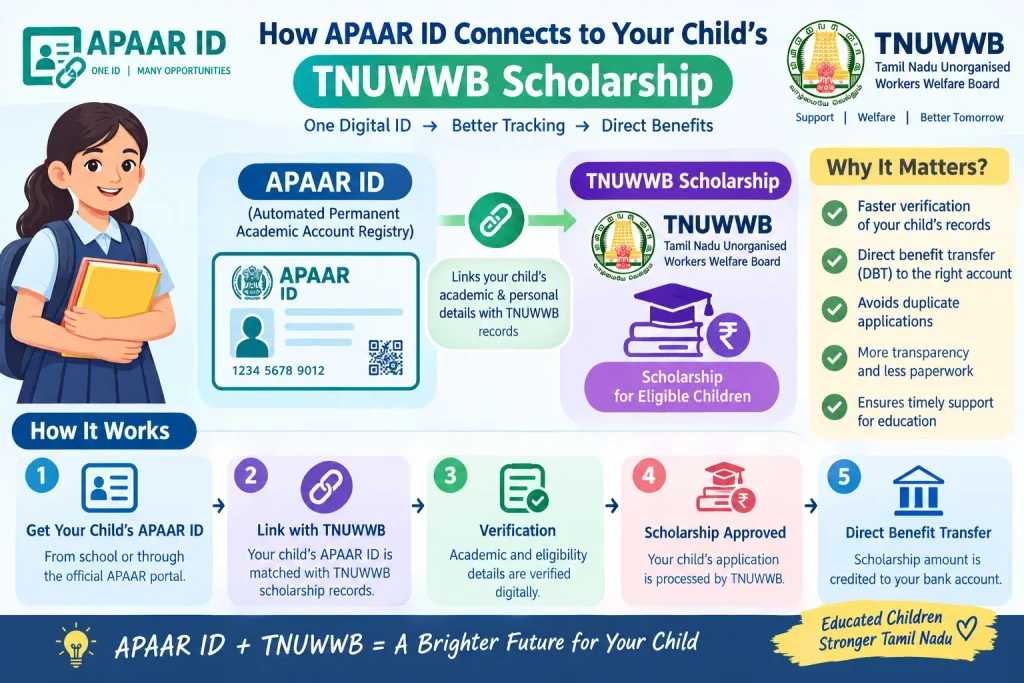
How APAAR ID Connects to Your Child’s TNUWWB Scholarship
If you are checking your TNUWWB status because you want to apply for your child’s education scholarship, you may be asked for an APAAR ID. The APAAR ID (Automated Permanent Academic Account Registry) is a 12-digit unique identification number for students under the “One Nation, One Student ID” initiative linked to the National Education Policy 2020. It is linked to DigiLocker and the Academic Bank of Credits, where students can store marksheets and certificates digitally.
How to Check APAAR ID
Students can access their APAAR ID through DigiLocker. The general process: log into DigiLocker with an Aadhaar-linked mobile number, search for “APAAR” or “Academic Bank of Credits,” and select the APAAR ID option. Many schools and colleges generate APAAR IDs in bulk for enrolled students, so check with your child’s institution first — they may already have it.
What “Identity Value” Means in APAAR ID
When generating an APAAR ID through DigiLocker, the portal asks for an “Identity Value.” This is your child’s roll number, registration number, admission number, or enrolment number as issued by the school or college. You also select an “Identity Type” — for example, “Registration Number” or “Roll Number” — based on what the institution has provided.
If the identity value does not match the institution’s records, the APAAR ID generation will fail. For TNUWWB scholarship applicants, this matters because a missing or incorrect APAAR ID can delay your child’s scholarship processing. Confirm the exact identity value with the school office before entering it.
Documents You Will Typically Need
Keep digital copies of these ready before you log in to check your status or respond to a clarification request:
- Aadhaar Card — mandatory for identity verification
- Family Ration Card (Smart Card) — for family verification
- Bank Passbook — first page showing name, account number, and IFSC code
- Employment Certificate — signed by a VAO, registered trade union, or Assistant Inspector of Labour
- Identity Proof — driver’s licence, school certificate, Voter ID, or medical practitioner’s certificate
- Nominee Details — family member details if married, or family/non-family member if unmarried
If the portal asks you to re-upload a document, make sure the scan is clear, the full page is visible, and the file size is within the portal’s limit.
FAQs
Q1: Can I check my TNUWWB application status without a password?
You generally need your registered mobile number and either a password or an OTP sent to that number. If you have forgotten your password, use the “Forgot Password” option on the portal. If you no longer have access to your registered mobile number, visit your district labour office with your Aadhaar card — you cannot update the number online.
Q2: How long does TNUWWB approval take after submission?
Processing timelines vary by district and by how complete your application is. The board reviews applications through the Assistant Commissioner of Labour (Social Security Scheme). If clarification is needed, you will be notified by SMS. For current timelines, check the official TNUWWB portal or your district labour office.
Q3: What is the difference between TNUWWB and eShram?
TNUWWB is a Tamil Nadu state welfare board that provides specific benefits like scholarships and pensions to registered unorganised workers. eShram is a central government portal that creates a national database of unorganised workers. Registration on one does not automatically register you on the other. Being on eShram does not disqualify you from TNUWWB unless you are also covered by EPF or ESI.
Q4: My APAAR ID identity value is showing an error. What should I do?
If the identity value (roll number, registration number, etc.) does not match your institution’s records, APAAR ID generation may fail. Contact your school or college’s administrative office to confirm the exact identity value on record. The institution can also verify whether your APAAR ID was already generated in bulk.
Q5: What should I do if my TNUWWB application shows “Rejected”?
Check the reason provided in your dashboard or SMS notification. Common reasons include mismatched documents, duplicate registration under EPF or ESI, or an employment certificate signed by an unauthorised person. You may be able to reapply after correcting the issue, or you may need to visit the Assistant Commissioner of Labour office for clarification. The board has previously allowed reapplication in cases of technical errors.
Q6: Can I apply for TNUWWB benefits if I am registered on eShram?
You must apply separately through the TNUWWB portal. eShram registration does not make you a TNUWWB member. However, being on eShram does not prevent you from applying to TNUWWB unless you are also a member of a formal social security scheme like EPF or ESI.
Before You Log In Again
If your application has been under review for more than a few weeks without any SMS or status change, do not keep refreshing the portal daily. Instead, note down your application number, visit your district labour office once, and ask for a manual status check. Portal delays and server issues are not always reflected online, and a single in-person visit often resolves what weeks of online checking cannot. Keep your documents consistent across Aadhaar, ration card, and bank passbook — that alone prevents most rejection reasons. For anything related to fees, timelines, or portal procedures, verify directly on the official TNUWWB website or with your district labour office, since government processes change without notice.
