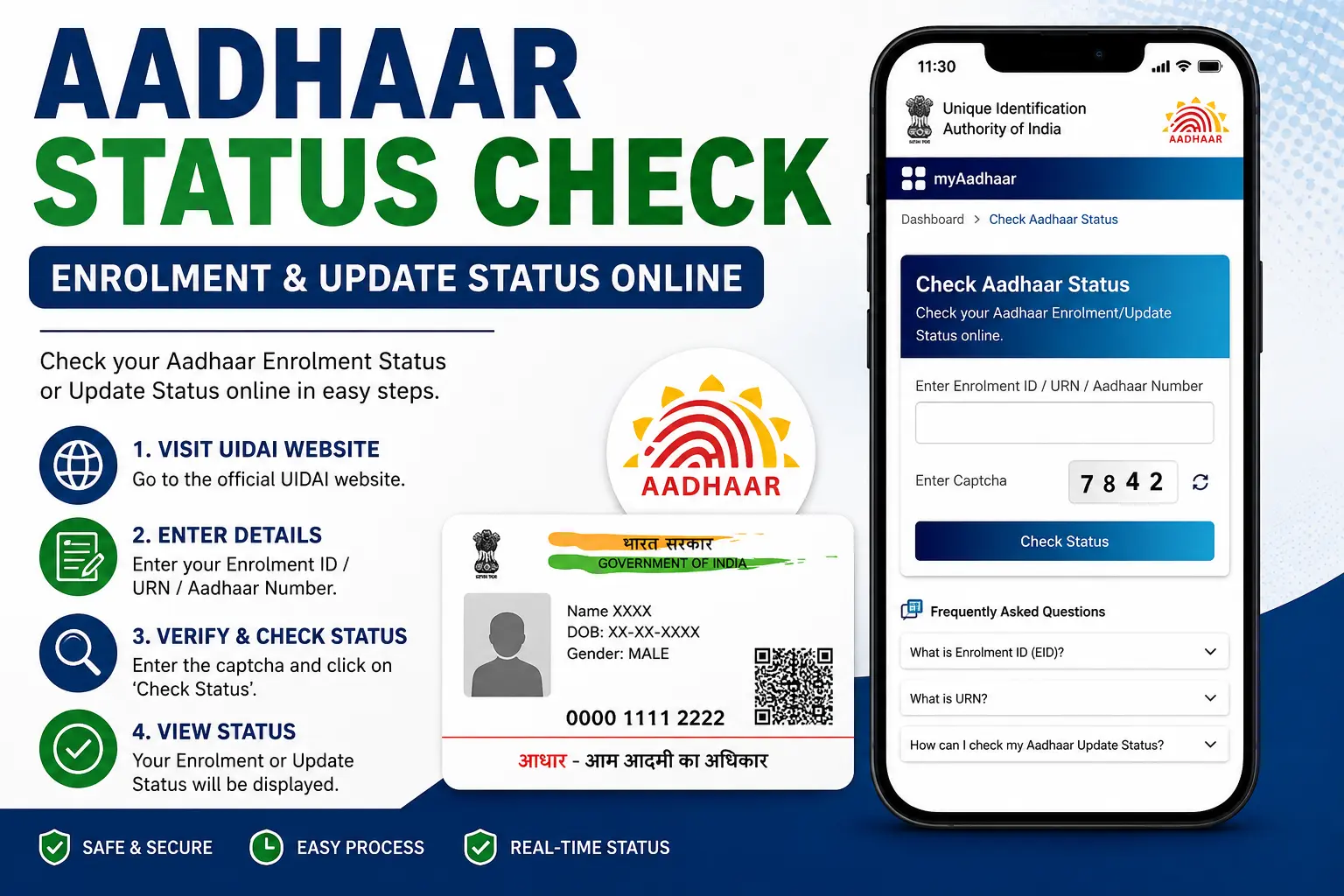
Quick Answer: Visit the official myAadhaar portal at myaadhaar.uidai.gov.in and select “Check Enrolment and Update Status.” You will need your EID (for new Aadhaar enrolment), URN (for online update requests), or SRN (for service requests). The service is completely free and does not require OTP for the basic status check .
Which Aadhaar Status Check Do You Need?
Before you begin, it helps to know which status you actually need to check. Many users get confused because UIDAI offers different tracking methods depending on what you applied for.
What You Recently Did
Status You Need
Identifier to Use
Enrolled for a new Aadhaar card
Enrolment / Generation Status
EID (Enrolment ID) – 28 digits total
Submitted an online update (address, name, mobile, etc.)
Update Status
URN (Update Request Number) – 14 digits
Ordered a PVC Aadhaar card or used a specific UIDAI service
How to Check Aadhaar Enrolment Status (New Aadhaar)
If you have recently enrolled for Aadhaar at a centre and received an acknowledgement slip with an Enrolment ID (EID) , follow these steps:
Step 1: Visit the official UIDAI portal – resident.uidai.gov.in or myaadhaar.uidai.gov.in.
Step 2: Look for and click on “Check Enrolment and Update Status.”.
Step 3: Enter your Enrolment ID (EID):
Enter the 14-digit enrolment number (found on your acknowledgement slip)
Enter the date (DD/MM/YYYY) and time (HH:MM:SS) exactly as printed on the slip
Together, these 28 digits form your complete EID .
Step 4: Enter the security code (captcha) displayed on the screen. If you cannot read it, click “Try Another” for a new code .
Step 5: Click “Check Status.” Your Aadhaar enrolment status will be displayed on the screen .
Important: You do NOT need your Aadhaar number or OTP for this basic status check. The Aadhaar number is the result of the process, not the tool to track it .
If you have submitted a request to update your Aadhaar details (address, name, mobile number, date of birth, or biometrics) and received a URN or SRN, use this method :
Step 1: Visit the official myAadhaar portal – myaadhaar.uidai.gov.in.
Step 2: Select “Check Enrolment and Update Status.”.
Step 3: Enter your URN (14 digits) or SRN (begins with “S”) exactly as received in your SMS or on your acknowledgement slip .
Step 4: Enter the captcha code for verification .
Step 5: Click “Check Status.” The portal will show the current progress of your update request .
Note: If you submitted your update online via the myAadhaar portal, your URN is displayed immediately after submission and also sent via SMS .
What Your Aadhaar Status Means
Status Displayed
What It Means
What You Should Do
Under Process / In Process
UIDAI is verifying your details and documents
Wait. Check back every 5-7 days. This is normal.
Aadhaar Generated / Completed
Your Aadhaar number has been assigned
Download e-Aadhaar from the portal immediately
Update Successful
Your requested changes have been applied
Download the updated e-Aadhaar and verify your details
Rejected
There was an error or document mismatch
Visit an enrolment centre with original documents and reapply. Rejection is not permanent
Status Not Found
Your reference number could not be matched
Verify your EID/URN/SRN is correct. If still not found, call 1947.
EID vs URN vs SRN – Which One Do You Use?
Reference
Full Form
Format
When You Get It
Used For
EID
Enrolment ID
28 digits (14-digit number + date/time)
On acknowledgement slip at enrolment/update centre
Tracking new Aadhaar enrolment status
URN
Update Request Number
14 digits
After submitting an online update request via myAadhaar
Tracking update requests made online
SRN
Service Request Number
Begins with “S”, variable length
For address validation and certain UIDAI service requests
Tracking specific service requests like PVC card orders
How Long Does Aadhaar Status Take?
Scenario
Official Timeline
New Aadhaar Generation
Processing takes time after enrolment. You receive notification via SMS when generated .
Aadhaar Update
90% of update requests are completed within 30 days .
What if it takes longer? If your status remains “Under Process” beyond the expected timeframe, contact the UIDAI helpline at 1947 or visit an Aadhaar Seva Kendra .
Common Problems and Troubleshooting
Problem – Aadhaar Status Not Found / Not Showing
Possible reason: You entered the wrong reference number or used the wrong method (EID for enrolment, URN for update) .
What to do: Verify your EID/URN/SRN from your acknowledgement slip or SMS. If it still doesn’t work, call 1947 .
Problem – I Lost My EID / Acknowledgement Slip
What to do: Visit the UIDAI portal and select “Retrieve Lost or Forgotten EID/UID.” Enter your full name, registered mobile number or email, and the OTP sent to your mobile. Your EID will be sent via SMS and email .
Problem – Status Remains “Under Process” for a Long Time
What to do: If within the expected timeframe, wait—this is normal. If beyond, call 1947 or visit an Aadhaar Seva Kendra .
Problem – My Aadhaar Update Was Rejected
What to do: Rejection is fixable. Visit the nearest enrolment centre with original documents and reapply. Rejection happens most often due to document quality issues, incorrect/mismatched information, or biometric capture quality .
Official Ways to Check Aadhaar Status – Methods Comparison
Method
Best For
Requirements
Availability
myAadhaar Portal
Primary method—most comprehensive
EID/URN/SRN + captcha
24×7
1947 Helpline
Users without internet; voice assistance
EID/URN/SRN; call from registered mobile
7 am–11 pm
SMS (51969)
Quick offline check
EID only; send “UID STATUS <EID>” to 51969
24×7
Aadhaar Seva Kendra
Lost reference numbers; special cases
EID/URN + identification document
Centre hours
Frequently Asked Questions
How can I check my Aadhaar status online?
Visit the official myAadhaar portal (myaadhaar.uidai.gov.in), select “Check Enrolment and Update Status,” enter your EID (for enrolment) or URN/SRN (for updates), complete the captcha, and click submit. The service is free and does not require OTP for the basic check .
What is EID in Aadhaar?
EID stands for Enrolment ID. It is a 28-digit reference number (14-digit enrolment number + date/time) printed on the acknowledgement slip you receive when you enrol for Aadhaar at a centre. You use it to track your new Aadhaar generation status .
What is URN in Aadhaar?
URN stands for Update Request Number. It is a 14-digit tracking code you receive when you submit an online update request for your Aadhaar (address, name, mobile, etc.). You use it to track your update status .
Can I check Aadhaar status without Aadhaar number?
Yes. For new enrolment, you use your EID. For updates, you use your URN or SRN. The Aadhaar number is the result, not the tracking tool .
Is Aadhaar status check free?
Yes. Checking your Aadhaar status on the official UIDAI portal is completely free . UIDAI never charges a fee to check status .
What if I lost my EID?
Use the “Retrieve Lost or Forgotten EID/UID” service on the UIDAI portal. You will need your full name, registered mobile number or email, and OTP verification. Your EID will be sent to your registered mobile .
Why is my Aadhaar update rejected?
Rejection happens when documents do not meet UIDAI requirements, there is a mismatch in information, or biometric capture quality is insufficient. Visit an enrolment centre with original documents and reapply .
Final Word
Checking your Aadhaar status is a simple process once you know which identifier to use. Remember:
Use EID for new Aadhaar enrolment/generation
Use URN for online update requests
Use SRN for other UIDAI service requests
Always use the official UIDAI or myAadhaar portal. UIDAI never charges a fee for status checks, and the basic check does not require OTP or your Aadhaar number .
Rahul is the founder and editor of CheckAadharStatus.com, where he publishes in-depth, step-by-step guides on Aadhaar, UIDAI services, PAN-Aadhaar linking, and Indian government digital portals. Every guide is researched from official government sources and kept current as rules change — with a focus on helping readers avoid scams and get things done right the first time.


14 Comments
Pingback: Check Aadhaar Status Online: Enrolment & Update Guide 2026
Pingback: Aadhaar Card Update: Complete Guide
Pingback: PM KISAN Status Check Aadhaar: Find Registration Number & Status
Pingback: DBT Status Check with Mobile Number (2026 Guide)
Pingback: How to Check Aadhar Linked with EB
Pingback: Aadhar Card Number Check: Find Your Lost Aadhaar Number
Pingback: Aadhaar EID: “EID Must Be Exactly 28 Digits” Error
Pingback: Labour Card Status by Aadhaar Number West Bengal
Pingback: Laxmi Bhandar Status Check 2026
Pingback: Prerna Portal Login 2026: Registration & Attendance
Pingback: PICME Login In 2026: PICME 3.0 Registration Guide
Pingback: Employment Exchange Odisha 2026: Registration & Login
Pingback: Digital Gujarat 2026: digitalgujarat.gov.in Login & Services
Pingback: TNGASA.in 2026: Application, Rank List & Login