

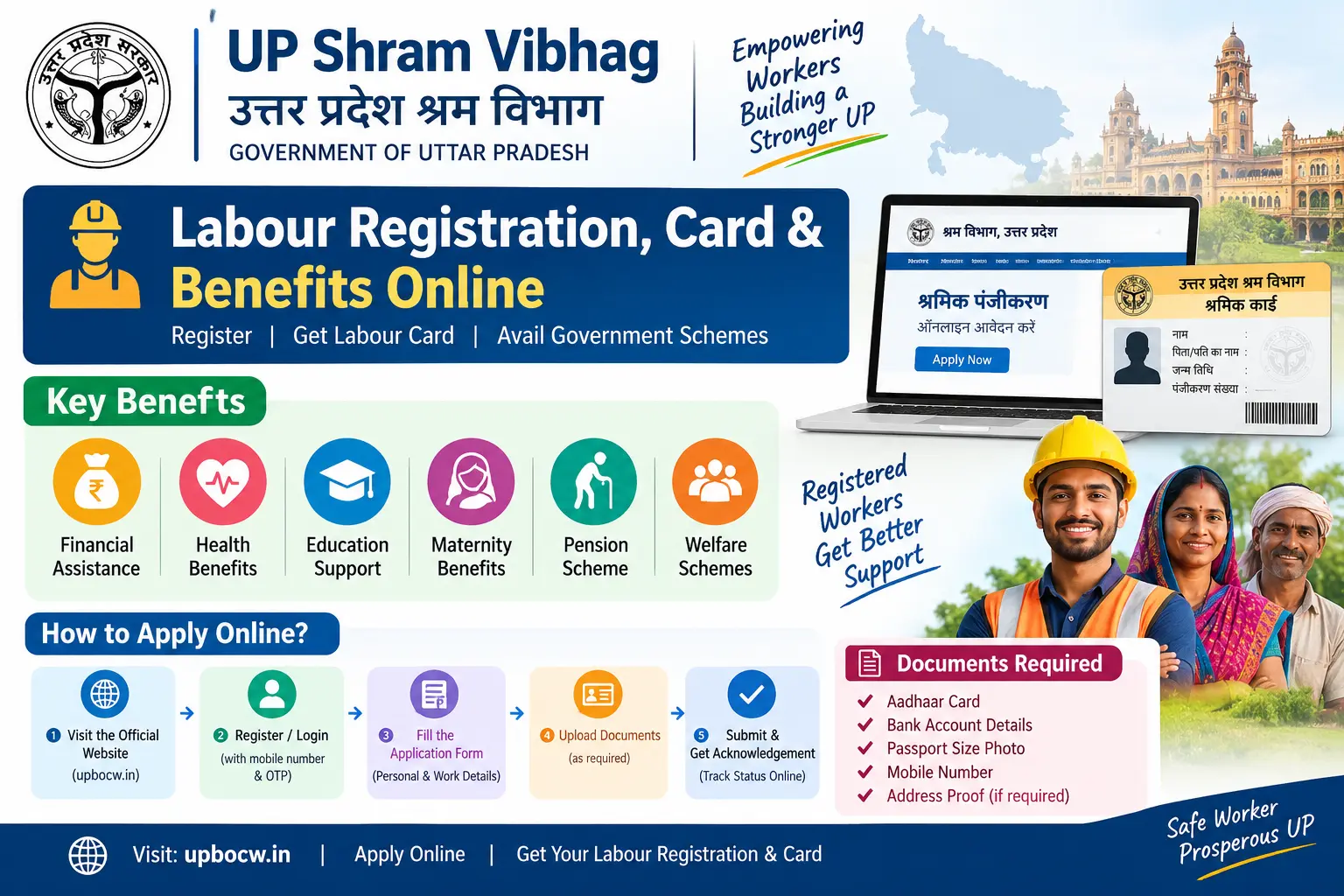
A hospital bill after a fall at a construction site. A daughter’s wedding. School fees in July. For construction workers in Uttar Pradesh, these are the moments when a Shramik Card should matter most — and it is usually the moment they discover the card is lapsed, or was never applied for. The Uttar Pradesh Shram Vibhag system, run through the UP Building and Other Construction Workers Welfare Board (UPBOCW), is the state framework built for exactly these situations. What follows covers who qualifies, what paperwork the Board actually asks for, how the online registration behaves in practice — including the points where applications tend to stall — and which benefits you can claim once the card is active.
What Makes the UP Shramik Card Different From Other Worker IDs
The Shramik Card is a welfare card, not a general identity document. It is issued only to building and construction workers, and it works on a contribution model: pay the annual amount, and the Board extends accident cover, education and marriage assistance, maternity support, housing help, and a pension after sixty. Miss a renewal and the benefits stop — even though the card in your pocket still looks perfectly valid.
It is also not the e-Shram card. That one is a central registry of unorganised workers, issued through eshram.gov.in, carrying its own accident insurance. The two systems are unconnected. Holding an e-Shram card does not make you eligible for UPBOCW schemes, and registering with the UP Board does not enrol you on e-Shram. Many workers in the state eventually hold both.
Who Qualifies for Shram Vibhag UP Registration
Two things decide eligibility: the type of work you do, and how many days you have done it.
You generally need to be between 18 and 60 years old, with at least 90 days of construction work completed in the previous 12 months. MGNREGA workers have a lower threshold — commonly cited as 50 days — because their job cards serve as the work record.
“Construction worker” is read widely. Masons, carpenters, plumbers, electricians, painters, welders, and bar-benders are covered. So are people laying roads, building dams and bridges, working in brick kilns, fitting tiles and marble, crushing stone, digging tunnels, and even doing clerical or accounts work at a construction site. Security guards posted at such sites are included.
The exclusions matter just as much. Farm labourers, factory workers, domestic help, and gig workers in delivery or ride-hailing fall outside this scheme — they belong on e-Shram instead. If your occupation sits anywhere near the edge of that list, confirm with your block or district labour office before spending time on an application that will be rejected.
Discover More About:👇
West Bengal Labour Card Status Check by Aadhaar Number
E Shram Card Download by Mobile Number
Documents to Keep Ready Before You Start
Collect these in digital form first. The portal accepts scans or clear photographs, usually JPG, PNG, or PDF, with a file-size limit on each upload — a 4 MB photo straight from a phone camera will often need resizing.
- Aadhaar card, with a mobile number currently linked to it, since that is where the OTP goes
- Proof of 90 days of construction work — a certificate from a registered contractor or employer, from a Gram Pradhan, or a self-declaration in the prescribed format
- Bank passbook showing account number and IFSC, in the worker’s own name
- Recent passport-size photograph
- Age proof — Aadhaar, voter ID, or a date-of-birth certificate
- Nominee’s Aadhaar — the family member who would receive benefits in the worker’s absence
- An active mobile number for OTP verification
If you plan to apply through a Jan Seva Kendra or Common Service Centre rather than on your own phone, carry the originals too. The operator scans them and hands you a receipt.
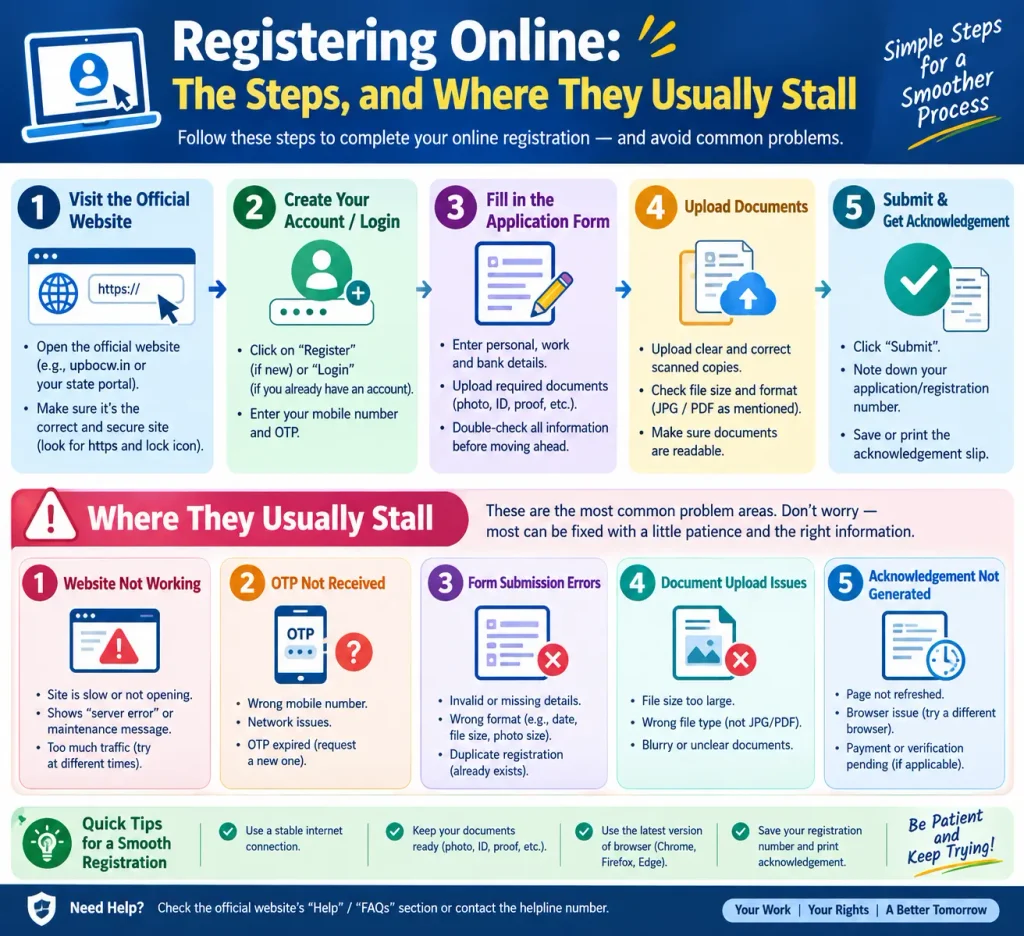
Registering Online: The Steps, and Where They Usually Stall
Registration runs through the UPBOCW portal, upbocw.in, with screens in Hindi and English. The sequence below reflects how the form generally behaves — confirm the current interface and fee on the portal before you begin.
Step 1 — Open the portal and find the worker registration section. Look for “श्रमिक पंजीयन” on the homepage. Keep your Aadhaar, passbook, and photographs within reach before you open the form; these portals time out idle sessions, and a reset means starting over.
Step 2 — Enter Aadhaar and basic details. The form asks for a 12-digit Aadhaar number — or the 28-digit Enrolment ID (EID), the number on the acknowledgement slip if the card has not been issued yet — along with your mobile number, district, and division.
Pitfall: mixing up the Aadhaar number with the EID, or with the 16-digit Virtual ID (VID), is one of the commonest reasons a first attempt fails. All three look similar on paper. None of them work interchangeably.
Step 3 — Verify with OTP. The OTP goes to the mobile number registered with Aadhaar — not necessarily the SIM in your hand. If nothing arrives after a couple of minutes, check the last four digits displayed on screen before pressing resend repeatedly, since repeated requests can lock the session. When it works, your name, date of birth, and address are pulled from Aadhaar and shown on screen.
Pitfall: if the OTP is going to a dead number, retrying will not help. Changing the mobile registered with Aadhaar means visiting an Aadhaar Seva Kendra or enrolment centre and paying the prescribed fee — the mAadhaar app cannot do it for you. Fix this first, then start the labour card application.
Step 4 — Complete the full form. Address, family and nominee details, bank account, occupation, and the 90-day work proof go here. Before submitting, check the name spelling against your Aadhaar. If the name on the application, the Aadhaar, and the bank passbook do not match, registration may still go through — and then the Direct Benefit Transfer payment bounces back to the Board months later.
Step 5 — Pay the registration fee and annual contribution. UPI, debit card, and credit card are generally accepted. Fee amounts are revised from time to time, so confirm the current figure on the portal rather than relying on what a neighbour paid last year.
Step 6 — Save the certificate and the payment receipt. A registration certificate is generated after payment and may show as pending verification for a short period. Download both the certificate and the receipt, print them, and photograph the printout. If a payment succeeds but no certificate appears, that transaction reference is what lets the labour office trace and fix it. Do not pay a second time.
Benefits You Can Actually Claim
Registration is the entry point, not the payout. Every scheme below needs its own application, its own documents, and — for most cash benefits — at least a year of active membership. The figures are the Board’s published amounts at the time of writing and are revised periodically.
| Benefit | What it covers |
|---|---|
| Accident and death insurance | Cover for accidental death or disability, commonly up to ₹2 lakh |
| Daughter’s marriage assistance | Assistance under the Kanya Vivah Sahayata Yojana, currently listed at ₹55,000 |
| Children’s scholarship | Annual scholarship for up to two children, from Class 6 onward |
| Maternity benefit | Support for institutional delivery and postnatal care |
| Housing assistance | Subsidy or loan support for registered workers |
| Pension | Monthly pension after 60 under the Mahatma Gandhi Pension Yojana |
| Medical assistance | Support toward treatment of serious illness |
| Funeral assistance | Immediate help to the family after a worker’s death |
The practical habit worth building: keep one file with the card, contribution receipts, a bank passbook copy, and Aadhaar — and apply for a scheme while the card is active, never after.
Where Applications Commonly Go Wrong
The work certificate. Contractors disappear, or refuse to sign. A Gram Pradhan can usually issue the certificate instead, drawing on MGNREGA job cards or local records; your block labour office will confirm which alternatives it accepts.
Wrong scheme. The UPBOCW card covers construction work only. Agriculture, factory, and domestic work fall outside it.
A card already in the family. A second application from the same household is generally not accepted if a spouse already holds an active card. Check the family’s existing registration first.
Letting the three-year cycle lapse. Renewal means fresh proof of 90 days of work for the preceding year, plus the annual contribution. Workers who skip a year and then have an accident find the lapse costs far more than the contribution they saved.
FAQs
Is the UP Shramik Card the same as the e-Shram card?
No. e-Shram is a central registry of unorganised workers with its own accident insurance. The UP Shramik Card is a state welfare card for construction workers, with a wider benefit list. Separate registrations, separate portals.
I work in UP but my family lives in another state. Can I still register?
Generally yes — registration follows where you work, not where your family resides. If you later move to a construction site in another state, check whether that state’s BOCW board needs a separate registration, since benefits are tied to the state where the work is performed.
My Aadhaar-linked mobile number is inactive. Is there another way to register?
Some Jan Seva Kendras and CSCs can complete applications using alternative verification, but the OTP route is standard. The cleaner fix is updating the mobile number on your Aadhaar at a Seva Kendra first, then applying.
Do women workers get anything extra?
Women are eligible on the same terms as men, and the maternity benefit and child-birth assistance schemes are open to them. These are separate applications with their own documentation.
How do I check my application status?
The UPBOCW portal usually allows a status check using your Aadhaar number or registration number. If you applied through a Jan Seva Kendra, the operator can check on your behalf. For anything specific to your case, the district labour office is the reliable source.
How long does approval take?
Timelines vary by district and by how quickly the work certificate is verified, so the portal is the only place for a current answer. If nothing has moved after a few weeks, a visit to the district labour office tends to resolve it faster than waiting online.
A Final Word on Timing
The most useful thing to understand about the Shramik Card is that it is not a document you arrange after an accident. Accident cover applies to incidents that happen while the membership is active; a card registered next month will not pay for an injury that occurred last week. The same logic governs the marriage and scholarship schemes, which need an active card well before the event. If your card has already lapsed, ask the district labour office whether the gap can be closed by paying the outstanding contributions — in many cases it can, and that route is cheaper and faster than starting a fresh application.
