

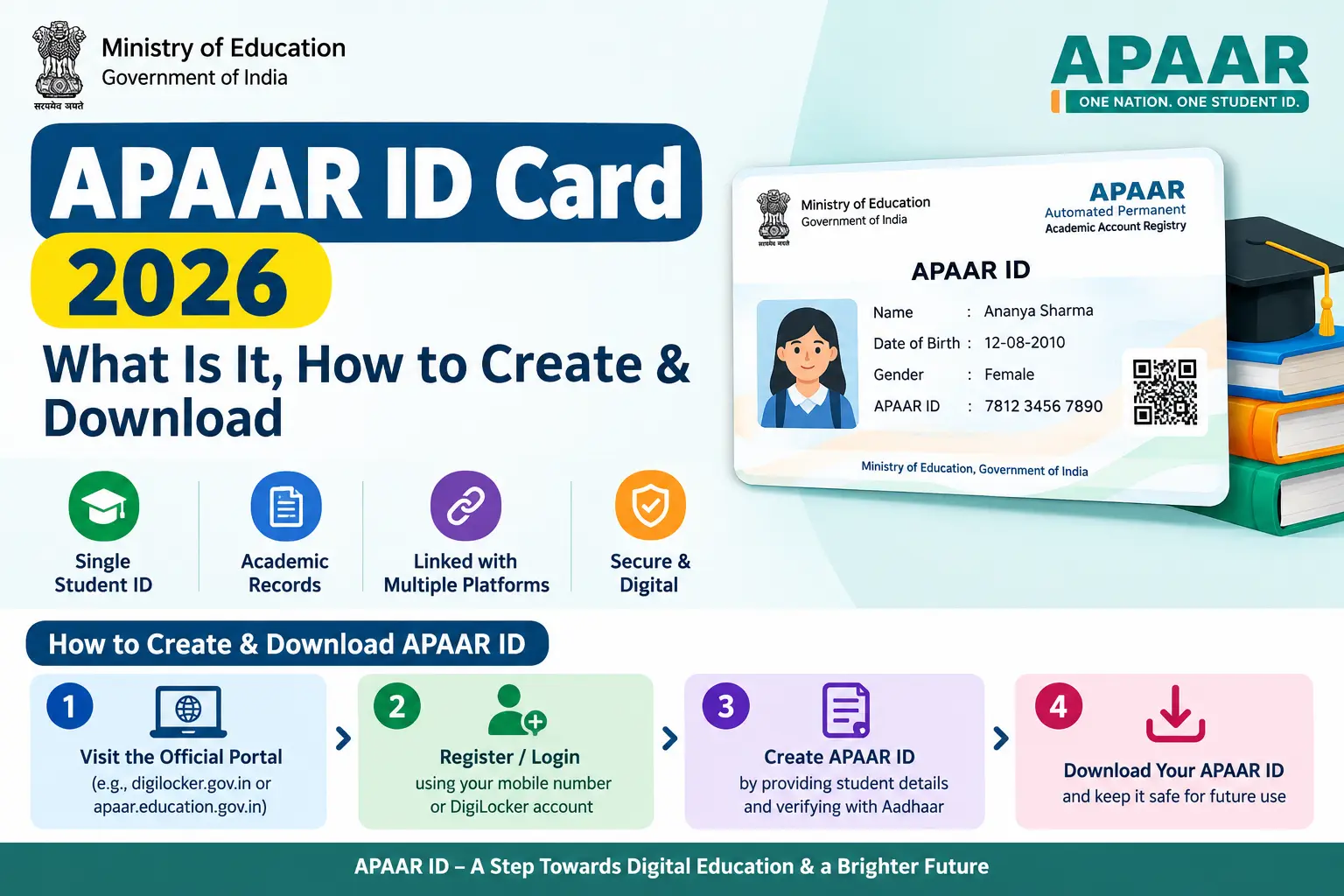
The message from your school is clear: no APAAR ID, no board exam registration. For students appearing for CBSE Class X and XII in the 2026–27 session, and for anyone planning to sit for NEET 2026, this 12-digit number has moved from optional to essential. Yet many students are discovering the problem too late — the ID hasn’t been generated, DigiLocker isn’t showing the card, or the school’s records don’t match their Aadhaar details. This guide walks you through what the APAAR ID card actually is, how to create it without repeated failed attempts, and how to download it once it’s ready.
APAAR ID Card in 2026: What It Is and Why It Matters
APAAR stands for Automated Permanent Academic Account Registry — a 12-digit unique identification number introduced by the Ministry of Education under the National Education Policy (NEP) 2020 and the “One Nation, One Student ID” initiative. Think of it as a permanent digital locker for every academic achievement you earn from Class I onwards: marksheets, certificates, degrees, diplomas, and even co-curricular accomplishments are stored against this single ID.
The ID works alongside the Academic Bank of Credits (ABC) , a digital repository where your credits are deposited and can be transferred between institutions. When you change schools or apply to a university, instead of carrying bundles of documents, you share your APAAR ID, and the institution accesses your verified records digitally.
The urgency in 2026 comes from two fronts. According to recent CBSE directions, schools have been asked to include only students with an active APAAR ID in the List of Candidates (LOC) submitted for board examinations — meaning students without it may be barred from appearing for Class X and XII exams. Separately, NEET 2026 registration requires candidates to enter their APAAR ID during application. While the ID remains voluntary in principle and requires explicit consent, the practical reality is that major academic gateways now demand it.
Benefits: Why Every Student Should Have an APAAR ID
The advantages extend beyond compliance with exam rules. An APAAR ID eliminates the fear of losing hard-copy certificates — your entire academic history is preserved digitally and can be accessed whenever needed. It also makes student mobility smoother: transferring from one school to another, applying for higher education, or submitting records for job applications becomes a matter of quoting a single number. For educators and administrators, the system reduces duplication, minimises fraud, and brings transparency to the verification process. The APAAR ecosystem reflects the same philosophy of accessible, verified digital identity that underpins services like Aadhaar, though the two serve very different purposes and are not interchangeable.
Discover More About:👇
Aadhaar Verification Online: How to Verify & Check Aadhaar Card Validity
Aadhaar KYC Process: How to Complete Aadhaar-Based KYC
Prerequisites Before You Begin
Before starting the APAAR ID creation process, ensure a few critical conditions are met. The student’s name as recorded in UDISE+ (the Unified District Information System for Education, which maintains school-level student data) must exactly match the name on their Aadhaar card. A Permanent Education Number (PEN) issued through UDISE+ is mandatory — the APAAR ID cannot be generated without it. For minor students, parental or guardian consent is required, and the consent form must be signed and submitted through the school. Keeping these details consistent beforehand saves considerable time and prevents the frustration of a failed or pending application.
How to Create Your APAAR ID: Step-by-Step
There are two routes: through your school’s UDISE+ module, or directly via DigiLocker. The school route is most common for enrolled students, as the institution verifies demographic details and obtains consent on your behalf. The DigiLocker route is useful for students who need to generate or retrieve the ID independently. The steps below describe the DigiLocker process, which is widely documented by schools and education departments.
- Visit the DigiLocker portal at digilocker.gov.in and click on “Login/Register.”
- Enter your mobile number or Aadhaar number linked to your DigiLocker account and continue.
- Verify with the 6-digit security PIN sent to your registered mobile number. If the OTP doesn’t arrive, check that your mobile number is linked to Aadhaar — this is the single most common reason for failure.
- Once logged in, either click on “Get Now to Get APAAR ID” or use the search bar to look for “APAAR” and select “Academic Bank of Credits.”
- Click on APAAR ID to begin the generation process.
- Your name, date of birth, and gender will be auto-fetched from your Aadhaar-linked profile.
- Enter your identity value — this could be your roll number, registration number, enrolment number, or select “New Admission” if applicable — and choose the corresponding identity type. A frequent pitfall here: entering a roll number when the school records a registration number. If you’re unsure which one your school uses, confirm with the office before proceeding.
- Select your admission year and your school or college from the dropdown menus.
- Tick the consent checkbox and click “Get Document.”
- Your APAAR ID will be generated and immediately pushed to the “Issued Documents” section of your DigiLocker account.
One more thing to watch for: DigiLocker sessions can time out if you leave the page idle for too long. Complete the steps in one sitting, and if the page freezes or returns an error after you click “Get Document,” log out and start again rather than refreshing repeatedly. For students whose schools are handling the process, the school verifies your demographic details, collects parental consent if you are a minor, authenticates your identity through their records, and then triggers the ID creation. Once generated, the virtual APAAR ID card appears in your DigiLocker, and you can also check the generation status through the UDISE+ portal’s APAAR module.
Documents and Details Required
Students are generally not required to submit physical documents for APAAR ID creation. The details that must be available and accurate include: the UDISE+ Unique Student Identifier (PEN) , student name, date of birth, gender, mobile number linked with Aadhaar, mother’s name, father’s name, name as per Aadhaar, and Aadhaar number. Where the school requests supporting paperwork, it typically includes the Aadhaar card, birth certificate, and previous academic records. A consent form signed by a parent or guardian is necessary for minor students.
How to Download Your APAAR ID Card
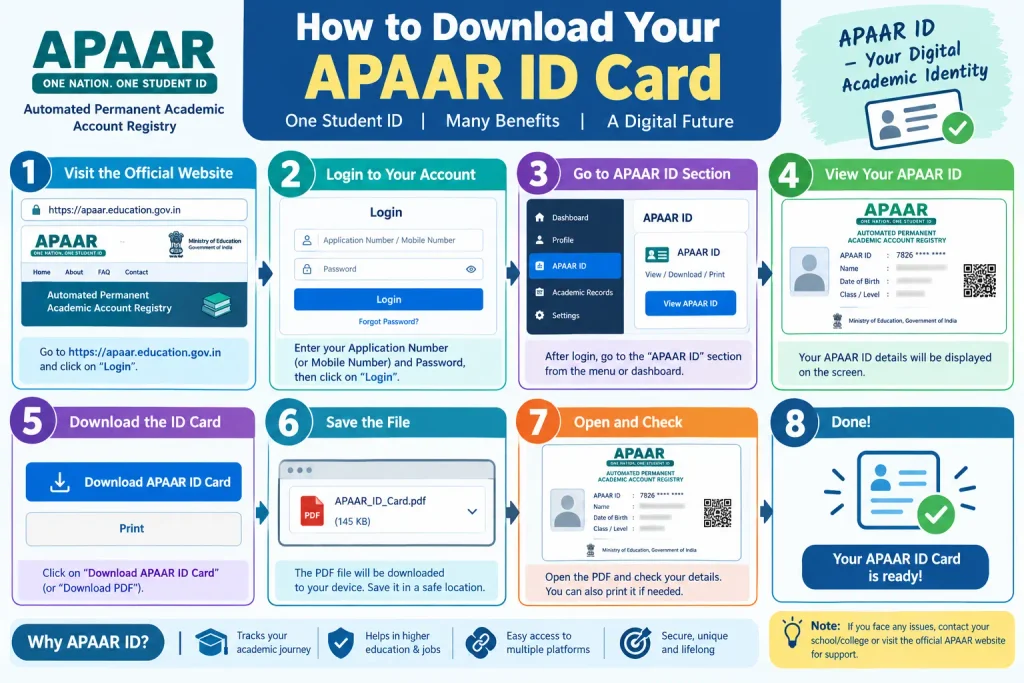
Once your APAAR ID has been generated, downloading the card is straightforward. The card is stored in your DigiLocker account under “Issued Documents.” Log in to DigiLocker, open the Issued Documents section, and search for “APAAR,” “Academic Bank of Credits,” or education-related issued documents. Click on the APAAR ID card title to open it, and you should see a download option — usually saving it as a PDF file. You can also access the card through the ABC portal at abc.gov.in by logging in with your DigiLocker credentials or mobile number and selecting the APAAR card download option from the dashboard.
If the card does not appear in DigiLocker, first confirm with your school whether the UDISE+ request shows the status as “generated,” “pending,” or “failed.” A pending or failed status means the ID has not yet been successfully created, and the school will need to recheck the details or reprocess the request. Avoid creating a second identity until the status is clarified.
Common Mistakes to Avoid
One of the most frequent errors is a mismatch between the name on Aadhaar and the name recorded in UDISE+. Even a minor difference in spelling or the use of initials versus full names can cause the generation to fail. Another common issue is entering an incorrect identity value — using a roll number when the school records a registration number, for example. Students also sometimes attempt to create an APAAR ID independently when their school has already initiated the process, leading to duplicate requests. If you are unsure whether your school has already submitted your details, check with the school office or the UDISE+ APAAR module before proceeding. Finally, do not assume that a generated APAAR ID is automatically visible everywhere; it is pushed to DigiLocker, but you may still need to log in and check the Issued Documents section manually.
Frequently Asked Questions
1. Is APAAR ID the same as Aadhaar?
No. Aadhaar is a general-purpose identity number issued by UIDAI for all residents. APAAR ID is an academic identity issued by the Ministry of Education specifically for students to store and share educational records. They serve different purposes and are issued by different authorities.
2. Can I create an APAAR ID without a Permanent Education Number (PEN)?
No. A valid PEN from the UDISE+ Student Module is a mandatory prerequisite. The APAAR ID cannot be generated first and then linked to a PEN.
3. Is APAAR ID mandatory for NEET 2026?
Yes, as per the official NEET UG 2026 application requirements, candidates are required to enter their APAAR ID during registration. Students planning to appear for NEET should ensure their APAAR ID is generated well before the application window opens.
4. What if my APAAR ID is not showing in DigiLocker?
First, ask your school to check the APAAR status in the UDISE+ portal. If the status shows “pending” or “failed,” the school will need to correct the data and reprocess. If the status shows “generated” but the card is missing from DigiLocker, verify that you are logged into the correct DigiLocker account and check the Issued Documents section.
5. Does APAAR ID require parental consent?
Yes, for students who are minors, parental or guardian consent is required. The consent is typically obtained through the school during the verification process.
6. Can I use my APAAR ID for job applications?
Yes. The APAAR ID is designed to be a lifelong academic record. You can share it for job applications, skilling and upskilling courses, and entrance examinations, allowing institutions to verify your credentials digitally without you having to produce physical certificates.
The APAAR ID represents a significant shift in how academic records are managed in India — from scattered paper documents to a unified digital identity. While the 2026 mandates have made it essential for school and board examination students, its benefits extend to anyone pursuing higher education or lifelong learning. The process depends on accurate data already existing in UDISE+ and a valid Aadhaar linkage. If your ID still shows as pending after your school has submitted the details, wait a few working days before following up — rushed duplicate requests can complicate the record. Students and parents should verify details with the school well in advance and check the official APAAR portal or UDISE+ module for updates, rather than relying on word of mouth.
