

Your Bhamashah card number isn’t working on the portal. Or you’ve been told at the ration shop that you need Jan Aadhaar instead. Or you’re trying to register for a state scheme and the form keeps rejecting your family ID. If any of this sounds familiar, you’re not alone — thousands of Rajasthan residents are navigating the same confusion as the state gradually moves from the Bhamashah system to Jan Aadhaar. This guide explains what the bhamashah card is, how it relates to Jan Aadhaar, and exactly how to register, check status, and download your card in 2026.
What Is the Bhamashah Card and Why Does It Matter?
The Bhamashah Yojana was launched by the Government of Rajasthan on 15 August 2014 with three goals: women’s empowerment, financial inclusion, and transparent welfare delivery. Each eligible family received a Bhamashah card — a family identification document issued primarily in the name of the woman of the household. The card linked the family to a core banking–enabled bank account, so pensions, MGNREGA wages, and scholarships could be transferred directly without intermediaries.
It also served as a biometric identity for subsidised ration through fair price shops and for health insurance under the Bhamashah Swasthya Bima Yojana (BSBY). Think of it as a single family-level identity that multiple government departments could use to verify eligibility and deliver benefits.
Discover More About:👇
e Card Download: How to Download e-Aadhaar, XML, PVC & Get a Physical Aadhaar Card
Aadhaar Status Check – How to Check Enrolment & Update Status Online
Bhamashah vs Jan Aadhaar: What Changed and What You Should Know
The Bhamashah Yojana has been merged into the Jan Aadhaar Yojana. Announced in the Rajasthan Budget 2019–20 with the motto “One Number, One Card, One Identity,” Jan Aadhaar was officially launched on 18 December 2019 and now replaces the Bhamashah card as the primary family identity for state government schemes.
Jan Aadhaar assigns a 10-digit Family ID to every household and an 11-digit Member ID to each individual. Unlike the Bhamashah card, which was primarily a family-level document, Jan Aadhaar provides both family and individual identification. Existing Bhamashah cardholders are encouraged to migrate, and many state schemes — including the Chiranjeevi health insurance scheme, subsidised ration through the Public Distribution System, state scholarships, and pension schemes — now require a Jan Aadhaar number for registration.
This doesn’t mean your Bhamashah card is useless overnight. It remains a valid historical record and may still be accepted for certain purposes. But for new applications and full access to current state benefits, Jan Aadhaar is the operative ID. If you have an old Bhamashah card, you can search for your Jan Aadhaar number using your Bhamashah number on the Jan Aadhaar portal. If a Jan Aadhaar number appears, your migration has been successful.
How to Register for a Bhamashah Card (and Jan Aadhaar)
Since Bhamashah enrolment has largely been superseded by Jan Aadhaar enrolment, the process below is for Jan Aadhaar — the functional replacement for the Bhamashah card. You can register online or through an e-Mitra kiosk.
Online Registration Steps
- Visit the official Jan Aadhaar portal at janaadhaar.rajasthan.gov.in.
- Click on “Jan Aadhaar Enrollment” or “Citizen Registration.”
- Enter the Aadhaar number of the head of the family (preferably the woman of the household) and verify via OTP sent to the Aadhaar-linked mobile number.
- Fill in the family head’s details: name, date of birth, gender, and address.
- Add each family member by entering their Aadhaar number and completing OTP verification.
- Upload a passport-size photograph and the first page of the bank passbook.
- Enter bank account details (account number, IFSC code, bank name) for Direct Benefit Transfer linkage.
- Review all information and submit the application.
- Note down the Jan Aadhaar Enrollment ID or acknowledgement number for future reference.
Common pitfalls to watch for: If the OTP never arrives, your mobile number is likely not linked to Aadhaar. Update your Aadhaar mobile linkage at a UIDAI centre or through the UIDAI portal before attempting Jan Aadhaar registration. Another frequent issue is portal timeout — the session can expire if you leave the page idle while hunting for documents. Keep your Aadhaar, bank passbook, and photographs ready before you begin. Also double-check the spelling of names and dates of birth; even a minor mismatch with Aadhaar can cause rejection later.
Offline Registration
If you prefer in-person help, visit your nearest e-Mitra kiosk or Jan Aadhaar Enrollment Centre. The operator will guide you through the same process using your Aadhaar and supporting documents. Community service centres and Atal Seva Kendras can also assist with enrolment and card-related queries.
How to Check Bhamashah Card Status and Jan Aadhaar Status
The Bhamashah mobile app, developed by RajCOMP Info Services, offers features including “Get Enrollment Details,” “Get Bhamashah ID Details,” and “Get Bhamashah Card Status.” For Jan Aadhaar, the process is similar:
- Visit janaadhaar.rajasthan.gov.in.
- Click on “Know Your Jan Aadhaar Status.”
- Enter your Enrollment ID or Jan Aadhaar Number.
- Verify with the OTP sent to your registered mobile number.
- View your current enrolment or card status on screen.
You can also log in to the Rajasthan SSO portal at sso.rajasthan.gov.in using your SSO ID to view your Bhamashah or Jan Aadhaar details. If you applied through an e-Mitra kiosk, the operator can check the status on your behalf using your acknowledgment receipt.
How to Download Your Bhamashah or Jan Aadhaar Card
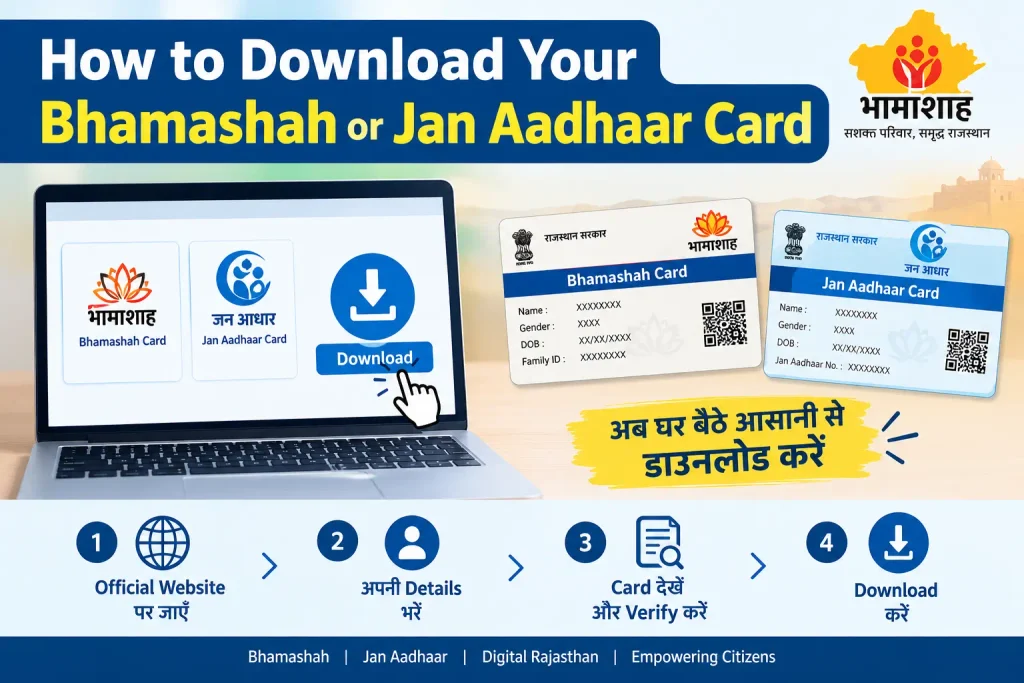
Downloading a digital copy is useful for printing, sharing, or storing on your phone. The Jan Aadhaar portal allows you to download an e-card:
- Go to janaadhaar.rajasthan.gov.in.
- Click on “Jan Aadhaar Card” or “Download e-Card.”
- Enter your Jan Aadhaar Number or Acknowledgement ID.
- Verify with OTP.
- Download the PDF copy of your card.
The Bhamashah mobile app also lets you view and retrieve Bhamashah card details, including card status and printing and distribution status. For a physical Bhamashah card, distribution was typically handled through Gram Sevaks, Patwaris, urban ward supervisors, and e-Mitra centres. If you need a physical copy and are unsure where to collect it, the Jan Aadhaar portal or your nearest e-Mitra centre can guide you.
Documents Required for Bhamashah / Jan Aadhaar Registration
Keep these ready before you start:
- Aadhaar card of the head of the family and all family members (mandatory for biometric authentication and OTP verification)
- Ration card (to verify family composition and address)
- Bank passbook or account details (first page showing account number, IFSC code, and bank name, for DBT linkage)
- Passport-size photographs of family members
- Voter ID or Driving Licence (as additional identity or age proof, if required)
Ensure the mobile number linked to your Aadhaar is active. OTP verification is mandatory for both online registration and status checks.
Common Mistakes to Avoid
A mismatch between the name or date of birth on your Aadhaar and the details entered in the application form is one of the most frequent problems. Double-check that everything matches your Aadhaar exactly. Another common mistake is using a mobile number that isn’t linked to Aadhaar — OTP verification will fail. Update your Aadhaar mobile linkage first if needed.
Many applicants also assume that having an Aadhaar card automatically means they have a Jan Aadhaar. It doesn’t. Jan Aadhaar is a separate registration and must be completed independently. And if you’ve been searching for “shahji online” or similar variations, note that the correct official portals are janaadhaar.rajasthan.gov.in for Jan Aadhaar and sso.rajasthan.gov.in for SSO-based services.
Frequently Asked Questions
Q1: What is the Bhamashah card number, and where can I find it?
The Bhamashah Identification Number is a unique number generated for each enrolled family and printed on the Bhamashah card. It’s also available in the Bhamashah mobile app under “Get Bhamashah ID Details” and on the Jan Aadhaar portal if your card has been migrated. If you can’t locate it, visit an e-Mitra centre with your Aadhaar and family details.
Q2: Is the Bhamashah card still valid in 2026?
The Bhamashah card remains a valid historical record, but for new scheme applications and full access to current Rajasthan government benefits, Jan Aadhaar is now the required ID. Many schemes, including health insurance and subsidised ration, accept Jan Aadhaar in place of the Bhamashah card.
Q3: Can I download my Bhamashah card online?
Yes. The Jan Aadhaar portal allows you to download an e-card using your Jan Aadhaar number or acknowledgement ID. The Bhamashah mobile app also provides card status and details. Physical card collection, where applicable, is typically handled through local distribution channels.
Q4: What should I do if my Bhamashah card status shows “pending” for a long time?
Processing timelines can vary. First, verify that all documents submitted are correct and that your Aadhaar mobile number is active. If the status remains unchanged, visit your nearest e-Mitra centre or Jan Aadhaar Enrollment Centre with your acknowledgement receipt. You can also check the official Jan Aadhaar portal for updated guidance.
Q5: I searched for “shahji online” — is that the correct portal?
“Shahji online” appears to be a variation or misspelling of “Bhamashah.” The correct official portals are janaadhaar.rajasthan.gov.in for Jan Aadhaar services and sso.rajasthan.gov.in for SSO-based access. Always use these official URLs to avoid misinformation.
A Note on Fees and Timelines
Jan Aadhaar registration itself is free of cost. However, fees for certain corrections, reprints, or assisted services at e-Mitra kiosks may apply and can change periodically. Processing timelines for card generation and distribution also vary. For the most current information on fees, timelines, and any recent rule changes, check the official Jan Aadhaar portal or contact the Rajasthan SSO helpdesk. Don’t rely on unverified third-party sources for fee amounts or processing times.
The Bhamashah card played a pioneering role in bringing Rajasthan’s welfare delivery into the digital age, and its legacy continues through Jan Aadhaar. If your application status hasn’t changed after two to three weeks, don’t keep refreshing the portal endlessly — visit your nearest e-Mitra centre with your acknowledgement receipt and ask them to check whether any document is pending or mismatched. That single visit often resolves issues that online troubleshooting can’t.
