

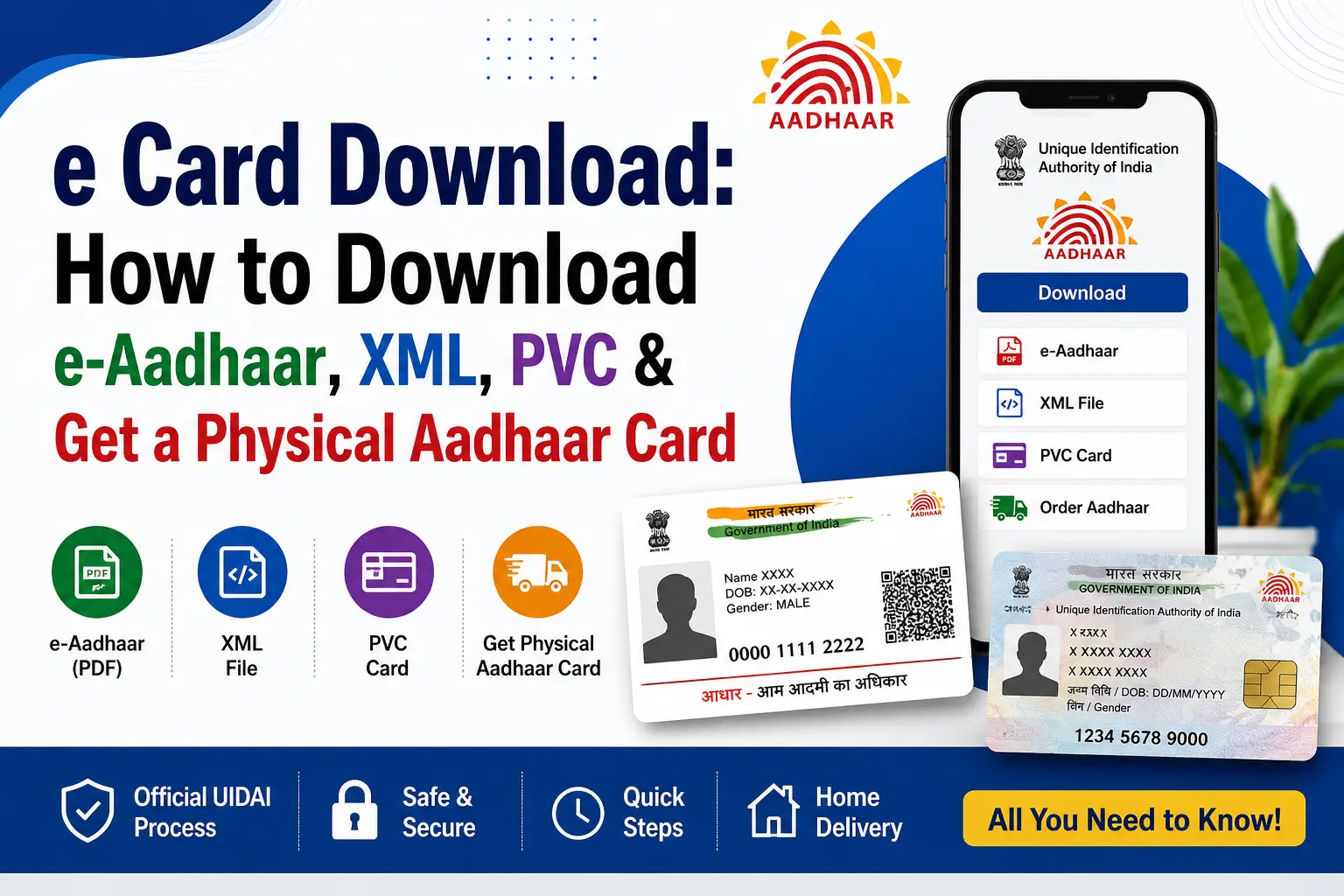
You need your Aadhaar urgently, but “Aadhaar download” can mean several different things. Maybe you want a PDF for printing, an XML/ZIP file for offline e-KYC, a PVC card delivered to your address, or you are actually trying to enrol for Aadhaar for the first time.
That is where many users get stuck. An e-Aadhaar PDF is not the same as an Offline e-KYC XML file, and ordering a PVC card is different from downloading Aadhaar online.
This guide explains the correct route for each situation, using current UIDAI information. It also covers common searches such as e card download, “aadhar card kaise banaye”, XML file download, PVC cards, printing and photocopying, and the important difference between Aadhaar services and PM-KISAN status checking.
Important: CheckAadharStatus.com is an independent informational website and is not affiliated with UIDAI or the Government of India. Always complete Aadhaar transactions through official UIDAI channels.
Discover More About: 👇
How to Get EID Number: Retrieve Your 28-Digit Aadhaar Enrolment ID
What Is Masked Aadhaar Card? Meaning, Uses, Validity & How to Download
Quick Facts
| Service | What it does | Current cost |
|---|---|---|
| e-Aadhaar | Downloadable Aadhaar PDF | No separate download fee stated by UIDAI |
| Offline e-KYC | Download digitally signed XML in a ZIP file | Official service |
| Aadhaar PVC Card | Physical PVC version of Aadhaar | ₹75, including GST and Speed Post charges |
| New Aadhaar enrolment | Apply for Aadhaar for the first time | Enrolment is free |
| Official authority | UIDAI | Government of India |
For official services, use UIDAI or myAadhaar.
Which Aadhaar Service Do You Actually Need?
Before clicking any download option, identify your requirement:
- Need a digital Aadhaar copy? Download e-Aadhaar as a PDF.
- Need a file for offline KYC? Use UIDAI’s Offline e-KYC service to obtain the XML/ZIP.
- Want a durable physical card? Order an Aadhaar PVC Card.
- Do not have Aadhaar yet? You need enrolment first.
- Need a paper copy? Download and print e-Aadhaar or use an available physical Aadhaar form.
- Checking PM-KISAN? Use the applicable PM-KISAN service rather than assuming Aadhaar download and PM-KISAN status are the same process.
How to Download e-Aadhaar Online
UIDAI allows residents to download e-Aadhaar using an Aadhaar Number, Enrolment ID (EID), or Virtual ID (VID). An OTP is sent to the registered mobile number for the online download process.
Download e-Aadhaar Using Aadhaar Number
If you already know your Aadhaar number:
- Open the official myAadhaar portal.
- Select the e-Aadhaar download service.
- Choose the Aadhaar Number option where applicable.
- Enter the requested details.
- Request the OTP.
- Enter the OTP received on your registered mobile.
- Download the e-Aadhaar PDF.
The downloaded PDF is digitally signed and password protected. UIDAI considers e-Aadhaar equally valid to the physical Aadhaar form.
Download Using Enrolment ID (EID)
If you do not have your Aadhaar number but have your Enrolment ID, the EID can be used for e-Aadhaar download through the official service.
This is particularly useful after enrolment when you are waiting for the Aadhaar number to become available.
Download Using VID
UIDAI also supports e-Aadhaar download using VID. VID is a temporary, revocable 16-digit number that can be used instead of the Aadhaar number for supported authentication and e-KYC services.
What If the PDF Asks for a Password?
The downloaded e-Aadhaar PDF is password protected. Use the password format specified by UIDAI rather than trying random passwords or downloading another copy from an unofficial website.
How to Download Aadhaar XML ZIP File
If someone specifically asks you for an Aadhaar XML/ZIP file, they usually mean Offline Aadhaar e-KYC, not the ordinary e-Aadhaar PDF.
UIDAI’s Offline e-KYC service produces a digitally signed XML file packaged in a ZIP file. The download is protected by a Share Code and is intended for offline identity verification.
How the XML/ZIP Process Works
- Open the official UIDAI Offline e-KYC service.
- Enter the information requested by the official service.
- Complete the verification step.
- Generate/download the Offline e-KYC package.
- Keep the Share Code securely available.
- Provide the XML/ZIP only when it is genuinely required for an applicable offline verification process.
The XML package contains selected identity information needed for offline verification. It is not simply a different-looking Aadhaar PDF.
PDF vs XML/ZIP
| Feature | e-Aadhaar PDF | Offline e-KYC XML/ZIP |
|---|---|---|
| Main purpose | Digital Aadhaar copy | Offline identity verification |
| Format | XML inside ZIP | |
| Protection | PDF password | Share Code |
| Typical use | View, download and print | Offline KYC/verification |
So if your search is xml file download, do not automatically download e-Aadhaar and assume it is the requested file.
How to Get PVC Aadhaar Card
If you already have Aadhaar and want a durable physical card, you can order an Aadhaar PVC Card through UIDAI.
The current UIDAI information lists the charge as ₹75, including GST and Speed Post charges.
How to Get PVC Aadhaar Card
The basic process is:
- Open the official UIDAI/myAadhaar website.
- Select the Order Aadhaar PVC Card service.
- Provide the information requested by the official service.
- Complete authentication/payment as instructed.
- Save the applicable service/request details for tracking.
- The PVC card is sent to the address in the Aadhaar database through Speed Post.
UIDAI states that the PVC card is handed over to the Department of Posts within five working days, excluding the day of the request, after which delivery is handled through Speed Post.
Is the PVC Card Valid?
Yes. UIDAI states that the Aadhaar Letter, Aadhaar PVC Card, e-Aadhaar and Aadhaar App versions are valid forms of Aadhaar.
A PVC card does not create a new Aadhaar identity. It is a physical form of your existing Aadhaar.
Discover More About: 👇
What is Aadhaar Number, VID (Virtual ID) & UIDAI Full Form – Complete Beginner’s Guide
mAadhaar App Download & Guide: Features, Face RD and AadhaarPay Explained
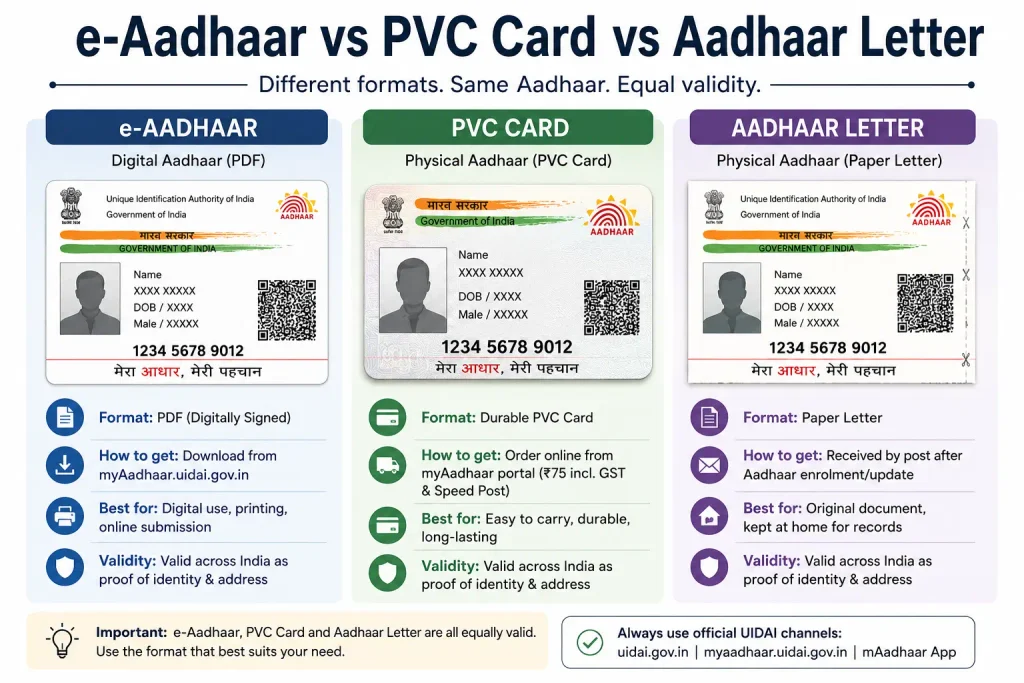
e-Aadhaar vs PVC Card vs Aadhaar Letter
| Aadhaar form | Best suited for |
|---|---|
| e-Aadhaar PDF | Digital access and printing |
| Aadhaar PVC Card | Durable physical card |
| Aadhaar Letter | Physical Aadhaar document |
| Aadhaar App | Digital access and supported Aadhaar services |
The important point is that you do not need to obtain every format. Choose the one that matches the task you are trying to complete.
Aadhar Card Kaise Banaye? New Aadhaar Enrolment Explained
If you are searching aadhar card kaise banaye because you do not have an Aadhaar number yet, downloading a PDF is not the first step.
You need to complete Aadhaar enrolment through an authorised enrolment facility. UIDAI’s enrolment process involves providing the required demographic/biometric information and applicable supporting documents.
The overall journey is:
New applicant → Aadhaar enrolment → Aadhaar generation → e-Aadhaar download
Aadhar Card Kaise Banaen If You Are a New Applicant
The phrase aadhar card kaise banaen generally has the same intent: the person wants to obtain Aadhaar for the first time.
Do not confuse this with an Aadhaar download request. A person who already has Aadhaar can normally use the relevant download or PVC service, while a new applicant needs to follow the enrolment process.
Aadhaar Card Lamination, Printing and Xerox Copy
Searches for aadhar card lamination usually come from people who already have a printed Aadhaar document and want to protect the paper copy.
Lamination is not the same as ordering an Aadhaar PVC Card. A PVC card is an official Aadhaar format supplied through UIDAI’s service, whereas printing or laminating a copy is a separate physical-document choice.
Similarly, a search for aadhar card xerox copy generally means the user needs another paper copy for a particular submission.
Before submitting a photocopy, check what the requesting organisation actually requires. If it specifically asks for a particular Aadhaar format, authentication method or KYC process, simply providing a photocopy may not satisfy that requirement.
What About the Aadhaar App?
UIDAI’s newer Aadhaar App provides several Aadhaar-related digital services, including supported Aadhaar updates, authentication controls, selective sharing features, authentication history and e-Aadhaar access. UIDAI has also highlighted substantial adoption of the app in 2026.
Because app features and interfaces can change, use the current official app listing and UIDAI instructions rather than relying on an old tutorial showing an earlier interface.
PM-KISAN Status Is Not the Same as Aadhaar Status
This distinction matters if you reached this page while trying to check a PM-KISAN payment or beneficiary record.
It would be misleading to say:
“Enter your Aadhaar number and you can always check your PM-KISAN payment status.”
The current PM-KISAN website has a Know Your Status service, while a separate service for Self Registered Farmer/Farmer Registered Through CSC uses Aadhaar. These are different workflows.
PM-KISAN also treats e-KYC as a separate requirement for registered farmers.
Keep These Terms Separate
| What you want to check | Meaning |
|---|---|
| Beneficiary status | Whether the farmer is recorded as a beneficiary |
| Payment status | Information about PM-KISAN payment/instalment |
| Registration status | Progress or status of farmer registration |
| Aadhaar authentication | Aadhaar-based identity authentication |
| e-KYC | KYC completion process |
| Aadhaar download | Getting your Aadhaar document |
So if your actual goal is a PM-KISAN payment or beneficiary check, use the relevant official PM-KISAN service rather than an Aadhaar download page.
Common Aadhaar Download Problems
OTP Is Not Arriving
Check that you are using the mobile number registered with Aadhaar and that your phone can receive SMS. If the problem continues, use UIDAI’s official support channels rather than an unofficial service.
You Downloaded the PDF but Cannot Find It
On a phone, check the device’s Downloads or Files area. Recent users have reported difficulty locating downloaded Aadhaar PDFs in app-based workflows; this is a user-reported experience, not evidence that the problem affects everyone.
You Need XML but Downloaded PDF
This is usually an intent mismatch. If the organisation specifically requires Offline e-KYC, use the official XML/ZIP process instead of submitting the ordinary PDF.
You Do Not Have Aadhaar Yet
Do not search for another download link. Complete the official enrolment process first.
PVC Card Has Not Arrived
Keep the applicable order/request information and use the official tracking/support route. UIDAI provides grievance and support channels, including helpline 1947.
e-Aadhaar Download: Pros and Limitations
Advantages
- Convenient digital copy
- Can be downloaded when eligible through official UIDAI services
- Useful for printing
- Available through multiple identification routes, including Aadhaar Number, EID and VID
Limitations
- Online download requires the applicable authentication process
- OTP-related problems can interrupt the process
- XML/ZIP is required for some offline KYC situations rather than a PDF
- A physical card may be more convenient when a durable document is preferred
Which Aadhaar Option Should You Choose?
| Your situation | Best starting point |
|---|---|
| I already have Aadhaar and need a digital copy | e-Aadhaar |
| I need offline KYC data | Offline e-KYC XML/ZIP |
| I want a durable physical card | Aadhaar PVC Card |
| I have never enrolled | Aadhaar enrolment |
| I need a paper copy | Print e-Aadhaar |
| I need a photocopy | Print/photocopy the applicable Aadhaar document |
| I need PM-KISAN information | Use the relevant official PM-KISAN service |
FAQs
How can I download my Aadhaar card online?
Use the official UIDAI/myAadhaar e-Aadhaar service. Depending on the available option, you can use your Aadhaar Number, EID or VID and complete the required OTP verification.
Can I download e-Aadhaar using my EID?
Yes. UIDAI lists the Enrolment Number as one of the methods available for downloading e-Aadhaar.
What is the difference between Aadhaar PDF and XML?
The e-Aadhaar PDF is an electronic Aadhaar document. The XML/ZIP is associated with UIDAI’s Offline e-KYC service and is intended for offline identity verification.
How much does an Aadhaar PVC Card cost?
UIDAI currently lists the Aadhaar PVC Card charge as ₹75, including GST and Speed Post charges.
Is an Aadhaar PVC Card valid?
Yes. UIDAI recognises the Aadhaar PVC Card as a valid form of Aadhaar, alongside e-Aadhaar and the Aadhaar Letter.
Can I print my e-Aadhaar?
Yes. e-Aadhaar is an electronic Aadhaar document that can be downloaded and printed. UIDAI states that e-Aadhaar has equal validity to the physical Aadhaar copy.
Do I need to laminate my Aadhaar?
Lamination is not the same as obtaining an official Aadhaar PVC Card. If you want a durable official physical format, consider the UIDAI PVC Card service.
Can I check PM-KISAN status using Aadhaar?
It depends on the specific PM-KISAN service. The main Know Your Status workflow and the separate self-registered/CSC farmer status service should not be treated as identical. Do not assume that every PM-KISAN payment or beneficiary status can be checked using Aadhaar alone.
What should I do if my Aadhaar OTP does not arrive?
Check the registered mobile connection and retry through the official UIDAI service. If the issue persists, contact UIDAI through its official support channels, including 1947.
Final Takeaway
The simplest way to avoid Aadhaar-related confusion is to start with the document or service you actually need.
For a digital copy, use e-Aadhaar. For offline KYC, use the XML/ZIP e-KYC service. For a durable physical card, order the Aadhaar PVC Card. If you do not have Aadhaar yet, complete enrolment first.
And if your real goal is PM-KISAN beneficiary or payment information, go directly to the applicable official PM-KISAN service. Aadhaar download, authentication, e-KYC and PM-KISAN status are related in some situations, but they are not the same process.
Always verify the latest instructions, fees and service availability on UIDAI’s official website or the official myAadhaar portal before submitting personal information or making a payment.

5 Comments
Pingback: e Aadhaar Password: PDF Password Format & How to Open Aadhaar
Pingback: Aadhaar Mobile Number Update Status – Why It Gets Rejected
Pingback: UIDAI Full Form: Aadhaar Number, VID & UIDAI Explained
Pingback: Download Aadhaar XML: Offline eKYC & ZIP Password
Pingback: Bhamashah Card 2026: Status & Download