


The notification is out. You have the certificates, the age is right, and the deadline is two weeks away. Then you reach the application form and see a field asking for your Employment Exchange registration number — and you realise you never registered, or worse, your registration lapsed years ago without you noticing. In Odisha, this is a common last-minute scramble. Recruitments conducted by the Odisha Sub-ordinate Staff Selection Commission (OSSSC) and several other state departments routinely require candidates to hold a live registration with the Employment Exchange Odisha before they can apply. This guide covers how to complete your employment exchange card apply online, what happens at the verification stage, how to log in and check your status, and how to keep your registration active so it is there when you need it.
What the Employment Exchange Odisha Network Does
The Directorate of Employment, Government of Odisha, runs the state’s employment exchange network from its headquarters at Niyojan Bhawan, Bhubaneswar. The network includes District Employment Exchanges, Special Employment Exchanges for SC/ST candidates and persons with disabilities, and a Professional and Executive Employment Office in Bhubaneswar for those with higher qualifications.
These offices maintain a Live Register — a district-wise database of job seekers ranked by seniority, qualification, and reservation category. When an employer notifies a vacancy, the exchange sponsors eligible candidates from this register. Your registration number is essentially your place in that queue.
The old system required a physical visit to register. The state has since moved the process online through the Odisha Career Service (Digital Employment Exchange) portal at empmission.odisha.gov.in. You can fill out the initial form from any device, but the registration only becomes permanent after an in-person document check at your district exchange. That gap between online submission and physical verification is where most applications fall through.
Discover More About:👇
Aadhaar Status Check – How to Check Enrolment & Update Status Online
How to Register Online: Step by Step
Follow these steps in order. The 20-day window mentioned in Step 4 is the deadline people miss most often.
Step 1: Open the Portal
Go to empmission.odisha.gov.in/Exchange/ in your browser. On the homepage, click the “Odisha Career Service (Digital Employment Exchange)” tab. If the page loads slowly or times out, try again during non-peak hours — the portal sees heavy traffic around major recruitment notifications.
Step 2: Start the Jobseeker Registration
Under the ‘Employment Services’ section, click “Jobseeker Registration”. A declaration will appear. Read it and accept to proceed to the application form.
Step 3: Fill In Your Details
The form asks for your qualification level, caste category, state, and district. Select your district carefully — your registration will be tied to it, and changing districts later requires a transfer process. Double-check every entry before clicking Submit. A misspelt name or wrong date of birth on this form can cause problems during verification.
Step 4: Save Your Temporary Registration Number
After submission, an acknowledgement page appears with a temporary registration number. This number is valid for 20 days. Write it down, screenshot it, or do both. If you do not complete Step 5 within this window, the temporary registration is cancelled automatically and you will have to start over. Set a phone reminder for day 10 — not day 19.
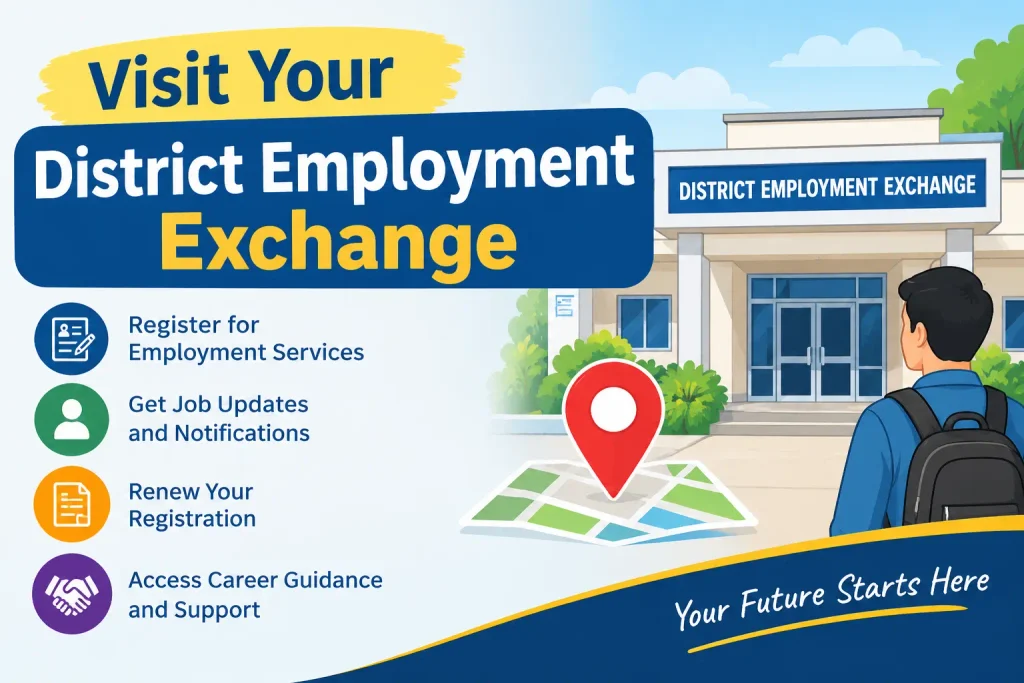
Step 5: Visit Your District Employment Exchange
Within 20 days, go to the District Employment Exchange office for your district with all original documents and attested photocopies. The verification officer will match your documents against the details you submitted online. If everything checks out, your temporary registration becomes permanent and you receive your Registration Identity Card (Form X-10). If the officer finds a mismatch — a name spelling difference between your matric certificate and Aadhaar, for example — you may be asked to correct the online form and return.
Do not assume you can walk in without checking the exchange’s schedule. Some offices require you to come on specific days or times for verification. Call ahead or check the notice board at your local exchange before travelling.
Step 6: Collect Your Card and Check the Details
After verification, you will be issued the X-10 card. Check it immediately. Confirm that your name, date of birth, qualification, and renewal due month are correct. Report any error on the spot — corrections later are more tedious. Depending on the exchange, a digitally signed registration certificate may also be available for download from the portal.
Documents You Will Need
Bring both originals and attested photocopies. The list below reflects what is commonly required, though your district exchange may ask for additional documents in specific cases.
- Educational certificates: Mark sheets and pass certificates for your highest qualification. If you have a degree, bring the provisional or original certificate.
- Proof of date of birth: Matriculation certificate, school leaving certificate, or birth certificate. The name and date of birth must match your other documents.
- Caste certificate: Required if you are claiming SC, ST, OBC, or SEBC reservation benefits. Not needed for general category candidates.
- Domicile certificate: To establish Odisha residency.
- Identity proof: Aadhaar card, Voter ID, Ration Card, Passport, or Driving Licence.
- Passport-size photographs: Two or three recent copies.
- Experience certificates: If you have prior work experience. Not mandatory for freshers.
How to Log In and Check Your Status
Once you have your permanent registration number, you can log in to the portal to check your status, view your renewal due date, and update your profile.
- Go to empmission.odisha.gov.in and open the Jobseeker module.
- Enter your User ID — typically your registration number or a username you created — and your password.
- An OTP will be sent to your registered mobile number. Enter it to complete the login.
If the OTP does not arrive, check that your mobile number is correctly saved in your profile. A number that was entered incorrectly or has since changed will block login. In that case, visit your employment exchange to update the mobile number. If you have forgotten your password, use the “Forgot Password” link and follow the reset instructions sent to your registered email or mobile.
Renewal: The Step Most People Forget
Your X-10 card states the month in which renewal is due. Miss it, and your name can be removed from the Live Register. Thousands of job seekers in Odisha have discovered this only when a recruitment notification arrived — and by then, the application window had closed.
You can renew on any working day during the due month. Three methods are available:
- Online: Log in to the portal and select “Renew Candidate”. This is the fastest option and generates an immediate acknowledgement.
- In person: Visit your District Employment Exchange with your X-10 card during office hours.
- By post or messenger: Some exchanges accept renewal through a reply-paid postcard or a messenger carrying your card details. If you use this method and receive no response within 30 days, follow up in person. Do not assume it has been processed.
If you miss the due month for a genuine reason, some exchanges allow renewal in the following month. Rules vary by district, so contact your local exchange directly to confirm. The safest approach is to renew in the first week of your due month — not the last.
Common Mistakes to Avoid
- Letting the 20-day verification window lapse: The temporary number expires. If you are travelling or unwell, ask someone to check whether your exchange allows an extension, or restart the process early.
- Registering in the wrong district: Register where you normally reside. If you move, apply for a transfer rather than creating a second registration.
- Holding dual registrations: Registering at more than one employment exchange is treated as a penal offence and can lead to forfeiture of your registration. The exception: professionally qualified candidates may register at the Professional and Executive Employment Office in Bhubaneswar while keeping their local registration.
- Ignoring the renewal month: Treat renewal as a yearly appointment. Put it in your calendar.
- Submitting unclear photocopies: Blurred or illegible copies will be rejected. Attestations, where required, should be from a gazetted officer.
FAQs
What is the minimum age to register?
14 years. There is no upper age limit for registration itself, though individual job notifications will have their own age criteria.
Can I register from outside Odisha?
You can start the online form from anywhere. But you must visit your District Employment Exchange in Odisha within 20 days for verification. The registration is tied to your district of residence.
Is there a registration fee?
The portal describes registration as a free service. Fees and procedures can change, so verify current details on the official portal or at your district exchange.
What happens if I miss my renewal month?
Your registration may be cancelled. Some exchanges permit late renewal in the following month, but this depends on local rules. Contact your exchange immediately if you have missed a renewal.
Can I update my qualifications after registering?
Yes. Log in and update your profile with new qualifications, experience, or contact details. Keeping this current matters — employers sponsor candidates from the database based on the information it contains.
What is the X-10 card?
The Registration Identity Card issued after successful verification. It carries your registration number, personal details, qualifications, and renewal due month. Carry it for any exchange visit.
A Final Note
The registration process itself is not complicated, but it has two hard deadlines: the 20-day verification window and the annual renewal month. Miss either one, and you may find yourself restarting from scratch at the worst possible time — right when a recruitment notification is out and the application deadline is closing in. If you have already missed a renewal, contact your district exchange today rather than waiting for the next job notification. Some exchanges can restore lapsed registrations; others cannot. Either way, you will know where you stand before it costs you an opportunity.
