

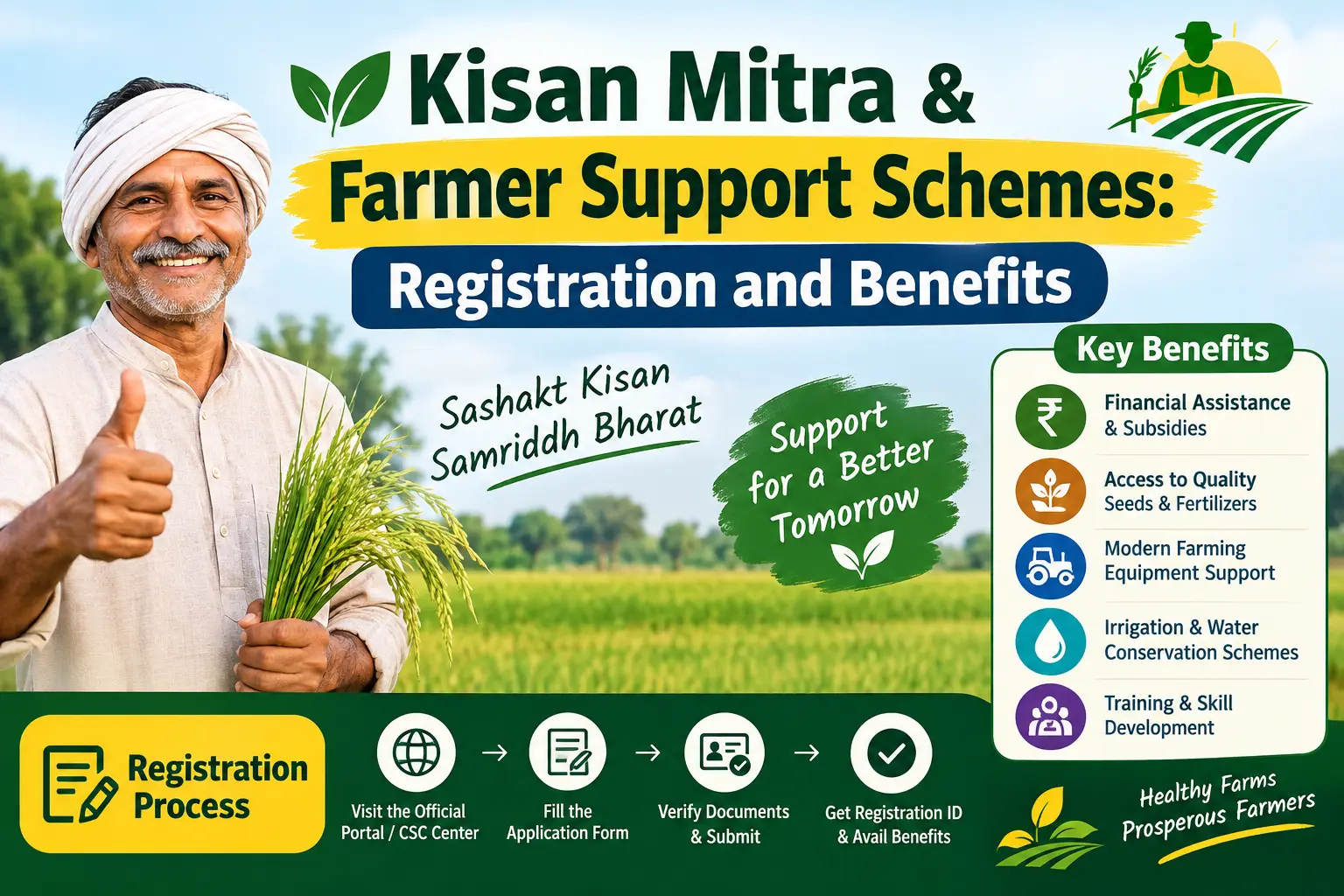
Your PM-Kisan instalment is due, but the portal shows e-KYC pending. Or the OTP never arrives because the mobile number linked to your Aadhaar is inactive. For many farmers, the problem is not eligibility—it is verification. The term kisan mitra is often used loosely for farmer support programmes, but it can mean different things: the central PM-Kisan income support scheme, the Kisan e-Mitra chatbot, or Haryana’s Kisan Mitra Yojana. This guide separates those meanings, walks through PM-Kisan registration, explains the e-KYC step that blocks many payments, and lists the documents and mistakes you need to watch for.
What Does “Kisan Mitra” Mean in Different Contexts?
The phrase appears in several farmer welfare contexts, so it helps to know which one you are dealing with.
PM-Kisan Samman Nidhi: This is the central government’s income support scheme for land-holding farmer families. Under its current design, eligible beneficiaries receive ₹6,000 per year in three instalments, transferred directly to their bank accounts through Direct Benefit Transfer (DBT). DBT means the money moves from the government to your bank account without a middleman.
Kisan e-Mitra: This is an AI-based chatbot from the Ministry of Agriculture & Farmers Welfare. It answers PM-Kisan queries—payments, registration, eligibility—in several Indian languages. It is a help tool, not a separate payment scheme.
Haryana Kisan Mitra Yojana: A state-level programme for small and marginal farmers in Haryana. It has offered seasonal financial support, soil testing, and advisory services, though state norms and amounts can change. Always confirm current benefits on the state agriculture department’s official channel.
The rest of this article focuses on PM-Kisan, because it applies to farmers across most states and is the scheme most people mean when they search for kisan mitra registration.
Discover More About:👇
Farmer ID (FID) Status Check by Aadhaar Number – PM Kisan
PM-KISAN Status Check Using Aadhaar: How to Find Your Registration Number and Check Your Status
Who Is Eligible for PM-Kisan?
PM-Kisan is meant for land-holding farmer families. In general:
- The farmer should own agricultural land, and the land records should reflect their name or cultivator status.
- Where a Farmer Registry is operational, the beneficiary may need to be registered in it. In states where the registry work has not started, registration can often proceed without a Farmer ID.
- Institutional landholders, income-tax payers, and certain government employee categories are usually excluded.
Eligibility rules and exclusion lists are revised from time to time. Verify your case on the official PM-Kisan portal or with your local agriculture department before assuming you qualify.
How to Register for PM-Kisan: Step-by-Step
You can register yourself online, through a Common Service Centre (CSC), or with help from the agriculture department.
Self-Registration on the PM-Kisan Portal
- Open the official PM-Kisan website, pmkisan.gov.in.
- Go to the Farmer’s Corner section on the homepage.
- Click New Farmer Registration.
- Choose the Aadhaar-based option and enter your Aadhaar number. If your Aadhaar is linked to an active mobile number, an OTP will be sent for verification.
- Fill in your personal details, bank account number, IFSC code, land details, and mobile number. Enter your name exactly as it appears on Aadhaar.
- Complete e-KYC using OTP, biometric verification at a CSC, or face authentication through the PM-Kisan mobile app.
- Submit the form and note the registration number shown on screen. You will need it to track status.
A pitfall to avoid: If the OTP does not arrive, do not keep clicking “resend” for an hour. It usually means your mobile number is not linked to Aadhaar. Check that link first, or use face authentication instead. Also, long forms can time out if you leave the page idle—keep your Aadhaar, bank passbook, and land records nearby before you start.
Registration Through a CSC
Visit a nearby Common Service Centre. The operator can fill the form, upload documents, and complete biometric e-KYC. A service charge may apply; confirm the amount at the centre. Do not share your Aadhaar OTP with anyone, even if they claim to be helping.
Registration Through the Agriculture Department
Block Agriculture Officers and extension staff in many states assist with PM-Kisan registration, especially when land record verification or Farmer Registry entry is needed.
e-KYC and Documents: What You Need
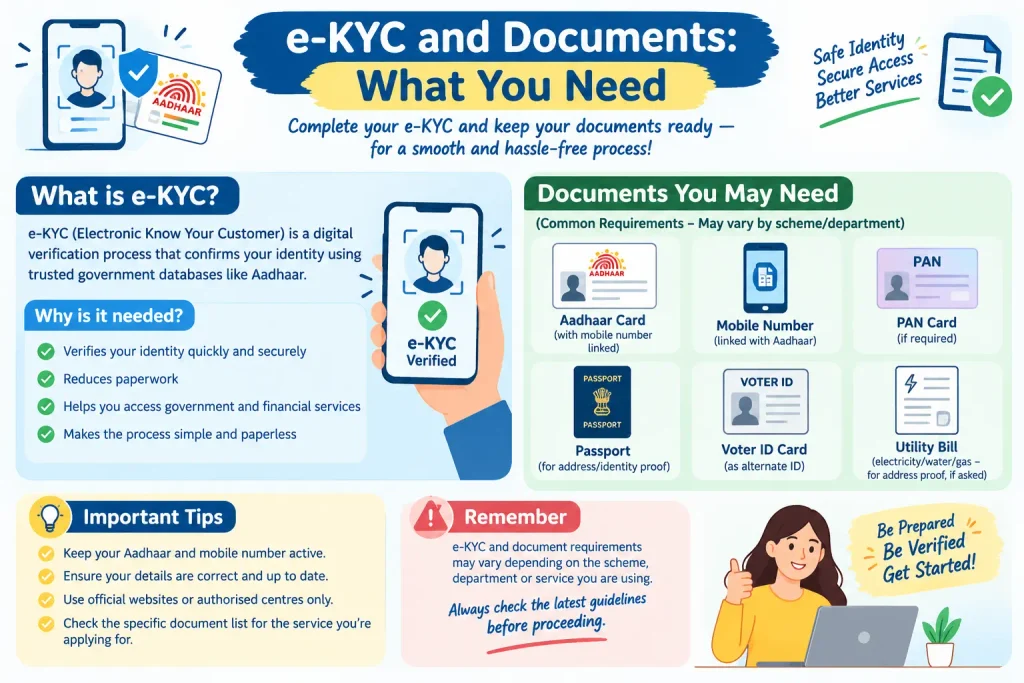
e-KYC, or electronic Know Your Customer, is a digital identity check. For PM-Kisan, it confirms that the person applying is the same person whose Aadhaar and bank account are being used.
There are three common modes:
- OTP-based e-KYC: Needs an active mobile number linked to Aadhaar.
- Biometric e-KYC: Done at a CSC or State Service Centre using fingerprint verification.
- Face authentication e-KYC: Done through the PM-Kisan mobile app. Useful if OTP is not arriving or visiting a centre is difficult.
If your Aadhaar-linked mobile number is outdated, you will need to update it at an Aadhaar Enrolment/Update Centre or Aadhaar Seva Kendra. Check uidai.gov.in for centre locations and current process. The mAadhaar app can show your Aadhaar details, but mobile number updates generally require a visit to a centre.
Documents typically required:
- Aadhaar card for identity and e-KYC.
- Active bank account number and IFSC code.
- Land ownership records such as Khatauni, Khasra, Jamabandi, or the state-specific equivalent.
- Active mobile number, preferably linked to Aadhaar.
- Self-declaration form with name and address, as required by the portal.
For Haryana Kisan Mitra Yojana, additional documents such as Parivar Pehchan Patra and state land records may be asked for. Confirm the current list locally.
Common Mistakes That Delay or Block Benefits
Most payment failures come down to a few repeated errors.
Incomplete e-KYC. If e-KYC is pending, the instalment is usually held. Check your e-KYC status on the portal and finish it.
Aadhaar–bank mismatch. The name on your Aadhaar and bank account should match. A small spelling difference can cause the DBT transfer to fail.
Wrong IFSC code. Copy the IFSC from your bank passbook or cheque leaf, not from a forwarded message. One wrong character can send the payment back.
Incorrect land details. Land records must match government databases. Discrepancies can lead to rejection or removal from the beneficiary list.
Mobile number not linked to Aadhaar. OTP-based e-KYC will not work. Use face authentication or update your Aadhaar mobile number first.
Not checking beneficiary status. Some farmers assume payment is delayed when the portal is actually waiting for a correction. Check status after every instalment window.
How to Check PM-Kisan Beneficiary Status and Access Other Support
To check status:
- Visit pmkisan.gov.in.
- In Farmer’s Corner, click Know Your Status or Beneficiary Status.
- Enter your registration number, Aadhaar number, or registered mobile number.
- Complete OTP or captcha verification.
- Review payment details, e-KYC status, and land seeding information.
If the status shows a problem, correct it before the next instalment cycle.
Beyond PM-Kisan, other support schemes include:
- Kisan Credit Card (KCC): Short-term credit for farm needs. Apply through participating banks; a simplified form is often available.
- Pradhan Mantri Fasal Bima Yojana (PMFBY): Crop insurance for losses from natural calamities. Enrol through banks, CSCs, or the PMFBY portal.
- AgriStack Farmer ID: A digital farmer identity being rolled out by the government, linked to digitised land records. Coverage varies by state; check official updates for your area.
Frequently Asked Questions
Q1: Is Kisan Mitra the same as PM-Kisan?
Not exactly. PM-Kisan is the central income support scheme. Kisan e-Mitra is a chatbot for PM-Kisan queries. Haryana Kisan Mitra Yojana is a separate state scheme.
Q2: Can I register for PM-Kisan without Aadhaar?
Aadhaar is generally mandatory for registration and e-KYC. If you do not have one, you may need to enrol first. Check with the local agriculture department or the PM-Kisan helpline for any exceptions.
Q3: What if my PM-Kisan instalment has not been credited?
Check beneficiary status on the portal. Look for pending e-KYC, bank mapping issues, or land record problems. If everything looks correct, raise a grievance through the portal or use the IVRS facility.
Q4: How do I update my mobile number or bank details?
Some changes can be made on the PM-Kisan portal or app. Others require a CSC or agriculture office visit. Keep your Aadhaar-linked mobile active for OTP verification.
Q5: Is e-KYC required every year?
Q1: Is Kisan Mitra the same as PM-Kisan?
Not exactly. PM-Kisan is the central income support scheme. Kisan e-Mitra is a chatbot for PM-Kisan queries. Haryana Kisan Mitra Yojana is a separate state scheme.
Q2: Can I register for PM-Kisan without Aadhaar?
Aadhaar is generally mandatory for registration and e-KYC. If you do not have one, you may need to enrol first. Check with the local agriculture department or the PM-Kisan helpline for any exceptions.
Q3: What if my PM-Kisan instalment has not been credited?
Check beneficiary status on the portal. Look for pending e-KYC, bank mapping issues, or land record problems. If everything looks correct, raise a grievance through the portal or use the IVRS facility.
Q4: How do I update my mobile number or bank details?
Some changes can be made on the PM-Kisan portal or app. Others require a CSC or agriculture office visit. Keep your Aadhaar-linked mobile active for OTP verification.
Q6: What is the PM-Kisan mobile app used for?
It supports face authentication e-KYC, beneficiary status checks, and scheme information. It is available on Google Play Store.
Fees, timelines, and state rules can change. Always confirm current details on pmkisan.gov.in or uidai.gov.in, or ask your local agriculture office.
If you fix an e-KYC or bank issue today, do not expect the instalment to appear instantly. Give the system a few days, then re-check your beneficiary status. If the same error returns after a correction, raise a grievance with your registration number and bank details ready—rather than paying an agent who promises “instant” approval.
