

Your Aadhaar update was submitted three weeks ago. The bank needs e-KYC done before the month ends, your mobile number is still not linked, and every time you try to check the status online, the portal throws back the same stubborn message: the EID must be exactly 28 digits. You’ve counted, recounted, and pasted the number from your acknowledgement slip — and it still won’t go through.
That error is rarely a problem with your enrolment. It’s almost always a formatting problem: half the EID got dropped, a leading zero disappeared during copy-paste, or the date-and-time portion was typed into the wrong field. This guide walks through what the EID actually is, why its length matters, how to enter it correctly on the UIDAI portal and mAadhaar app, and what to do when each specific error appears.
Discover More About👇
What Is an EID (Enrolment ID)?
EID full form in Aadhaar is Enrolment ID — the reference number UIDAI (Unique Identification Authority of India) generates the moment you enrol for Aadhaar or file an update request. Until your Aadhaar number is issued or your update is processed, this is the only handle you have on your application.
You’ll find it printed on the acknowledgement slip handed to you at the enrolment centre or Aadhaar Seva Kendra. It’s also usually sent by SMS and email to the mobile number and email ID you registered at the time.
Why the EID Is 28 Digits Long
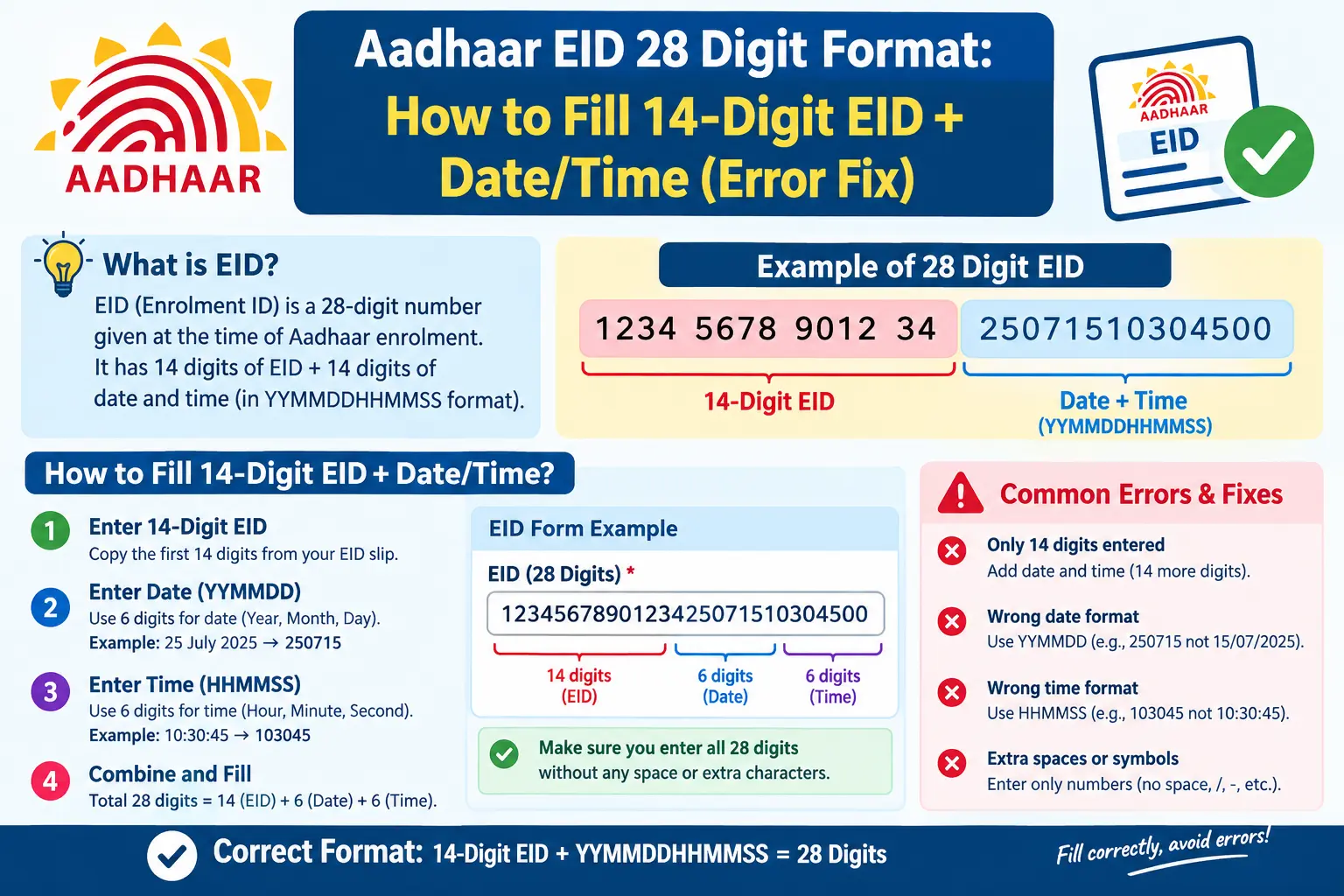
The number isn’t arbitrary. It’s two 14-digit blocks stitched together:
- A 14-digit enrolment number identifying your specific application
- A 14-digit date-and-time stamp recording when the enrolment was captured
Read together, that’s 28 digits — which is why a form expecting the full string rejects anything shorter. On many slips the two blocks are printed with a gap or a slash between them, and that visual break is exactly what causes people to enter only the first half.
Worth clearing up early: the VID (Virtual ID) is a different thing altogether — a temporary, revocable 16-digit number you can use in place of your Aadhaar number for certain services. EID and VID are not interchangeable, and mixing them up is a common source of confusion.
How to Enter the 28-Digit EID Correctly
The process below reflects how status checks generally work on the UIDAI portal (uidai.gov.in) and the mAadhaar app. Screens get updated from time to time, so treat the field labels as approximate and follow whatever the form in front of you asks for.
- Pull up your acknowledgement slip first. Don’t work from memory or from a half-legible photo. The EID needs to be read digit by digit.
- Separate the two blocks. Identify where the 14-digit enrolment number ends and the 14-digit date-time code begins. On most slips they’re printed as distinct chunks.
- Open the right tool. For a citizen status check, that’s typically the UIDAI portal or the mAadhaar app. The Aadhaar Enrolment/Update Client is operator-side software used at enrolment centres — it isn’t the route most people use to check status from home.
- Match the field layout. If the form gives you two boxes — one for the enrolment number, one for the date and time — fill each with 14 digits. If it gives you a single box, type all 28 digits with no spaces, hyphens, or slashes.
- Watch the leading digits. Enrolment numbers sometimes begin with a zero. Spreadsheets and messaging apps love to silently strip those. If you’re copy-pasting, check the first character landed.
- Submit and read the status. A successful check shows where your request stands — generated, in process, or flagged for correction.
Two pitfalls that catch people repeatedly: first, copy-pasting from a PDF or WhatsApp message can carry invisible characters that break the digit count even though the number looks right. Type it manually if the paste fails. Second, portal sessions time out faster than most people expect. If you’ve spent several minutes hunting for your slip with the page open, refresh and start the entry fresh rather than submitting into a dead session and misreading the resulting error.
Fixing the Common EID Errors
“EID must be exactly 28 digits”
This is a length validation failure, not a data mismatch. Check these in order:
- You entered only the 14-digit enrolment number and left out the date-time block.
- Spaces, hyphens, or a slash got included in a single-field box.
- A leading zero was dropped somewhere between the slip and the screen.
- You’re reading from a smudged or partial printout and a digit is genuinely missing.
Recount both blocks separately. Fourteen plus fourteen. If your slip splits the number, enter both halves.
“More than 1 Aadhaar associated with the enrolment number”
This message means the system has linked your enrolment reference to more than one Aadhaar record. It happens in households where family members’ details were similar enough to overlap, and it can also surface where a duplicate enrolment was later resolved. It does not automatically mean your Aadhaar is invalid — but it does mean the check can’t resolve on its own. Verify your specific case through official UIDAI channels rather than trying workarounds.
Date or time mismatch
If the portal accepts the enrolment number but rejects the request, the date-time block probably doesn’t match UIDAI’s record. Use the exact figures printed on your slip — not the date you remember visiting the centre.
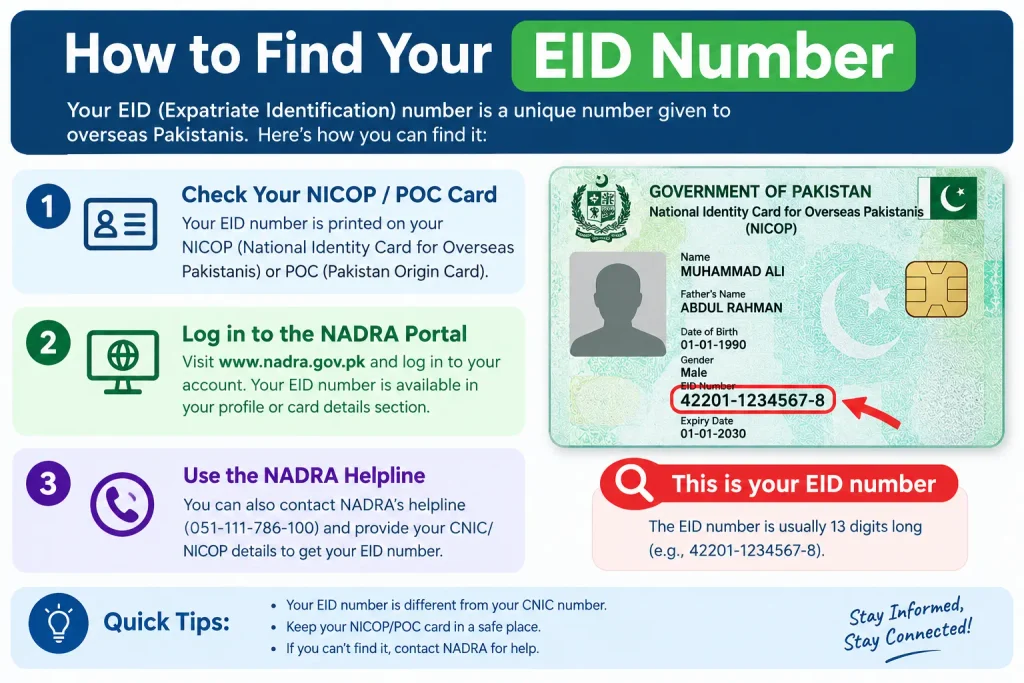
How to Find Your EID Number
No acknowledgement slip? Try these in order:
- Search your SMS inbox and email. UIDAI typically sends the EID to the mobile number and email registered during enrolment. Search for the enrolment date rather than the word “EID” — the message may not use that term.
- Check any photocopy or photo you took of the receipt.
- Use EID retrieval options on the official portal or app, where available.
- Visit an Aadhaar Seva Kendra with valid photo ID if none of the above works.
Once you have it, an EID status check tells you whether your Aadhaar has been generated, is still in process, or needs a correction. This is a separate route from checking status using an Aadhaar number.
Discover More About👇
Srn Number Aadhaar Card Update Status
What EID Generation Means for You
EID generation happens at enrolment or update — it’s your tracking number for the period between submission and Aadhaar issuance. Once your Aadhaar number is assigned, you’ll generally use that number or a VID for everyday services. Keep the EID saved until you’ve confirmed your Aadhaar is active and your details are correct; it’s the only reference that works if a correction becomes necessary later.
Frequently Asked Questions
Is the EID the same as my Aadhaar number?
No. The EID is a 28-digit reference created during enrolment or update. The Aadhaar number is a separate 12-digit number issued once your enrolment is processed.
Why does the portal insist the EID be exactly 28 digits?
Because the full EID is a 14-digit enrolment number plus a 14-digit date-time code. Miss either block and the total falls short, which fails validation.
What should I do about “more than 1 Aadhaar associated with the enrolment number”?
This needs case-specific verification. Check the official UIDAI portal or call the UIDAI helpline with your enrolment details rather than acting on unofficial advice.
Can I check status with just the 14-digit enrolment number?
Most status checks expect the complete EID. Some forms accept the enrolment number and date-time in separate fields, so follow the layout the page presents.
Is VID the same as EID?
No. VID is a temporary 16-digit number usable in place of your Aadhaar number for certain services. EID is your enrolment reference. They serve different purposes and aren’t interchangeable.
Where do I confirm current fees and processing timelines?
These change periodically. Check the official UIDAI portal (uidai.gov.in) or the UIDAI toll-free helpline for current figures rather than relying on older information.
If your status still shows “under process” well past the window you were quoted at the enrolment centre, don’t re-submit a fresh request — that’s how duplicate records get created in the first place. Take your EID and acknowledgement slip to the same Aadhaar Seva Kendra or raise it through the official UIDAI grievance channel, and let them trace the existing application instead.
