

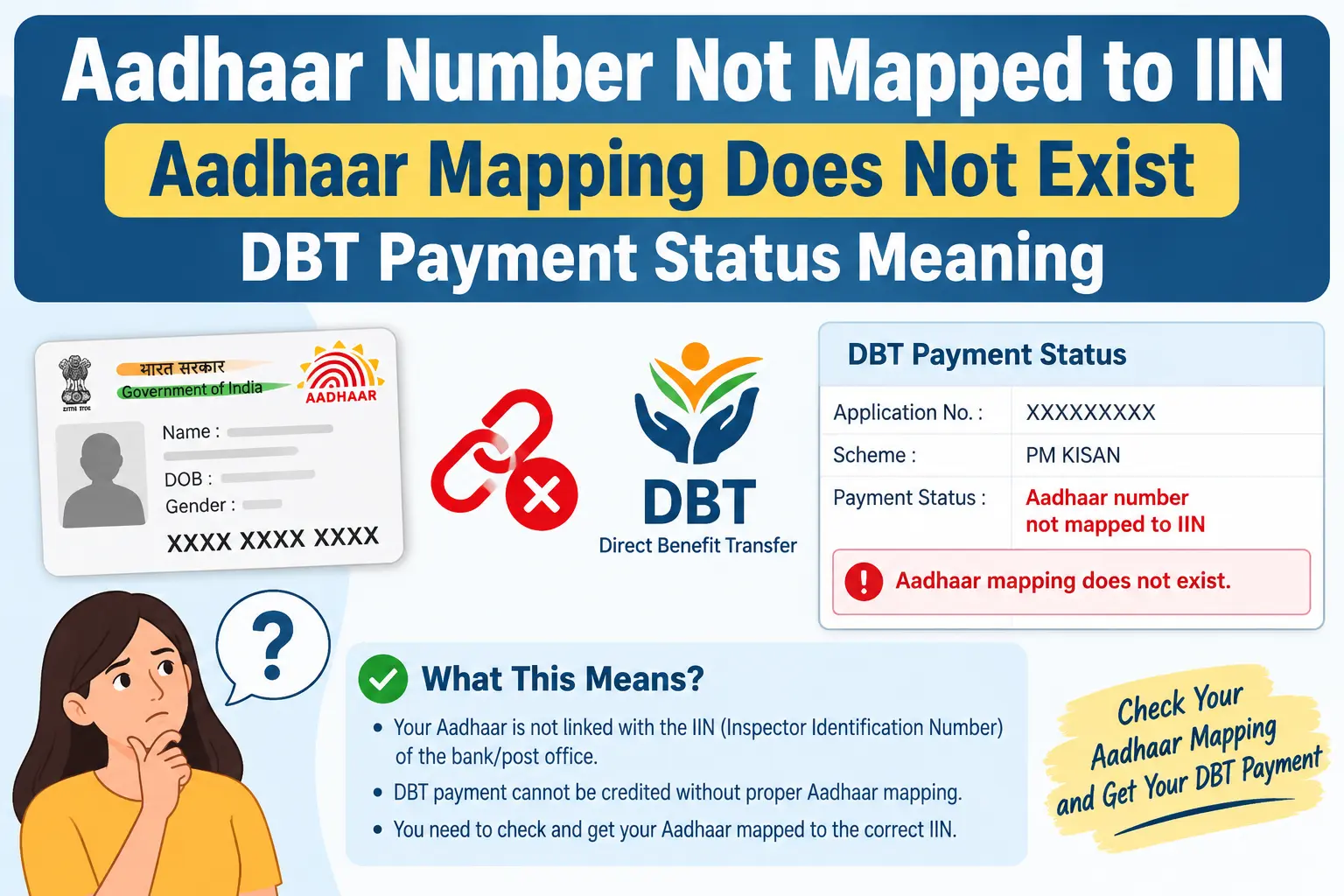
Your scholarship portal says the payment was released. Your bank passbook shows nothing. Somewhere between the two, a line reads aadhaar number not mapped to iin — or worse, aadhaar mapping does not exist. For anyone waiting on a pension, subsidy, or scholarship instalment, that status is the difference between money arriving this week and money stuck indefinitely. It is also one of the most misunderstood errors in the DBT system, because the problem is almost never with the government department that sent the payment. This article breaks down what the status means, why the mapping disappears, how to check it yourself in a few minutes, and what to actually do at your bank when it comes back empty.
What “Aadhaar Number Not Mapped to IIN” Actually Means
The message is routing language, not a judgment on your Aadhaar. NPCI — the National Payments Corporation of India, which operates the Aadhaar Payments Bridge System (APBS) that carries most government benefit transfers — maintains a mapper that links Aadhaar numbers to banks. Every participating bank has an Institution Identification Number, or IIN. When a department releases a DBT payment, it sends your Aadhaar number into that mapper, which looks up the IIN and routes the money to the corresponding bank. No IIN on record means no route, and the transaction fails at the first step.
The confusion usually starts here: your bank may already have your Aadhaar on file for KYC, and still have no IIN mapping for you. These are two different records maintained for two different purposes, and only one of them moves money.
Discover More About👇
DBT Status Check with Mobile Number (2026 Guide)
Aadhaar Bank Seeding Status for DBT: How to Check Aadhaar Bank Link Status
Seeding vs Mapping: The Distinction That Explains Everything
Aadhaar seeding happens inside your bank. You submit your Aadhaar number with consent to link it to a specific account, and the bank updates its own records. NPCI mapping is the second hop — your bank uploads that Aadhaar-and-IIN pair to the central mapper so payment systems can find it. Seeding without mapping is like registering your address with the post office but never telling anyone which city you live in.
A few practical consequences follow from this.
- You can seed the same Aadhaar with multiple banks, but only one account stays active in the NPCI mapper for DBT at a time. Seeding a new account typically overwrites the old mapping.
- The mapper points to a specific account, not just a bank. If that account is closed or dormant, the mapping becomes unusable even though it technically still exists.
- Checking whether your bank “has your Aadhaar” tells you nothing about whether DBT will reach you. The mapper is the record that matters.
Why the Mapping Goes Missing
Three situations account for most cases.
The seeding request was never formally made. Handing over an Aadhaar photocopy at account opening covers KYC, not DBT. Banks generally require a separate mandate and consent form before forwarding your details to NPCI, and many people never sign one.
The bank seeded internally but never pushed the update. Some branches record the Aadhaar in their core banking system and leave it there. The upload to NPCI either wasn’t triggered or failed quietly, leaving you seeded on paper and unmapped in practice.
The mapped account stopped being usable. A closed, dormant, or zero-balance-inactive account cannot receive APBS credits. The mapper still lists it, but payments bounce.
In scholarship and welfare portals, this error frequently sits beside statuses like “Yet to start” or “Incomplete” — the scheme did its part, and the bank-to-NPCI link did not.
How to Check Your Aadhaar Mapping Status
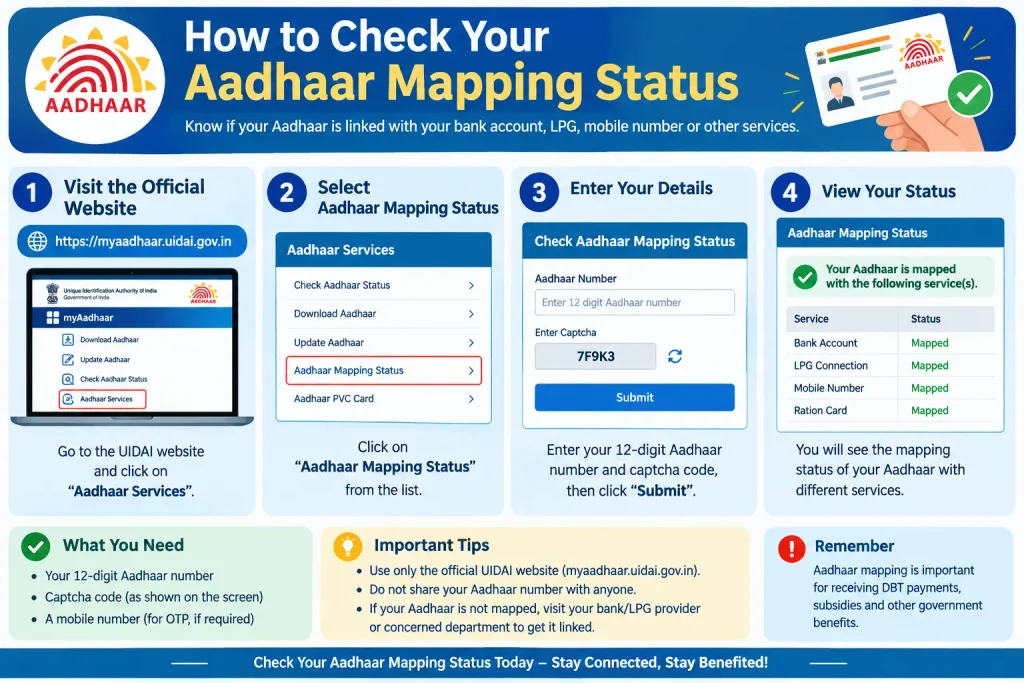
There are two official routes, and they draw from the same source.
The myAadhaar portal (myaadhaar.uidai.gov.in). Look for the bank seeding status service. One thing worth knowing: the result you see is fetched from NPCI’s servers, not from UIDAI’s own database. UIDAI states plainly that it does not store this information. Treat the page as a window into the mapper, not an authority of its own.
NPCI’s BASE platform. BASE — Bharat Aadhaar Seeding Enabler — is NPCI’s self-service portal. It shows your current mapping and your mapping history, and in some cases allows seeding or de-seeding actions directly.
A branch visit is a distant third. Bank staff can see internal seeding records, but those do not always match what NPCI holds. When the two disagree, the mapper wins, because that is what payment systems read.
Step-by-Step: Checking Your Status on the NPCI BASE Portal
Keep your Aadhaar number and the mobile number registered with your bank account handy. The OTP goes to the bank-registered number, not any other phone.
- Open the official NPCI website (npci.org.in).
- Go to the “Consumer” section.
- Select “Bharat Aadhaar Seeding Enabler (BASE)”.
- Choose “Check Aadhaar Mapping Status” for your current mapping, or “Check Aadhaar Mapping History” for past changes.
- Enter your Aadhaar number and bank-registered mobile number, then complete the OTP verification.
- Read the result. It will name the bank and IIN your Aadhaar is mapped to, or confirm that no mapping exists.
Two pitfalls trip up most people. First, if the OTP never arrives, the usual cause is an outdated mobile number on the bank account — the portal cannot send to a number the bank no longer has. Second, sessions on these portals time out quickly, so have your details ready before you start rather than hunting for your passbook mid-entry. If the portal returns an error rather than a result, wait and retry rather than assuming the worst.
The myAadhaar route follows the same logic: log in, open the bank seeding status option, and read the NPCI-sourced result.
Discover More About👇
Pension, Labour and Beneficiary Status by Aadhaar: How to Check Government Scheme Status Online
What to Do When No Mapping Exists
UIDAI cannot create this link for you. Only your bank can submit it to NPCI, which means the fix happens at the branch.
Visit the branch holding the account you want DBT paid into. Carry your Aadhaar (original or a valid electronic copy), your passbook, and account details. Ask specifically for the Aadhaar seeding or NPCI mapping mandate form for DBT — not a KYC update, which is a different process that will not solve this. Fill in your Aadhaar number, account number, and consent, and indicate that this account should be your primary DBT account.
Then ask for a written acknowledgement or reference number. This matters more than it seems: if the mapping still doesn’t appear after a reasonable wait, that receipt is what lets you follow up with the branch instead of starting over. Once submitted, the mapper update is not instant — allow a few working days before checking again on BASE or myAadhaar.
If the account you had mapped is closed or dormant, the bank cannot seed it as-is. Either reactivate it or seed a different active account.
Common Mistakes Behind This Error
Treating account-opening Aadhaar submission as DBT seeding. They are separate processes with separate consent requirements.
Losing track of which account is active. With multiple seeded accounts, the most recent mapping is the one that receives payments. People often assume it’s their salary account when it isn’t.
Letting the bank-registered mobile number go stale. Every online check and many bank processes depend on OTP delivery to that number.
Expecting same-day results. Mapper updates and scheme payment batches run on their own schedules. A seeding done today will not appear in a batch that ran yesterday.
Frequently Asked Questions
What is the difference between Aadhaar seeding and NPCI mapping?
Seeding is your bank recording your Aadhaar against your account internally. Mapping is your bank registering that link with NPCI so payments can be routed. DBT needs both.
Can I check my NPCI Aadhaar mapping status without visiting the bank?
Yes — through the myAadhaar bank seeding status service or the NPCI BASE platform. Both pull from NPCI, so very recent changes may not show immediately.
What does “part Aadhaar number not mapped to IIN” mean in a scholarship portal?
The payment was attempted but no bank IIN was found for your Aadhaar in the mapper, so the credit did not go through. The correction happens at your bank, not the scholarship office.
I have multiple bank accounts. Where will my DBT benefits go?
To the one account currently active in the NPCI mapper — normally the most recently seeded one.
How do I change the bank account for my DBT benefits?
Submit a fresh seeding mandate at the branch of the bank you want to use. The new mapping generally replaces the previous one.
Is Aadhaar mandatory for receiving DBT benefits?
Not strictly for every scheme, but it is the standard and preferred route. Without seeding, beneficiaries commonly face delays.
Fees, timelines, and scheme-specific rules change periodically — verify current details on the official UIDAI portal (uidai.gov.in), the NPCI website, or with your bank. UIDAI’s toll-free helpline (1947) handles Aadhaar-related queries.
One last thing worth remembering: after your bank submits the seeding, give it a few working days, then check the mapper again before assuming it failed. If the status still shows no mapping after that, go back to the branch with your acknowledgement receipt rather than resubmitting a fresh form — duplicate requests can create their own confusion about which account is active.
