

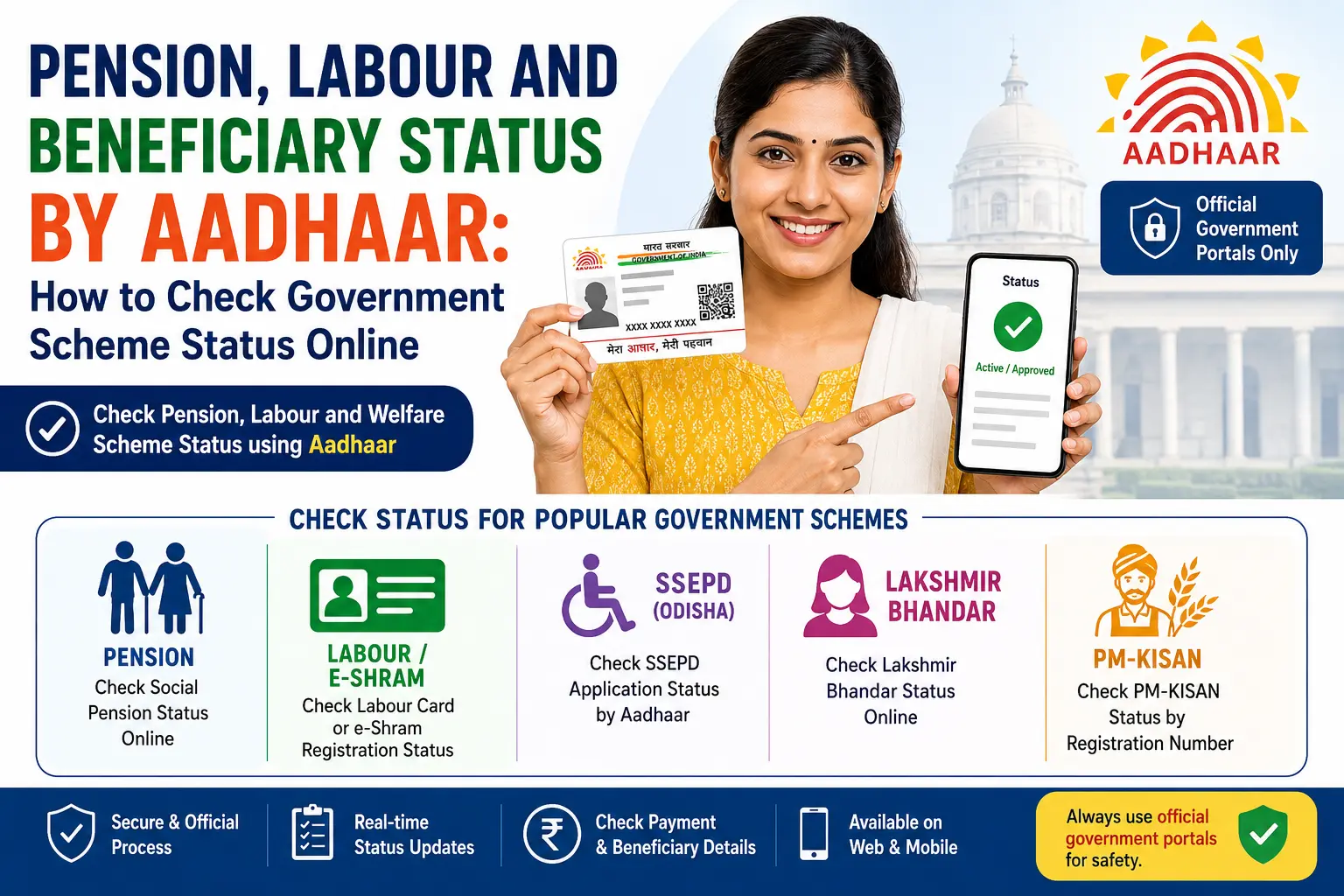
You enter your Aadhaar number expecting to see a pension or welfare payment status—and instead, the government portal asks for a completely different number. This is one of the biggest sources of confusion behind searches such as nsap beneficiary status by aadhaar number, “pension status by Aadhaar”, and “labour card status by Aadhaar number.”
The reason is simple: Aadhaar is used across many government benefit systems, but it is not a universal status-check key. One scheme may allow Aadhaar-based beneficiary searches, another may use a Beneficiary ID or application number, while another may use Aadhaar only for authentication or registration.
This guide explains how to understand these different systems without following outdated or unofficial instructions. It covers NSAP and pension searches, e-Shram, Odisha SSEPD, West Bengal’s Lakshmir Bhandar, and PM-KISAN—and, most importantly, explains the difference between beneficiary status, application status, payment status, Aadhaar authentication and e-KYC.
Important: This is an independent informational guide, not an official government service. Do not submit your Aadhaar number on unofficial websites. For an actual status check, use the official government portal for the scheme concerned.
Read More About👇
Quick Facts
| Item | What to know |
|---|---|
| Topic | Pension, labour and welfare beneficiary/status checking |
| Aadhaar’s role | Depends on the scheme; may be used for identification, authentication, seeding or a specific search |
| NSAP | National Social Assistance Programme |
| Labour database | e-Shram / National Database of Unorganised Workers |
| Odisha pension search | SSEPD provides an Aadhaar-based beneficiary search |
| West Bengal social pensions | SAMARTH provides applicant/payment-status facilities |
| PM-KISAN | Aadhaar can be used to retrieve the PM-KISAN Registration Number |
| Best practice | Use the official portal and the identifier it actually requests |
Discover More About: 👇
Address Proof Documents List for Aadhaar: What Documents Are Accepted?
Aadhaar Address Update Without Proof:
What Does “Beneficiary Status by Aadhaar” Actually Mean?
When people search nsap beneficiary status by aadhaar number, they may actually be looking for several different things.
They might want to know:
- Whether their name appears in a pension beneficiary list.
- Whether their pension application has been approved.
- Whether a monthly payment has been processed.
- Whether Aadhaar authentication or seeding has been completed.
- Whether a benefit has reached their bank account.
- Whether their application is still pending.
- Why a payment has not been received.
These are different questions.
For example, Aadhaar may be connected to a beneficiary record, while the payment itself is still pending. Similarly, a successful Aadhaar authentication does not automatically mean that a welfare application has been approved.
This distinction is especially important because different departments use different identifiers and workflows.
What NSAP Is and Why Your State Changes Everything
The National Social Assistance Programme is administered by the Ministry of Rural Development and delivers monthly pensions through three main components: IGNOAPS for persons aged 60 and above from Below Poverty Line households, IGNWPS for widows aged 40 and above, and IGNDPS for persons aged 18 and above with severe or multiple disabilities.
The central government sets a base contribution, but states add their own top-up. Odisha’s total pension under the Madhu Babu Pension Yojana is not the same as Andhra Pradesh’s NTR Bharosa Pension, and neither matches what a beneficiary in Karnataka receives. The implementing department also shifts from state to state — Odisha routes NSAP through the Department of Social Security and Empowerment of Persons with Disabilities (SSEPD), while Andhra Pradesh runs it through the Rural Development Department alongside its own state pension system. This is why a status check that works in one state may return nothing useful in another.
How Aadhaar Is Used in Government Welfare Services
Aadhaar is widely used in government benefit delivery, including for identification and authentication. In Aadhaar-based DBT arrangements, benefits can be transferred to a DBT-enabled bank account.
But the exact use of Aadhaar depends on the scheme.
That means you should not assume that every pension, labour or welfare portal will provide a box labelled “Enter Aadhaar Number” for checking status.
The safer approach is:
- Identify the exact scheme.
- Open its official government portal.
- Check which search or login options are currently provided.
- Enter only the requested information.
- Distinguish beneficiary status from payment status.
How to Check Pension Status Online by Aadhaar Card
If you search for check pension status online by aadhaar card, first identify the pension scheme.
India has central and state-level social-security programmes, and their online status systems are not identical. Some portals can search using Aadhaar; others may require a Beneficiary ID, application number, sanction order number, mobile number or another scheme-specific identifier.
For West Bengal social pensions
West Bengal’s official SAMARTH portal provides a “Track Applicant & View Payment Status” facility for the state’s social pension schemes.
The portal states that an applicant can be tracked using:
- Beneficiary ID
- Mobile Number
- Aadhaar Number
It also provides a separate facility for viewing payment status by financial year.
This is an example of an official system where Aadhaar is explicitly available as one of the search options.
For other pension schemes
Do not copy the West Bengal procedure and apply it to another state.
Instead, use the official pension department or scheme portal and follow the identifiers displayed there.
If the portal does not provide Aadhaar as a search option, do not substitute an unofficial Aadhaar-based checker.
Andhra Pradesh and Other States
Andhra Pradesh pensioners should begin at the NTR Bharosa Pension portal, which handles both application status and grievance filing separately from the central NSAP interface. The state runs its own beneficiary tracking, and the central portal often lags behind it by several weeks.
Other states follow similar patterns. Karnataka and Tamil Nadu implement NSAP through the Revenue Department; West Bengal routes it through Rural Development. The practical rule: if you applied through a state portal or a Gram Panchayat, that state’s welfare department holds your beneficiary record and is the only office that can fix a record-level problem. The central NSAP payment search is useful only for confirming whether a monthly credit was generated.
NSAP Beneficiary Status: What You Should Check
The National Social Assistance Programme, or NSAP, is a major social-assistance programme. However, the phrase nsap beneficiary status by aadhaar number can be misleading because users often expect one universal Aadhaar lookup for every NSAP-related record.
The actual status information can depend on the implementing government system and the particular pension or assistance scheme.
Before checking, identify whether you are looking for:
- beneficiary registration,
- pension approval,
- sanction information,
- payment information,
- Aadhaar authentication,
- or bank-credit information.
If you already have a scheme-specific Beneficiary ID, sanction number or other reference, keep it available. Use the official NSAP/state/department system that applies to your record.
Why Aadhaar alone may not answer your question
Suppose your Aadhaar is successfully associated with a welfare record. That does not by itself answer:
“Has this month’s pension been credited?”
Payment information may be maintained separately by the implementing department and banking/DBT system.
So, if your concern is a missing payment, check the relevant payment-status facility rather than repeatedly checking Aadhaar authentication.
Labour Card Status by Aadhaar Number: Is It e-Shram?
The search labour card status by aadhaar number can mean different things.
Many users use “labour card” as a general term for a worker registration card. But e-Shram is a specific national system operated by the Ministry of Labour & Employment.
The official e-Shram portal describes e-Shram as a National Database of Unorganised Workers (NDUW). The database is seeded with Aadhaar and contains worker information such as occupation, address, educational qualifications and skills.
The current e-Shram portal provides options including:
- Registration
- Login for existing registrants
- Profile updating
- Occupation updating
- e-Shram services through UMANG
- A mobile app
- Grievance services
The official portal currently lists the e-Shram helpdesk numbers as 14434 / 18008896811, with service hours of 9:00 AM to 6:00 PM daily, including Sundays.
Do not confuse e-Shram with every state labour card
A state construction-worker card, labour welfare registration or another worker scheme can have a completely different portal.
So if an online search result says “labour card status by Aadhaar number,” first establish which card or scheme you actually registered for.
SSEPD Application Status by Aadhaar Number
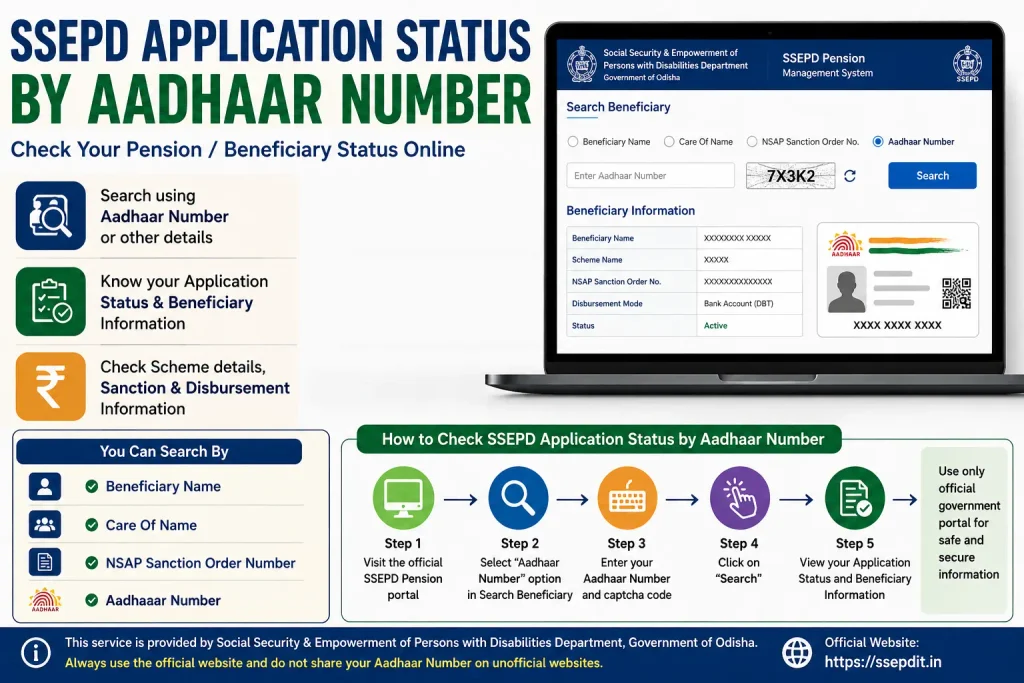
The keyword ssepd application status by aadhaar number is more specific because SSEPD refers to Odisha’s Social Security & Empowerment of Persons with Disabilities Department.
The official SSEPD pension system includes Aadhaar among the information used in its pension-related workflow.
For beneficiaries, the SSEPD pensioners search facility provides search options including:
- Beneficiary Name
- Care Of Name
- NSAP Sanction Order Number
- Aadhaar Number
The resulting beneficiary information can include scheme and sanction/disbursement-related details.
This is an important example of why government-service articles should be based on the current official portal, rather than applying a single rule to every Aadhaar-related search.
Discover More About: 👇
Aadhaar KYC Process: How to Complete Aadhaar-Based KYC
PVC Aadhaar Card: How to Order, Apply & Track Your Aadhaar Smart Card Online
Application status vs beneficiary search
There is still an important distinction.
An Aadhaar-based beneficiary search is not necessarily the same thing as tracking a newly submitted application.
If you have submitted an application and it has not yet become a beneficiary record, you may need the application/reference information provided by the department.
Use the status or tracking facility that corresponds to the stage of your application.
Lakshmir Bhandar Status Check by Aadhaar Number
The search laxmi bhandar status check by aadhaar number relates to West Bengal’s Lakshmir Bhandar scheme.
The West Bengal Government introduced Lakshmir Bhandar as a state financial-assistance scheme for eligible women. Its official guidelines specify that financial assistance is transferred directly to an Aadhaar-linked bank account held by the eligible beneficiary.
However, this does not automatically mean that Aadhaar is a universal status-search number for every Lakshmir Bhandar function.
For current application or beneficiary information, use the official West Bengal service channel and follow the search method currently displayed there.
West Bengal’s Duare Sarkar programme also includes Lakshmir Bhandar among its government services and has been designed to provide access to welfare services through both digital and physical channels.
PM-KISAN: Aadhaar Can Help, But Know What It Is Used For
PM-KISAN is another useful example of the difference between an Aadhaar search and a status search.
The current official PM-KISAN portal has a Know Your Registration Number facility that allows users to search using either:
- Mobile Number
- Aadhaar Number
The page is maintained by the Department of Agriculture & Farmers Welfare and was last updated on February 17, 2026.
The important point is that this Aadhaar facility is specifically for finding the PM-KISAN Registration Number.
The main “Know Your Status” page currently asks for the Registration Number and then displays account-related information such as:
- Payment Status
- Bank Name
- UTR Number
- Payment Mode
- Account Credited
- Credited On
It also provides financial-year-wise e-KYC information.
So the accurate workflow is:
Aadhaar Number → Find PM-KISAN Registration Number → Use Registration Number for the relevant status service.
Do not turn this into a claim that PM-KISAN has a universal “check complete status directly by Aadhaar” process.
Beneficiary Status vs Application Status vs Payment Status
This is the distinction most users need.
| Type of status | What it tells you |
|---|---|
| Application status | What has happened to a submitted application |
| Beneficiary status | Whether the person appears in the relevant beneficiary record |
| Payment status | Whether a payment has been processed or recorded |
| Aadhaar authentication | Whether Aadhaar-based identity verification has taken place |
| Aadhaar seeding | Whether Aadhaar has been associated with the relevant database/account arrangement |
| Bank credit | Whether money has actually reached the bank account |
A common mistake is to treat all six as the same thing.
They are not.
For example, a beneficiary may have an approved record but still be waiting for a payment. Likewise, Aadhaar authentication can succeed without resolving a separate payment or application issue.
What If Your Status Is Not Found?
Seeing “record not found” can be worrying, but it does not automatically tell you why the record is missing.
Check these points first:
- Are you checking the correct scheme?
- Are you using the correct state or department portal?
- Did you select the correct scheme from a dropdown?
- Are you entering the correct Beneficiary ID, application number or other reference?
- Are you checking an application that has not yet reached the beneficiary stage?
- Are you looking for payment information on a beneficiary-status page?
- Has your information changed since registration?
Do not repeatedly submit your Aadhaar details on different websites simply because one search page does not work.
If an official portal provides a grievance facility, use that route.
For example, the current e-Shram grievance system allows registrants to view grievance status such as Open, In Progress and Closed.
Common Confusion: Aadhaar, e-KYC and Payment
These three terms often appear together, but they describe different processes.
Aadhaar authentication
This verifies identity through an Aadhaar-based authentication process where the relevant service supports it.
Aadhaar seeding
This refers to associating Aadhaar with a relevant record or account arrangement.
e-KYC
e-KYC is an electronic Know Your Customer process. A scheme may use e-KYC as one of its eligibility or verification requirements.
Payment
Payment is a separate stage. Even when identity or KYC requirements are satisfied, payment processing can have its own status.
That is why a status page showing successful KYC should not automatically be interpreted as “payment credited.”
A Simple Method for Checking Any Government Benefit
If you are unsure which status page to use, follow this sequence:
Step 1 — Identify the scheme
Write down the exact name: NSAP pension, e-Shram, SSEPD pension, Lakshmir Bhandar, PM-KISAN, or another programme.
Step 2 — Identify what you want to know
Do you need:
- application status?
- beneficiary status?
- payment status?
- Aadhaar authentication?
- e-KYC status?
Step 3 — Find the official portal
Use the government department responsible for the scheme.
Step 4 — Check the available search options
The portal may ask for Aadhaar, Beneficiary ID, Registration Number, mobile number, application number or another reference.
Step 5 — Use the correct identifier
Do not replace a required Registration Number with Aadhaar simply because Aadhaar was used during registration.
Step 6 — Check payment separately when necessary
If the question is “Where is my money?”, look for the official payment-status facility or verify the relevant bank/DBT information.
Official Processes Compared
| Service | Aadhaar role | What to look for |
|---|---|---|
| NSAP/social assistance | Depends on the implementing system | Beneficiary/sanction/payment information |
| West Bengal social pensions | Aadhaar is an available search option in SAMARTH | Beneficiary ID, mobile or Aadhaar; payment status |
| e-Shram | Database is seeded with Aadhaar | e-Shram registration/login/profile services |
| Odisha SSEPD | Aadhaar is available in beneficiary search | Beneficiary or sanction details |
| Lakshmir Bhandar | Aadhaar-linked bank account is part of benefit delivery | Official West Bengal service/status channel |
| PM-KISAN | Aadhaar can retrieve Registration Number | Registration Number for status details |
Important Facts to Remember
- There is no single Aadhaar status checker for every government welfare scheme.
- The same Aadhaar number can be relevant to identification while a completely different reference number is required for status tracking.
- e-Shram is a national database for unorganised workers, not simply a generic name for every labour card.
- West Bengal’s SAMARTH portal currently supports applicant tracking using Beneficiary ID, Mobile Number or Aadhaar Number and provides payment-status functionality.
- PM-KISAN currently lets users search for their Registration Number using Aadhaar Number or Mobile Number.
- PM-KISAN’s status page uses the Registration Number to show payment/account information.
- Lakshmir Bhandar’s official guidelines specify direct transfer to an Aadhaar-linked bank account of the eligible beneficiary.
- Government portals can change their interfaces and search options, so old screenshots and old tutorials may no longer match the live website.
FAQs
Can I check NSAP beneficiary status by Aadhaar number?
Not every NSAP-related status function should be assumed to work through a universal Aadhaar-only search. The available search method depends on the relevant government system and scheme. Use the official portal and the identifier it currently requests.
Can I check pension status online by Aadhaar card?
In some government pension systems, yes. For example, West Bengal’s SAMARTH portal currently lists Aadhaar as one of the options for tracking applicants. Other pension systems may use different identifiers.
Can I check labour card status by Aadhaar number?
It depends on which labour card you mean. e-Shram is a specific national worker database seeded with Aadhaar, while state labour-welfare cards can use separate systems.
How can I check SSEPD application status by Aadhaar number?
The official SSEPD pension system provides an Aadhaar-number option in its beneficiary search. If you are checking a newly submitted application rather than an existing beneficiary record, use the appropriate application/tracking facility provided by SSEPD.
Can I check Lakshmir Bhandar status by Aadhaar number?
Do not assume that Aadhaar is the universal lookup method for every Lakshmir Bhandar service. Use the current official West Bengal service channel and follow the search option it provides. Aadhaar is relevant to benefit delivery because the scheme guidelines specify an Aadhaar-linked bank account for direct transfer.
Can I check PM-KISAN status directly with Aadhaar?
The current PM-KISAN portal allows Aadhaar to be used to find the Registration Number. The main status page then uses the Registration Number to show account and payment information.
Does Aadhaar authentication mean my payment has been credited?
No. Authentication, beneficiary approval, payment processing and actual bank credit are separate stages.
What should I do if my beneficiary record is not found?
Confirm the scheme, state and identifier first. Then use the official department’s status or grievance channel. Avoid unofficial websites asking you to submit Aadhaar details for a “special” status check.
The Bottom Line
The biggest mistake with Aadhaar-based welfare searches is assuming that Aadhaar is always the status-check number.
It isn’t.
For one scheme, Aadhaar may be the search identifier. For another, it may be used for authentication or seeding. In PM-KISAN, it can currently help retrieve the Registration Number; in West Bengal’s SAMARTH system, Aadhaar is explicitly offered as an applicant-search option.
So before checking any pension, labour or beneficiary status, ask one simple question:
“Am I checking my identity, my application, my beneficiary record, or my payment?”
Once you know that, choosing the correct official status service becomes much easier.

3 Comments
Pingback: How to Change Aadhaar Address Online in 2026
Pingback: Udyog Aadhar Download: Registration & Certificate Guide
Pingback: Aadhaar KYC Kaise Karen? Complete Aadhaar KYC Process