

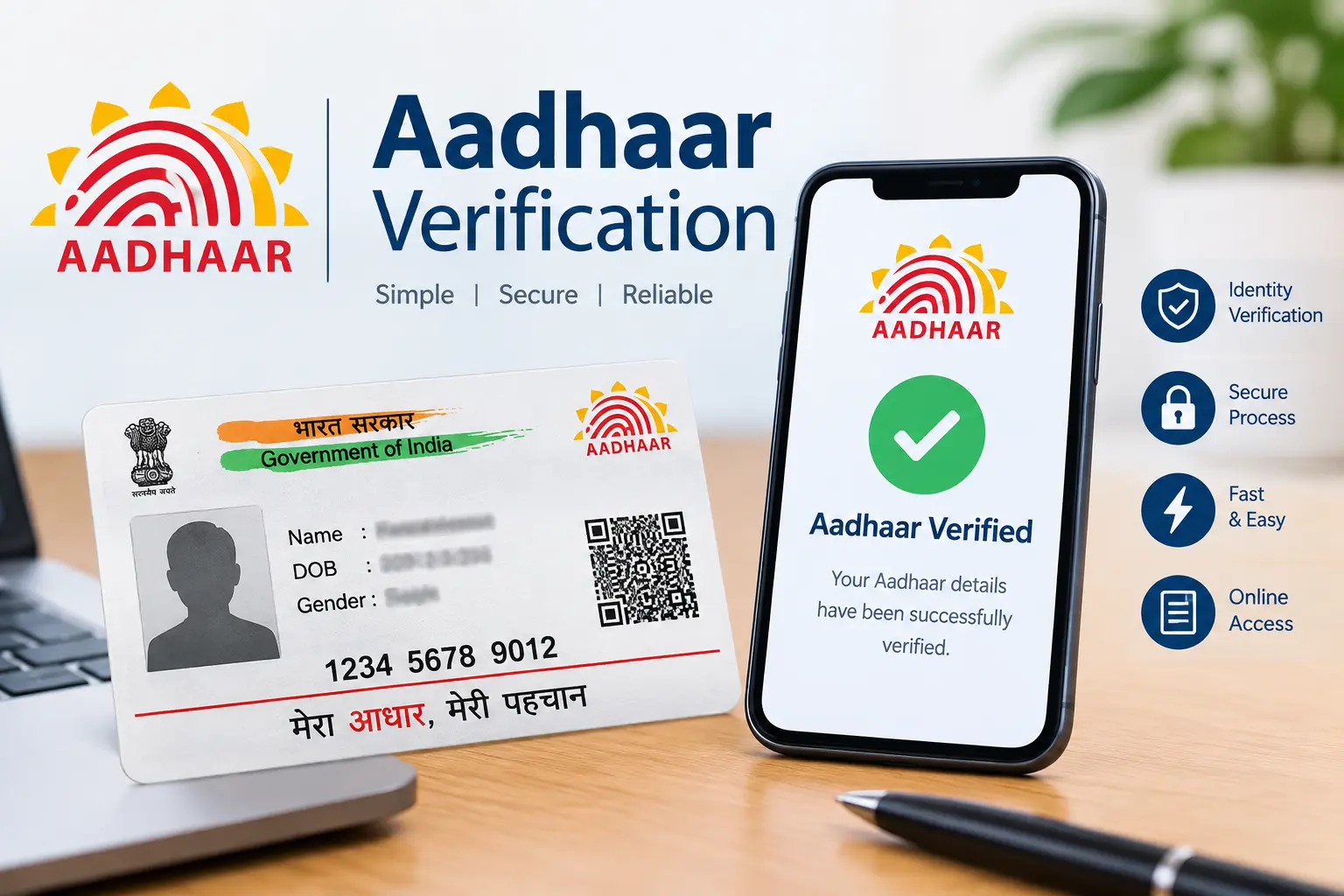
Someone has sent you an Aadhaar photo, PDF, or printed copy, and something does not look right. Maybe the details seem inconsistent, the QR code will not verify, or you simply want to know whether the document is genuine.
In that situation, checking the design of the Aadhaar card is not enough. The safer approach is to use official UIDAI verification methods.
This guide explains how to verify Aadhaar information, check the Secure QR Code, understand offline verification, and handle a suspicious Aadhaar document without exposing sensitive personal information. If you arrived here after searching for a fake Aadhaar card app or a fake Aadhaar card photo, the important distinction is that document creation or editing is not a legitimate verification method. For authenticity concerns, use UIDAI’s official services instead.
Important: CheckAadharStatus.com is an independent informational website and is not affiliated with UIDAI or the Government of India. Complete actual Aadhaar transactions only through official UIDAI channels.
Discover More About: 👇
Aadhaar Complaint Status: How to Check UIDAI Grievance Status Online
Aadhaar Complaint Status: Check Online in 2 Minutes
NSEIT Login 2026: New UIDAI Certification Portal, Login & Password Help
Quick Facts
| Detail | Information |
|---|---|
| Governing body | Unique Identification Authority of India (UIDAI) |
| Main purpose | Aadhaar identity and document verification |
| Online service | UIDAI/myAadhaar |
| Offline option | Secure QR Code |
| Other offline option | Aadhaar Paperless Offline e-KYC |
| Official support | UIDAI helpline 1947 |
| Official website | uidai.gov.in |
| Official portal | myAadhaar |
What Aadhaar Verification Actually Tells You
Aadhaar verification should be based on an official UIDAI mechanism rather than simply looking at the card’s layout, photograph, fonts, or colours.
UIDAI provides Secure QR Code verification, which uses digitally signed Aadhaar information for offline identity verification. UIDAI also provides Paperless Offline e-KYC, where the downloaded data is digitally signed so its authenticity can be checked and tampering can be detected.
This distinction matters when someone searches for terms such as fake Aadhaar, fake Aadhaar card, or fake Aadhar card. The useful question is usually not “How can I make one?” but rather “How can I check whether the Aadhaar being presented to me is genuine?”
How to Verify Aadhaar Using Official UIDAI Options
The appropriate method depends on what you are trying to verify.
1. Use UIDAI’s Official Verification Services
Start with the official UIDAI website or myAadhaar portal.
- UIDAI Aadhaar Online Services
- myAadhaar Portal
Use the service relevant to your situation and follow the information displayed by UIDAI. Avoid entering Aadhaar details into unknown websites that promise instant verification.
2. Verify the Secure QR Code
Aadhaar documents such as e-Aadhaar, the Aadhaar Letter and Aadhaar PVC Card contain a Secure QR Code. UIDAI describes this QR Code as digitally signed and intended for offline identity verification.
The QR Code can contain information such as:
- Name
- Address
- Gender
- Date of birth
- Photograph
- Last four digits of the Aadhaar number
- Masked mobile number and email ID
The information is protected by UIDAI’s digital-signature mechanism, which is why QR verification is more meaningful than simply judging whether an Aadhaar image “looks real.”
3. Use the Official Aadhaar App or QR Scanner
UIDAI currently provides official tools for Aadhaar-related verification. Its current guidance says the Secure QR Code can be read using the Aadhaar App or Aadhaar QR Scanner.
- UIDAI Aadhaar App information
For an important verification, use the official UIDAI tool rather than an application claiming to be a “fake Aadhaar card app,” “Aadhaar generator,” or document editor.
How to Verify an Aadhaar QR Code
The Secure QR Code is particularly useful when you have an Aadhaar document in front of you and want to verify its digitally signed information.
Step 1: Identify the Secure QR Code
Look for the QR Code on the relevant Aadhaar document.
Step 2: Use a UIDAI-Prescribed Scanner
UIDAI says its QR Code can be read using the mAadhaar app, Aadhaar QR Scanner, or the Windows-based application provided through UIDAI.
Step 3: Let the Tool Validate the Data
The purpose of the scanner is not merely to decode the black-and-white pattern. It validates the digitally signed Aadhaar information.
Step 4: Compare the Verified Information
Check whether the verified information corresponds with the person and document being presented.
If something does not match, don’t immediately assume the entire document is fraudulent. Consider whether there could be a technical or document-quality problem and use another official verification route if necessary.
Can Aadhaar Be Verified Offline?
Yes. UIDAI supports offline verification through mechanisms such as the Secure QR Code and Aadhaar Paperless Offline e-KYC.
Secure QR Code
The Secure QR Code allows Aadhaar information to be verified offline. UIDAI describes it as a digitally signed mechanism for verifying demographic information and the photograph.
Aadhaar Paperless Offline e-KYC
Offline e-KYC is a digitally signed document generated through UIDAI.
It has several privacy-related advantages. UIDAI says the Aadhaar number itself is not revealed to the verifying entity; instead, a reference ID is shared. The Aadhaar holder can also choose the demographic information and photograph to share.
The downloaded KYC data is digitally signed by UIDAI, allowing the recipient to verify authenticity and detect tampering.
Aadhaar Verification vs Other Services
| Method | Best suited for |
|---|---|
| Aadhaar verification | Checking Aadhaar information through an official UIDAI service |
| Secure QR Code | Offline verification of digitally signed Aadhaar information |
| Offline e-KYC | Sharing digitally signed identity information with greater control over what is disclosed |
| Aadhaar App | Managing Aadhaar-related services and secure identity information |
| Authentication History | Reviewing previous Aadhaar authentication activity |
These services should not be treated as interchangeable. Choose the one that matches the verification problem you are actually trying to solve.
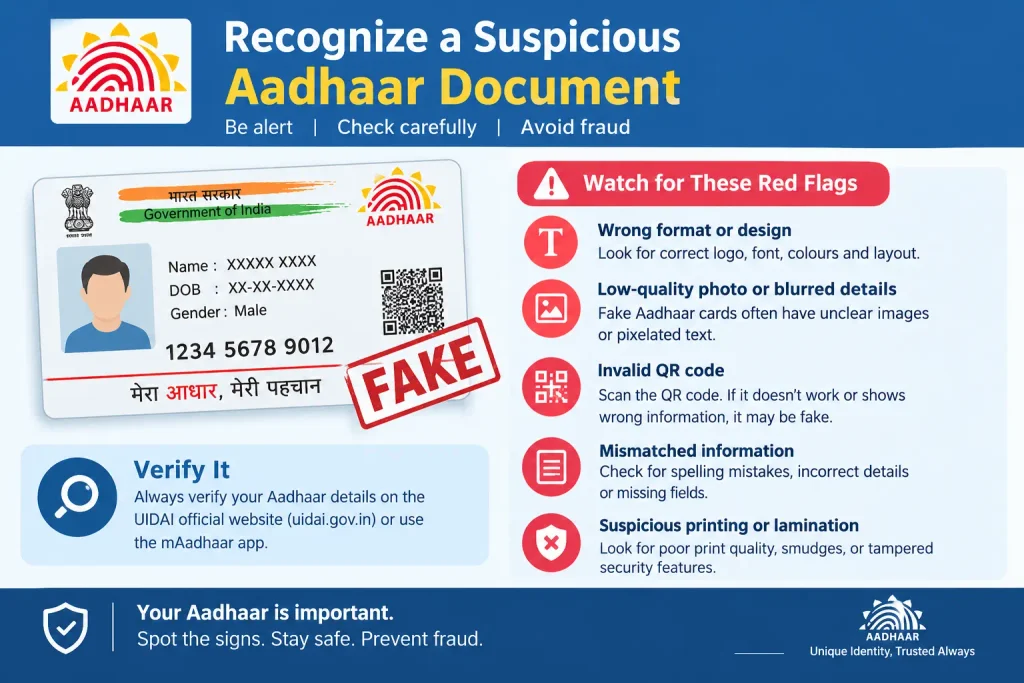
How to Recognize a Suspicious Aadhaar Document or Photo
If someone sends you a fake Aadhaar card photo and asks you to accept it as proof of identity, don’t make your decision from the picture alone.
Things that may deserve further checking include:
- Details that appear inconsistent
- A photograph that does not correspond to the person
- Information that conflicts with an official verification result
- A QR Code that cannot be properly verified
- Obvious signs that an image has been altered
- Pressure to accept the document without verification
- Requests to upload your own Aadhaar to an unfamiliar website
However, visual inspection is only a warning sign—not definitive proof.
A document can look genuine without proving its authenticity, while a technical QR scanning problem does not automatically prove that an Aadhaar is fake.
Discover More About: 👇
UIDAI Aadhaar Helpline Number & Customer Care: Toll-Free Numbers, Email & Contact Details
How to Check Which Mobile SIM Cards Are Linked to Your Aadhaar Card
What to Do If an Aadhaar Appears Suspicious
If you believe an Aadhaar document may not be genuine, take a verification-first approach.
Don’t Search for a Document Generator
Terms such as fake Aadhaar card generator and fake Aadhaar maker may lead to tools intended to create or manipulate identity documents. Those are not appropriate solutions for authenticity checking.
If your actual goal is verification, use UIDAI’s official mechanisms instead.
Don’t Upload Aadhaar to Random Websites
Avoid sending an Aadhaar image, PDF, OTP, or other personal information to an unfamiliar website simply because it promises a quick authenticity check.
Don’t Share OTPs
Keep Aadhaar-related OTPs private. Never give an OTP to someone who claims they need it to “verify” your Aadhaar on your behalf.
Use Official UIDAI Support
If an important verification issue remains unresolved, use UIDAI’s official support channels.
UIDAI lists 1947 as its toll-free helpline.
- UIDAI Contact & Support
Common Aadhaar Verification Problems
The QR Code Will Not Scan
Check that you are using a UIDAI-prescribed QR verification tool. Make sure the document or displayed QR Code is clear enough to scan.
If it still does not work, don’t automatically conclude that the Aadhaar is fake. Try an appropriate official verification method or contact UIDAI.
The Verified Information Does Not Match
First check whether you are comparing the correct information and whether the Aadhaar holder’s details may have changed.
For an important identity decision, rely on the appropriate official verification mechanism rather than an old screenshot or photograph.
An Unofficial App Claims to Verify Aadhaar
Be cautious. UIDAI specifically identifies the tools used to read its Secure QR Code.
Don’t assume an app is official merely because its name contains “Aadhaar” or “UIDAI.”
You Are Unsure What the Result Means
If the result is unclear, don’t guess. Check the official UIDAI guidance or contact UIDAI support.
Aadhaar App: What It Is Actually Useful For
The official Aadhaar App is different from an app that claims to create or modify Aadhaar documents.
UIDAI’s current information says the Aadhaar App provides services including mobile-number and address updates, biometric lock/unlock, selective sharing of Aadhaar information, authentication-history checking, e-Aadhaar download and request tracking.
UIDAI also says Secure QR Codes on PVC Aadhaar Cards and e-Aadhaar can continue to be scanned using the Aadhaar App or Aadhaar QR Code Scanner for identity verification.
So, if you searched fake Aadhaar card app because you wanted to check an Aadhaar image or document, the official Aadhaar tools are the safer direction to take.
Good to Know: Why the QR Code Matters
A useful fact is that the Secure QR Code is not simply an ordinary QR containing text.
UIDAI says the QR Code is digitally signed and designed for offline verification. Its verification process can validate the digital signature rather than relying only on the appearance of the printed or digital document.
That is why a genuine verification mechanism is much more useful than comparing an Aadhaar photo with an image found online.
FAQs
How can I check if an Aadhaar card is genuine?
Use an official UIDAI verification method, such as Secure QR Code verification where applicable. Don’t rely only on the appearance of the Aadhaar card or photo.
How can I verify an Aadhaar number?
Use the official UIDAI/myAadhaar services available for Aadhaar verification. Enter Aadhaar information only on the official service you have reached through UIDAI.
How can I check whether an Aadhaar is valid?
Use an official UIDAI verification mechanism rather than an unofficial checker. The appropriate method depends on what you are trying to verify.
How do I verify an Aadhaar QR Code?
Use the Aadhaar App, Aadhaar QR Scanner or another UIDAI-prescribed QR verification tool. UIDAI says its Secure QR Code is designed for offline verification.
Can I verify Aadhaar offline?
Yes. Secure QR Code verification and Aadhaar Paperless Offline e-KYC provide offline verification options.
Is a fake Aadhaar card photo proof that the Aadhaar is fake?
Not by itself. A photograph or screenshot can be difficult to authenticate visually. Use an official UIDAI verification method instead.
Is a fake Aadhaar card generator an official UIDAI service?
No. If you need to verify an Aadhaar, use official UIDAI verification services rather than tools claiming to generate or manipulate Aadhaar documents.
Does a failed QR scan automatically mean an Aadhaar is fake?
No. A scan can fail because of technical issues or document quality. Use another appropriate official verification method before drawing a conclusion.
What should I do if I receive a suspicious Aadhaar?
Don’t treat it as genuine without verification, don’t upload your personal information to unknown websites, and use official UIDAI verification or support channels.
Final Takeaway
When an Aadhaar document looks suspicious, verification is more useful than visual guessing.
Use the official UIDAI route that matches your situation: online verification, Secure QR Code verification, the official Aadhaar App, or Paperless Offline e-KYC. Protect your Aadhaar information and OTPs, and avoid unofficial tools claiming to create, edit, or verify identity documents.

4 Comments
Pingback: NSEIT Login 2026: UIDAI Certification Portal
Pingback: PVC Status Check Online – Aadhaar PVC Card Tracking (2026)
Pingback: Aadhaar Complaint Status: Check Online in 2 Minutes
Pingback: Aadhar Card SIM Check: How to Check Linked SIM Cards