

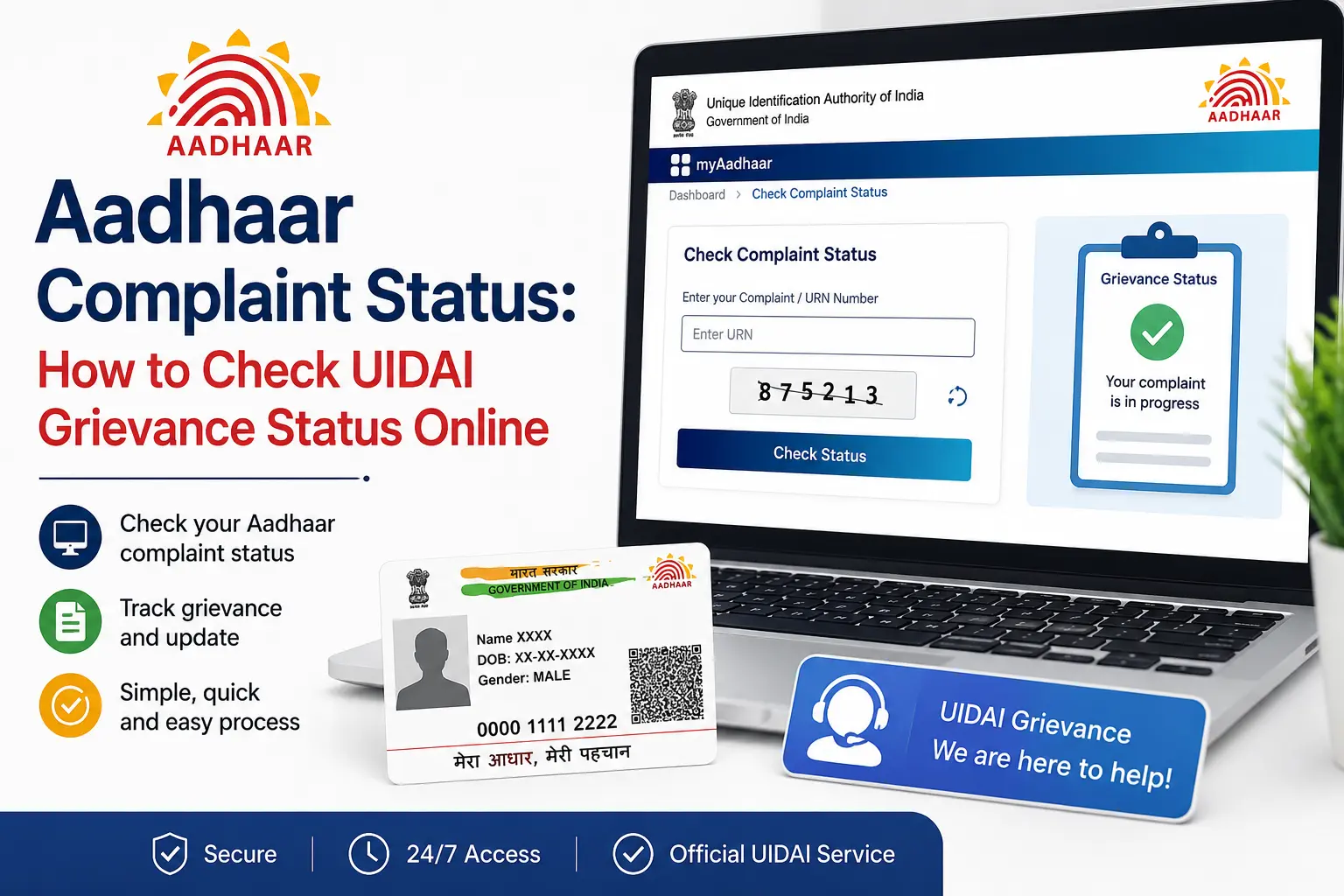
You submitted a complaint about an Aadhaar-related issue, received a reference number, and now want to know what happened to it. The confusing part is that Aadhaar complaint status is not the same as Aadhaar update status, enrolment status, or authentication status. UIDAI provides separate services for these tasks, and using the wrong one can leave you searching in circles.
If you are looking for an aadhaar complaint status check, the correct place to start is UIDAI’s official grievance service. UIDAI also provides complaint-status support through its 1947 helpline, where the Service Request Number (SRN) is used for complaint-status checking.
This guide explains how the grievance process works, which reference number matters, what to do when a complaint is not showing, and how to distinguish a UIDAI grievance from PM-KISAN beneficiary or payment status.
Important: CheckAadharStatus.com is an independent informational website and is not affiliated with UIDAI or the Government of India. Use the official UIDAI website and official support channels for actual transactions and complaints.
Quick Facts
| Detail | Information |
|---|---|
| Service | UIDAI Grievance Status |
| Governing body | Unique Identification Authority of India (UIDAI) |
| Main purpose | Track an Aadhaar-related grievance, complaint or feedback |
| Online access | UIDAI Grievance & Feedback service (myaadhaar.uidai.gov.in) |
| Phone support | 1947 |
| Complaint reference | Service Request Number (SRN) for complaint-status checking through 1947 |
| IVRS availability | 24×7 |
| Normal grievance resolution standard | Normally within 30 days from receipt of grievance |
| Cost | No separate complaint-status fee is stated in the cited UIDAI grievance information |
Discover More About: 👇
PVC Status Check Online – Aadhaar PVC Card Tracking (2026)
Aadhaar Complaint Status: Check Online in 2 Minutes
NSEIT Login 2026: New UIDAI Certification Portal, Login & Password Help
What Is Aadhaar Complaint or Grievance Status?
A UIDAI grievance is a complaint, concern, or feedback relating to an Aadhaar service or experience. For example, a resident may need assistance after facing a problem with an Aadhaar enrolment, update, authentication-related service, or another UIDAI service.
UIDAI’s current Grievance & Feedback page provides a dedicated Grievance Status option for tracking a submitted grievance, complaint, or feedback.
This distinction matters because UIDAI has separate status services. A complaint about an Aadhaar update does not automatically become the same thing as the status of the underlying update request.
For example:
- Complaint/grievance status: tracks the complaint submitted to UIDAI.
- Aadhaar update status: tracks an update request.
- Aadhaar enrolment status: relates to enrolment.
- Authentication status: relates to Aadhaar authentication activity.
- PM-KISAN beneficiary/payment status: belongs to the PM-KISAN system, not UIDAI’s grievance tracker.
How to Check Aadhaar Complaint Status Online
If you searched for check aadhaar complaint status, you may simply want to know where your existing complaint stands. The safest approach is to use UIDAI’s current official grievance service rather than an old tutorial or an unofficial website.
1. Open UIDAI’s official Grievance & Feedback page
Go to the official UIDAI website (myaadhaar.uidai.gov.in) and open the Grievance & Feedback section.
UIDAI’s current page provides grievance-related options, including the ability to file a grievance and check its status.
2. Select the Grievance Status option
If you have already submitted a complaint and want to track it, choose Grievance Status.
Do not choose a general Aadhaar-status service simply because your complaint concerns your Aadhaar.
3. Keep your complaint reference ready
The important reference depends on the service and channel you used.
UIDAI’s grievance information tells residents to keep relevant details such as EID, URN or SRN handy for quicker handling of complaints.
For complaint-status checking through the 1947 self-service IVRS, UIDAI specifically identifies the Service Request Number (SRN).
4. Enter the information requested by the official service
Follow the fields shown on the live UIDAI page.
This point is important because government websites can change their interfaces. An older YouTube video may show a different screen, button, or field from the current portal.
Do not rely on a screenshot that asks for information different from the current official UIDAI service.
5. Check the result
After submitting the requested information, review the grievance information displayed by UIDAI.
If the online service does not resolve your question, UIDAI also provides support through 1947 and other official grievance channels.
Can You Check Aadhaar Complaint Status Using Your Aadhaar Number?
This is one of the most common areas of confusion.
Your Aadhaar number and complaint reference are not automatically the same thing.
For phone-based complaint-status checking, UIDAI specifically states that the Service Request Number (SRN) is used through its 1947 self-service IVRS.
So, if you searched how can i check my aadhaar complaint status, do not assume that simply entering your 12-digit Aadhaar number is the correct complaint-tracking procedure.
Your Aadhaar number may be connected to the underlying service or complaint, but that does not mean it is the reference used to track the grievance.
SRN, URN and EID: What’s the Difference?
Seeing several reference numbers can be confusing, especially if your complaint started after an Aadhaar update or enrolment.
SRN — Service Request Number
SRN means Service Request Number. UIDAI specifically identifies the SRN for checking complaint status through the 1947 self-service IVRS.
URN — Update Request Number
URN is associated with an Aadhaar update request. It should not automatically be treated as a complaint reference.
EID — Enrolment ID
EID is associated with Aadhaar enrolment.
The three identifiers serve different purposes. If you are unsure which reference relates to your particular request, check the acknowledgement or communication received from UIDAI instead of guessing.
Check Aadhaar Grievance Status Through 1947
UIDAI’s 1947 helpline is another official route for Aadhaar support.
According to UIDAI, its self-service IVRS is available 24×7. The service supports several Aadhaar-related functions, including checking complaint status using the Service Request Number.
The contact-centre executive service operates separately:
- Monday to Saturday: 7:00 AM to 11:00 PM
- Sunday: 8:00 AM to 5:00 PM
UIDAI notes that these timings exclude January 26, August 15 and October 2.
The IVRS is available in multiple Indian languages, including Hindi and English.
This makes 1947 particularly useful if you cannot find the information you need through the website.
Understanding Your Complaint Status
When you check your complaint status, you will likely see one of the following updates:
| Status | What It Means | Suggested Action |
|---|---|---|
| Pending | Your complaint has been received and registered but is yet to be reviewed. | Wait for a few days before checking again. |
| In Progress | Your complaint is currently being examined and processed by the concerned UIDAI division or Regional Office. | Continue to monitor. Resolution may take up to 30 days. |
| Resolved | The complaint has been addressed and the case is closed. | Review the resolution details. If the issue persists, you may need to file a new complaint. |
| Rejected | Your complaint has been declined, often for a specific reason. | Review the reason provided. You may need to file a new complaint with updated information or documents. |
How Long Does a UIDAI Complaint Take?
UIDAI’s Citizen Charter states that grievance resolution is normally within 30 days from the date of receipt of the grievance.
That is a stated service standard, not a promise that every individual case will be resolved in exactly 30 days.
The handling process can depend on the nature of the grievance and the concerned UIDAI division or regional office.
If your complaint remains unresolved, check its current status and use UIDAI’s official follow-up channels rather than paying an unofficial service provider to “speed up” the case.
What If My Aadhaar Complaint Status Is Not Showing?
A missing or unclear status does not necessarily mean that your complaint has disappeared.
Try the following checks.
Check the reference number
Make sure you are using the reference associated with the correct complaint or request.
If your issue relates to an Aadhaar update, you may also have an update-related reference such as a URN. That is different from a complaint’s Service Request Number.
Check the correct UIDAI service
If you are trying to find out whether an address, name, mobile number, or other Aadhaar update has been processed, you may need the Aadhaar Update Status service rather than Grievance Status.
Use 1947
If you cannot resolve the problem online, contact UIDAI through 1947.
Keep your acknowledgement
Save the relevant:
- Service Request Number
- acknowledgement
- UIDAI SMS or email
- update/enrolment reference
- details of the original complaint
These records can be useful when following up.
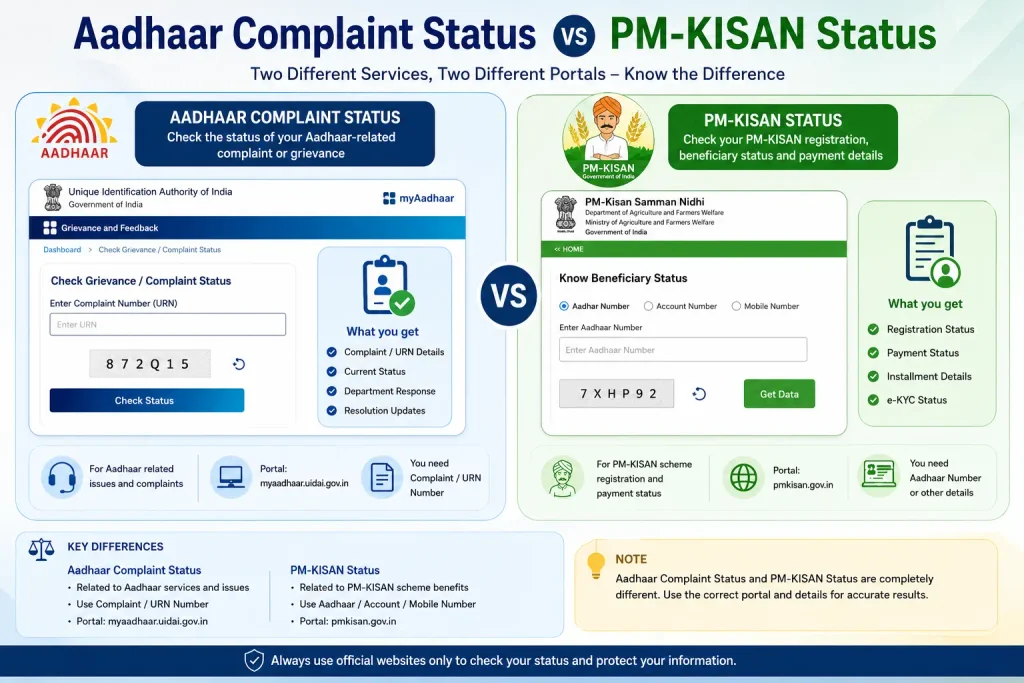
Aadhaar Complaint Status vs PM-KISAN Status
There is another important search-intent issue.
Some people searching for Aadhaar-related government status information may actually be looking for PM-KISAN beneficiary or payment status.
These are not the same service.
If your actual question is:
- “Has my PM-KISAN instalment been credited?”
- “Am I a PM-KISAN beneficiary?”
- “What is my PM-KISAN registration status?”
- “Why has my PM-KISAN payment not arrived?”
you should use the official PM-KISAN service for that information.
Do not treat an Aadhaar complaint tracker as a PM-KISAN beneficiary or payment-status checker.
Aadhaar may be relevant to government schemes, KYC, identification, or authentication, but the scheme can have its own registration, beneficiary and payment systems.
This distinction is especially important for searches containing words such as beneficiary, payment, instalment, registration, or PM-KISAN.
Discover More About: 👇
Aadhaar Seva Kendra Near Me: How to Find Your Nearest Aadhaar Enrollment/Update Centre
UIDAI Aadhaar Helpline Number & Customer Care: Toll-Free Numbers, Email & Contact Details
Complaint Status vs Other Aadhaar Status Services
| If you want to check… | Use the relevant service |
|---|---|
| A complaint submitted to UIDAI | Grievance Status |
| An Aadhaar update request | Update Status |
| Aadhaar enrolment progress | Aadhaar/Enrolment Status |
| Aadhaar authentication activity | Authentication-related service |
| Aadhaar PVC order | PVC Aadhaar status |
| PM-KISAN instalment | PM-KISAN service |
| PM-KISAN beneficiary status | PM-KISAN service |
The main lesson is simple: Aadhaar-related does not always mean UIDAI complaint-related.
[Internal Link: Related Aadhaar Status Checking Guide]
What to Do If Your Complaint Is Still Unresolved
If the status indicates that your matter is still being processed or your issue has not been satisfactorily resolved, continue through official channels.
UIDAI provides several grievance routes, including:
- Online grievance services
- 1947
- UIDAI chatbot
- Email (
help@uidai.gov.in) - Regional offices
- Post
- Official social-media channels
- CPGRAMS (
pgportal.gov.in)
UIDAI states that complaints received through its contact centre can be assigned to the concerned divisions or regional offices through its CRM system for examination and resolution.
If you escalate a complaint, keep your existing reference numbers and previous communications available.
Avoid Unofficial Aadhaar “Help” Services
A government-service problem can be frustrating, particularly when a status remains pending.
However, there is no need to hand over your Aadhaar details to an unofficial website simply because it claims to provide a faster complaint-status service.
For Aadhaar grievances, use UIDAI’s official channels.
Be particularly cautious about websites or individuals claiming that they can:
- guarantee complaint approval
- guarantee faster resolution
- change a UIDAI status
- provide special access to UIDAI
- resolve a complaint for an unofficial fee
Do not treat such claims as legitimate government services.
Frequently Asked Questions
How do I check Aadhaar grievance status?
Use UIDAI’s official Grievance & Feedback service and select Grievance Status to track a submitted complaint, grievance, or feedback.
How can I check my Aadhaar complaint status?
Open the official UIDAI grievance service and use the Grievance Status option. For phone-based checking, UIDAI says complaint status can be checked through 1947 using the Service Request Number.
Can I check my Aadhaar complaint using my Aadhaar number?
Do not assume that your Aadhaar number is the complaint-tracking reference. UIDAI specifically identifies the Service Request Number (SRN) for complaint-status checking through its 1947 self-service IVRS.
What is SRN in Aadhaar complaint status?
SRN stands for Service Request Number. UIDAI identifies it as the reference used for checking complaint status through the 1947 self-service IVRS.
Is Aadhaar complaint status the same as Aadhaar update status?
No. UIDAI provides separate services for complaint status and update status. A complaint about an update and the status of the update request should not automatically be treated as the same thing.
Can I check Aadhaar complaint status through 1947?
Yes. UIDAI states that its 1947 self-service IVRS can be used to check complaint status using the Service Request Number. The IVRS is available 24×7.
How long does UIDAI take to resolve a complaint?
UIDAI’s Citizen Charter states that grievance resolution is normally within 30 days from receipt of the grievance. Individual cases may differ.
What should I do if my Aadhaar complaint is still pending?
Check the current grievance status and, if necessary, contact UIDAI through 1947 or another official grievance channel. Keep your Service Request Number and previous communications available for follow-up.
Is PM-KISAN status the same as Aadhaar complaint status?
No. PM-KISAN beneficiary, registration and payment status belong to the PM-KISAN system. An Aadhaar-related grievance belongs to UIDAI’s grievance system.
Final Takeaway
The most important thing when checking an aadhaar complaint status is choosing the correct status service.
If you submitted a grievance to UIDAI, use the official Grievance Status service and keep your relevant reference number—particularly the SRN used for complaint-status checking through 1947.
If you are actually trying to track an Aadhaar update, enrolment, authentication, e-KYC, or PM-KISAN payment, switch to the corresponding official service instead. That small distinction can save a lot of confusion.
For any actual Aadhaar transaction or complaint, always verify the latest instructions directly through the official UIDAI website and its authorised support channels.

8 Comments
Pingback: PVC Status Check Online – Aadhaar PVC Card Tracking (2026)
Pingback: Aadhaar Complaint Status: Check Online in 2 Minutes
Pingback: Fake Aadhar Card Maker: Check if an Aadhaar Is Genuine
Pingback: NSEIT Login 2026: UIDAI Certification Portal
Pingback: Aadhar Card SIM Check: How to Check Linked SIM Cards
Pingback: Aadhar Card Customer Care Number: UIDAI Helpline
Pingback: Smart Card Status Check 2026: TNPDS, Aadhaar & Ammavodi
Pingback: UIDAI Grievance Portal: File a Complaint Online