

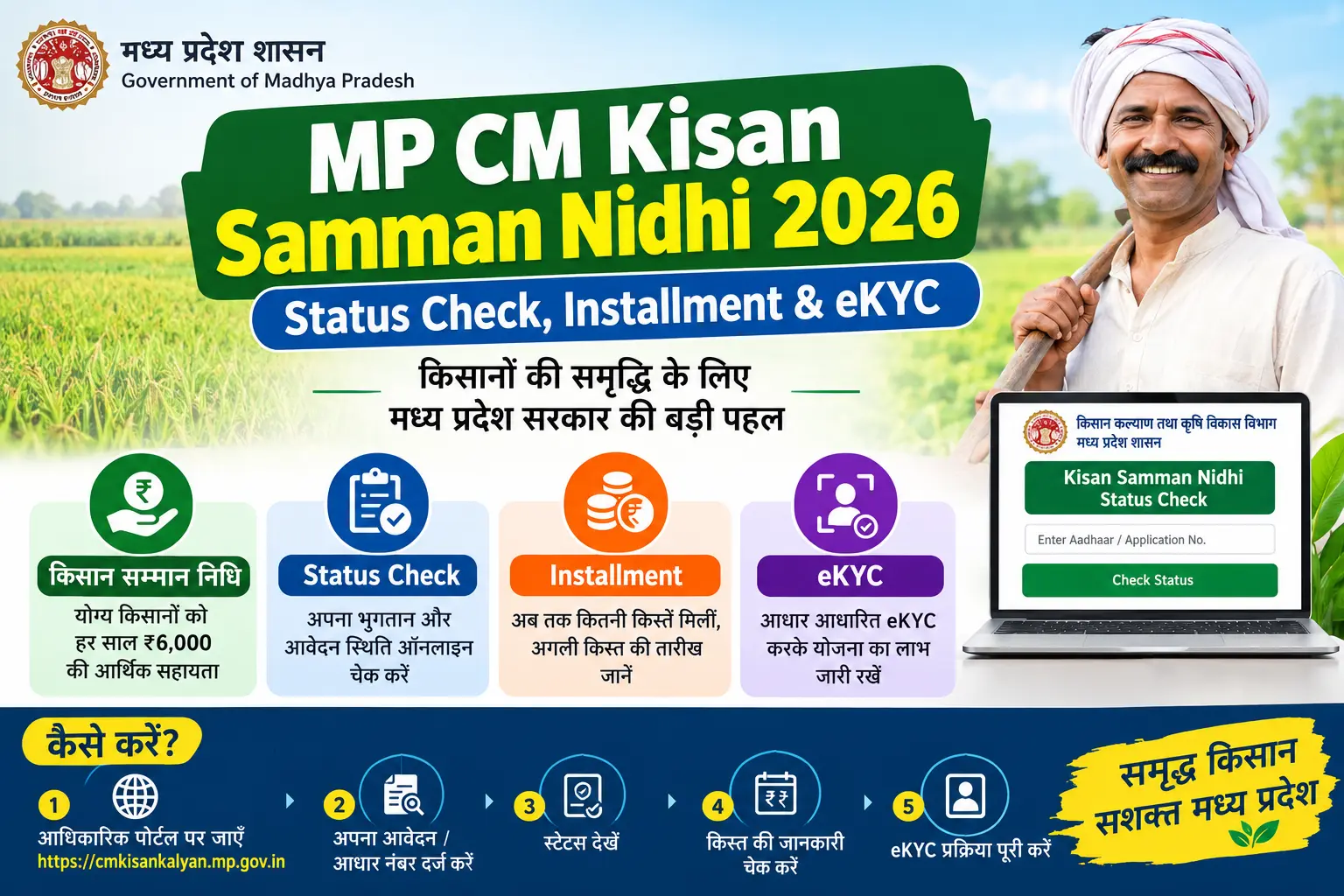
You completed your eKYC months ago, your PM-KISAN registration is active, and yet the installment never arrived. Or worse — you open the portal and see “eKYC Pending” even though you remember finishing it. This is the reality for thousands of farmers across Madhya Pradesh right now, and most of them don’t know where to look or which step went wrong. This article walks you through exactly how the CM Kisan Samman Nidhi MP works, how to check your payment status on the SAARA portal, how to complete or redo your CM Kisan eKYC, the documents you’ll actually need, the mistakes that quietly block payments, and straight answers to the questions farmers keep asking.
What Is the CM Kisan Samman Nidhi MP Scheme?
The Mukhyamantri Kisan Kalyan Yojana — better known as CM Kisan Samman Nidhi — is Madhya Pradesh’s state-level top-up to the central PM-KISAN scheme. Where PM-KISAN sends ₹6,000 a year in three installments of ₹2,000 directly to a farmer’s bank account, the MP government adds a matching amount on top, taking the combined annual benefit to roughly ₹12,000 for eligible farmers.
The scheme runs through the Smart Application for Revenue Administration (SAARA) portal at saara.mp.gov.in. It exists to supplement farm income and support agricultural investment at the village level.
Three things worth remembering before you go further:
- The scheme does not accept fresh applications on its own. You must already be an active PM-KISAN beneficiary.
- Money moves through Direct Benefit Transfer (DBT) into your Aadhaar-linked bank account.
- Installment releases have historically been irregular, and recent cycles have included catch-up disbursements to clear earlier backlogs.
Discover More About:👇
PM-KISAN Status Check Using Aadhaar: How to Find Your Registration Number and Check Your Status
Farmer ID (FID) Status Check by Aadhaar Number – PM Kisan
Who Is Eligible?
Eligibility for the MP scheme is tied directly to your PM-KISAN status. In practice, you need:
- An active PM-KISAN registration with completed eKYC.
- Permanent residency in Madhya Pradesh.
- Agricultural land in your name — as sole owner or co-owner.
- A family income within the prescribed threshold.
- You should not be a government employee, an income-tax payer, or a retired pensioner drawing a high pension — these categories are generally excluded.
If your PM-KISAN registration is active and your eKYC is done, you are typically considered for the state top-up automatically. That said, don’t assume — verify your name on the beneficiary list through the SAARA portal before waiting on a payment.
How to Check Your CM Kisan Status Online (2026)
The Madhya Pradesh government uses the SAARA portal for beneficiary verification. Checking your cm kisan samman nidhi mp status takes about two minutes if the portal is responsive — and considerably longer if it isn’t, which is common during disbursement windows.
Step-by-Step Status Check on SAARA Portal
- Open saara.mp.gov.in in your browser. Use a desktop or laptop if possible; the portal is often easier to navigate on a larger screen.
- Find the beneficiary status link — look for “CM Kisan Kalyan Yojana Beneficiary Status” or a similar option under the public reports section on the homepage.
- Enter one identification detail — your Aadhaar number, PM Kisan ID, or bank account number will each work.
- Type the CAPTCHA shown on screen exactly as it appears. It is case-sensitive.
- Click Search / Get Data. Your payment status, installment history, and beneficiary details should load on the next screen.
What Your Status Means
- “Payment Credited” — the amount has reached your bank account. If you don’t see it in your passbook, check with your bank branch; the credit may have failed at the bank level.
- “Pending” — the payment is queued but not yet processed. This can take weeks during heavy disbursement periods.
- “eKYC Pending” — your installment is on hold until you complete eKYC. This is the most common blocker, and the next section covers it.
Common Pitfalls During Status Check
OTP not arriving. If you’re verifying via mobile, the OTP sometimes fails to reach Aadhaar-linked numbers — especially if the number is old or inactive. Wait for the timer to expire before requesting a new one; hammering the button can lock you out briefly.
Wrong EID or URN entered. If you’re using your Aadhaar EID (the 28-digit Enrolment ID printed on your Aadhaar acknowledgement slip) instead of your Aadhaar number, a single mistyped digit will return an error with no useful explanation. Double-check every digit.
Portal timeout. The SAARA portal occasionally logs you out mid-session during high traffic. Keep your Aadhaar number and PM-KISAN registration details open in a separate note so you can re-enter them quickly.
Alternative: Check via PM-KISAN Portal
You can also confirm your base PM-KISAN status — which is the foundation for the state scheme — at pmkisan.gov.in using the “Beneficiary Status” option with your Aadhaar number or registered mobile number. If PM-KISAN itself shows a problem, fix that first; the state top-up won’t move until it’s resolved.
CM Kisan eKYC: Why It’s Mandatory and How to Complete It
eKYC (Electronic Know Your Customer) is a digital identity verification that links your Aadhaar details to your scheme registration. For the CM Kisan Yojana, eKYC is mandatory. Without it, your installment is held — no exceptions, no partial payments.
There are two ways to complete it.
Method 1: OTP-Based eKYC Online (via PM-KISAN Portal)
- Visit pmkisan.gov.in.
- Select the “eKYC” option on the homepage.
- Enter your Aadhaar number and click to proceed.
- An OTP will be sent to the mobile number linked with your Aadhaar — not to any other number you may have registered elsewhere.
- Enter the OTP within the validity window and submit.
- Your eKYC status updates in the system, usually within a few hours.
This method only works if your Aadhaar has an active linked mobile number. If your number is inactive, changed, or never linked, you cannot receive the OTP — and you’ll need Method 2.
Pitfall to watch: Many farmers assume the mobile number they gave at the bank or CSC is the one linked to Aadhaar. It often isn’t. If the OTP never arrives after two attempts, stop retrying and go for biometric eKYC.
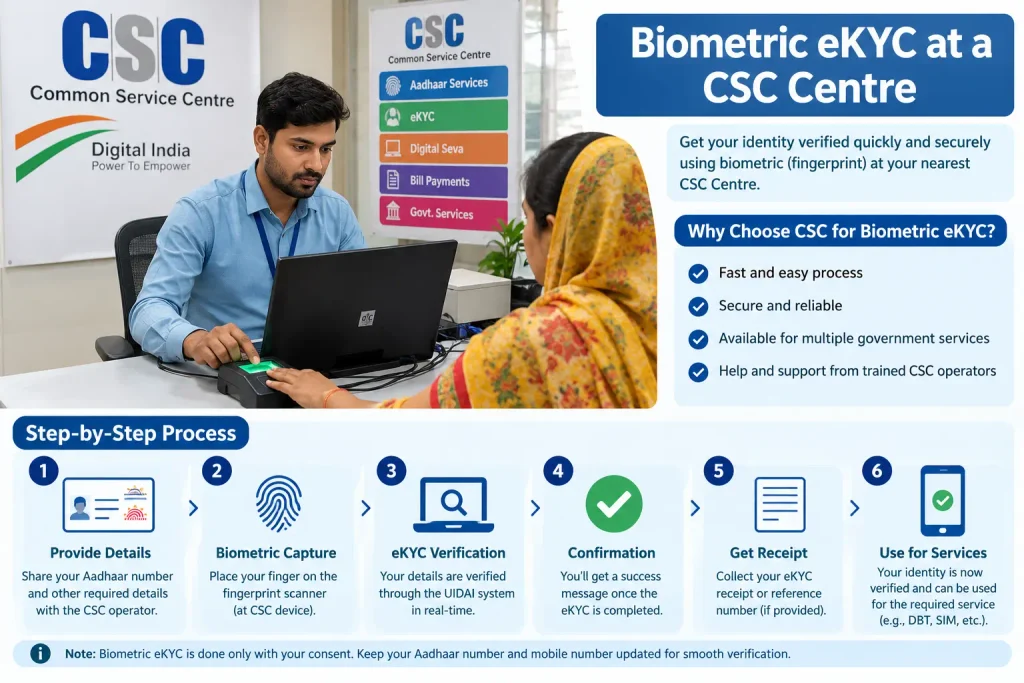
Method 2: Biometric eKYC at a CSC Centre
- Go to your nearest Common Service Centre (CSC) — government-authorised digital service points found in most panchayats and towns.
- Carry your Aadhaar card and PM-KISAN registration details.
- The CSC operator performs biometric authentication using your fingerprint or iris scan.
- Once verified, your eKYC is marked complete.
The CSC route is the more reliable option for farmers who struggle with online methods. The operator may charge a nominal service fee — check the current fee at the centre. Avoid anyone promising “instant eKYC” for an unusually high fee; that’s a red flag.
Documents Required for CM Kisan Samman Nidhi
Keep these ready whether you’re checking status, completing eKYC, or resolving a payment issue:
| Document | Purpose |
|---|---|
| Aadhaar Card | Identity verification and eKYC |
| PM-KISAN Registration Number | Proof of central scheme enrollment |
| Land Ownership Documents (Khasra/Khatauni) | Proof of agricultural land ownership |
| Bank Passbook (with account number and IFSC) | For DBT credit verification |
| Domicile Certificate / Voter ID / Electricity Bill | Proof of Madhya Pradesh residency |
| Active Mobile Number | For OTP verification and SMS alerts |
If any of these have mismatched details — your name spelled differently on Aadhaar versus land records, for instance — get them corrected early. Mismatches are one of the leading causes of silent payment failure.
Common Mistakes That Delay or Block Your Installment
Farmers who are otherwise fully eligible still miss installments. Here’s what usually goes wrong:
1. Incomplete or Pending eKYC
This is the biggest single cause of blocked payments. Even if you received installments in previous years, the government may require fresh eKYC verification. Log in and confirm your status reads “Completed” — not “Pending” or “Not Done.”
2. Bank Account Not Aadhaar-Seeded
DBT credits require your bank account to be Aadhaar-seeded — that is, your Aadhaar number must be mapped to your account for direct benefit transfers. Without this, the payment bounces back to the government. Visit your bank branch and confirm the mapping is active, not just that your Aadhaar was submitted at some point.
3. Name Mismatch Across Documents
If your name on Aadhaar differs from your land records or bank account, the system may reject the payment without notifying you. Consistency matters — one spelling across all documents.
4. Land Seeding Not Done
Land Seeding means digitally linking your land records with your PM-KISAN registration. Without it, the system cannot verify you as a farmer. Check your land seeding status on the PM-KISAN portal and complete it if pending.
5. Mobile Number Not Updated
An inactive or outdated Aadhaar-linked mobile number means no OTPs — for eKYC, for status checks, for anything. Update your number at an Aadhaar Enrolment/Update Centre or Aadhaar Seva Kendra before you need it urgently.
6. Wrong Bank Account Details on the Portal
If you’ve changed banks but haven’t updated the new account number on the portal, the installment goes to the old (possibly closed) account and never reaches you. It doesn’t automatically redirect.
Frequently Asked Questions
Q1: What is the difference between PM-KISAN and CM Kisan Samman Nidhi MP?
PM-KISAN is a central scheme providing ₹6,000 per year to eligible farmers across India. The CM Kisan Samman Nidhi is Madhya Pradesh’s state top-up, which adds a matching amount to bring the combined annual benefit to roughly ₹12,000 for MP farmers who are already PM-KISAN beneficiaries.
Q2: Can I apply for CM Kisan Yojana if I am not a PM-KISAN beneficiary?
No. PM-KISAN enrollment is a mandatory precondition for the MP state top-up. If you’re not yet a PM-KISAN beneficiary, complete your registration and eKYC on the PM-KISAN portal first.
Q3: How do I check if my cm kisan ekyc is complete?
Log in to the PM-KISAN portal (pmkisan.gov.in) and select the eKYC option. If your eKYC is complete, the status shows as verified. You can also ask at your nearest CSC centre to check on your behalf.
Q4: What should I do if my installment is pending even after completing eKYC?
First, confirm your bank account is Aadhaar-seeded and your land seeding is complete. If all three are done and the payment is still pending, raise a grievance through the PM-KISAN portal or contact your local agriculture officer. Keep checking the SAARA portal for updates.
Q5: Is there a deadline for completing eKYC for the 2026 installments?
The government periodically sets eKYC deadlines. Since rules and deadlines change, complete your eKYC at the earliest opportunity and verify the current deadline on the official PM-KISAN portal or the SAARA portal.
Q6: What is the current installment amount under CM Kisan Yojana MP?
The state scheme typically provides ₹2,000 per installment on top of the central PM-KISAN installment of ₹2,000. The exact number of installments released per year and the disbursement schedule may vary — check the official portal for the latest.
A Note on Fees, Timelines, and Official Verification
The Government of Madhya Pradesh and the central government periodically revise rules, fees (if any), and processing timelines for Aadhaar services and scheme disbursements. This article doesn’t state specific fees or fixed timelines because those details change.
For accurate, current information:
- Visit the official UIDAI website (uidai.gov.in) for Aadhaar services, eKYC guidelines, and Aadhaar Enrolment/Update Client details.
- Use the mAadhaar app to manage your Aadhaar profile on your smartphone.
- Visit an Aadhaar Seva Kendra for in-person Aadhaar updates.
- Check the PM-KISAN portal (pmkisan.gov.in) and the SAARA portal (saara.mp.gov.in) for scheme-specific updates.
- Call the UIDAI toll-free helpline for Aadhaar-related queries — the current number is listed on the official UIDAI website.
Rely on official government portals and authorised centres. Third-party websites and agents promising faster processing for a fee are rarely legitimate.
If your eKYC shows “Completed” and your bank account is Aadhaar-seeded but the installment still hasn’t arrived, give it two to three weeks beyond the disbursement announcement before raising a grievance — processing backlogs during peak release periods are common. If nothing changes after that window, escalate through the PM-KISAN grievance portal with your registration number and a screenshot of your status page. The paper trail matters. And if your eKYC keeps failing despite multiple attempts, the problem is almost always with the Aadhaar-linked mobile number or a name mismatch — fix that root issue first, because no amount of re-checking the scheme portal will solve it.
