

Independent Guide: This is an independent informational website and is not affiliated with UIDAI, the Government of Telangana, or Rythu Bharosa. Always verify the latest status and requirements on the official government portal before submitting personal information.
Quick Answer: Can You Check Rythu Bharosa Status by Aadhaar?
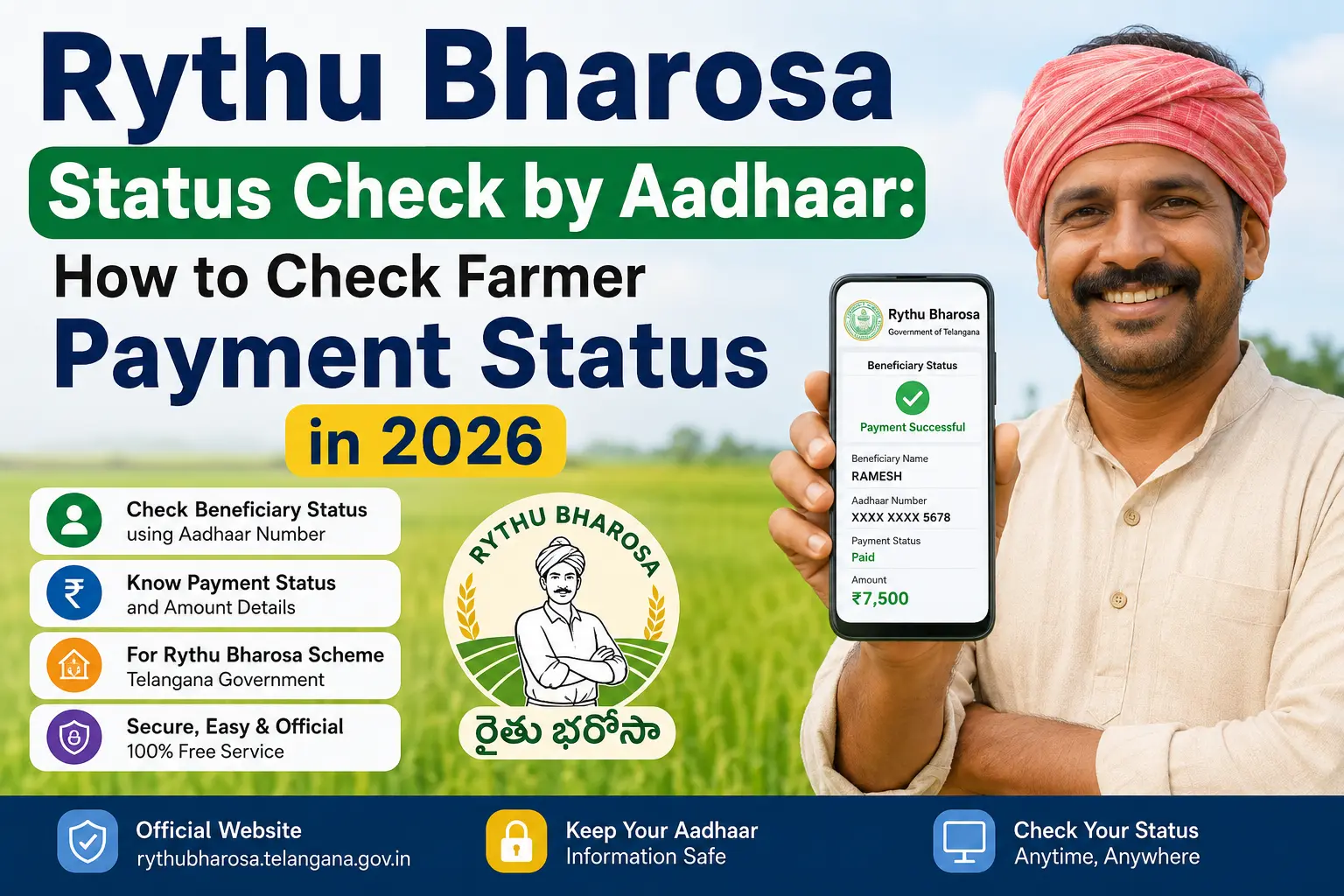
Yes, you can check your Rythu Bharosa status using your Aadhaar number on the official Telangana government portal. The official Rythu Bharosa website accepts Aadhaar number or Pattadar Passbook details for status lookup.
Official Portal: rythubharosa.telangana.gov.in
Rythu Bharosa is a Telangana state scheme that provides ₹12,000 per acre per year (₹6,000 per season for Kharif and Rabi) to eligible farmers through Direct Benefit Transfer (DBT) to Aadhaar-linked bank accounts.
⚠️ Important: While Aadhaar is accepted on the login page, the official portal may also ask for other identifiers. Always follow the fields displayed on the current official interface. Government portals and procedures can change.
Read More About👇
Quick Facts
| Item | Details |
|---|---|
| Scheme | Rythu Bharosa |
| State | Telangana |
| Department | Department of Agriculture, Government of Telangana |
| Benefit | ₹12,000 per acre per year (₹6,000 per season) |
| Payment Method | Direct Benefit Transfer (DBT) to Aadhaar-linked bank accounts |
| Official Portal | rythubharosa.telangana.gov.in |
| Status Check Inputs | Aadhaar Number OR Pattadar Passbook details |
| 2026 Payment Status | Second installment of ₹5,653 crore credited on April 20, 2026 |
| Land Records System | Bhu Bharati (replaced Dharani in 2025) |
Discover More About:👇
Aadhaar Card Update: Complete Guide
PAN Aadhaar Link Status Kaise Check Karein
Smart Card Status Check 2026: TNPDS, Aadhaar & Ammavodi
What Are You Actually Trying to Check?
When someone searches “rythu bharosa status check by aadhaar,” they may actually be looking for one of several things:
- Rythu Bharosa beneficiary status
- Payment status
- Farmer eligibility
- Whether the farmer’s record is active
- Whether a benefit has been released
- Whether Aadhaar-related verification is complete
These are not necessarily the same status.
For example, a farmer may want to know whether money has reached the bank account, while another person may simply want to know whether their name appears in the beneficiary records.
The first step is therefore to identify the scheme and the type of status, rather than assuming that Aadhaar is always the search key.
Can You Check Rythu Bharosa Status by Aadhaar Number?
Aadhaar’s Role in Rythu Bharosa
Aadhaar is central to the Rythu Bharosa scheme for:
- Beneficiary identification – Linking farmers to their land records
- Authentication – Verifying identity before payment release
- DBT payments – Ensuring funds reach the correct bank account
The 2026 payment rollout credited funds directly to Aadhaar-linked bank accounts of eligible farmers, with the second installment of ₹5,653 crore released on April 20, 2026, to approximately 45.11 lakh farmers.
Does Rythu Bharosa Always Allow an Aadhaar-Number Status Search?
The current official Rythu Bharosa website confirms the scheme and provides departmental information and contact details, but the existence of Aadhaar in a welfare database should not be interpreted as proof that an Aadhaar-only status-search field is always available.
So, if a current official Rythu Bharosa page does not ask for your Aadhaar number, do not enter it into another website just to complete the search.
The official portal should always take priority over an old blog post, video or social-media instruction.
Aadhaar Authentication vs Status Search
This is a critical distinction:
| Concept | Meaning |
|---|---|
| Aadhaar Authentication | Verifying your identity using Aadhaar for scheme registration and payments |
| Aadhaar Status Search | Using Aadhaar as a search key on a status-check page |
Just because Aadhaar is linked to your record does NOT mean every status page uses Aadhaar as the primary search field. The official Rythu Bharosa portal accepts Aadhaar on its login page, but the system also works with Pattadar Passbook details.
What to Do If the Portal Asks for Another Identifier
If the official interface asks for a Pattadar Passbook number or other ID instead of Aadhaar, provide that information. The government process—not the keyword you searched—determines what information to enter.
How to Check Rythu Bharosa Status Online
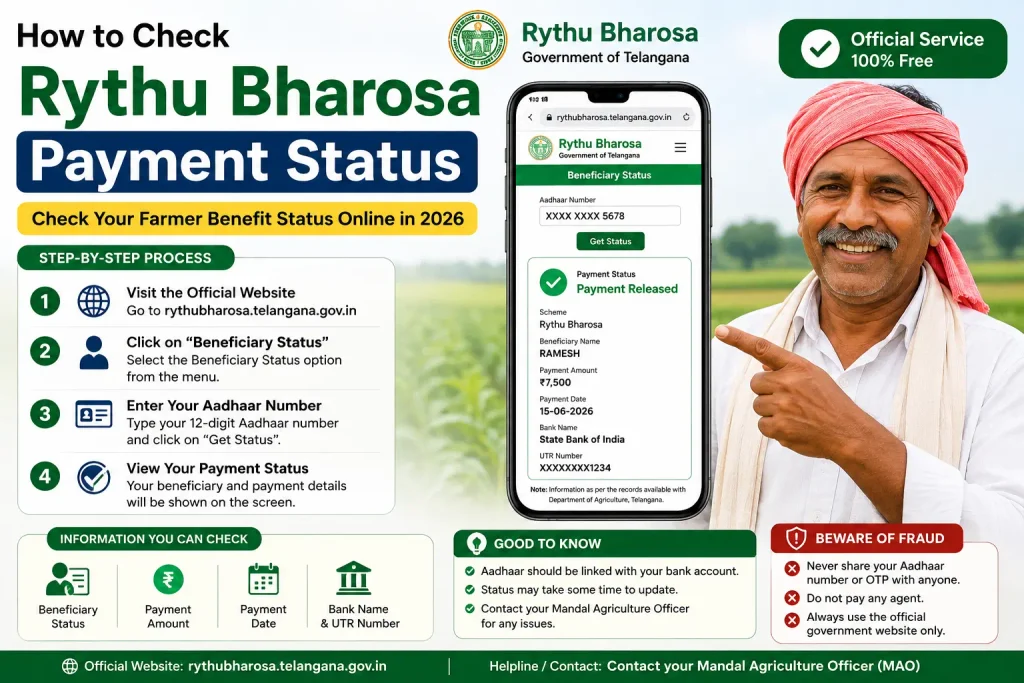
Follow these steps to check your Rythu Bharosa status on the official portal:
Step 1: Open the Official Rythu Bharosa Portal
Visit the official website:rythubharosa.telangana.gov.in
Note: The old Rythu Bandhu portal now redirects to this official Rythu Bharosa portal. Bookmark the correct URL to avoid fake websites.
Step 2: Select the Status Service
Look for the “Login” or “Know Your Bharosa Status” option on the homepage. Click to access the status-checking facility.
Step 3: Enter the Requested Details
On the login/status page, enter the identifier requested by the official portal:
- Aadhaar Number (12 digits), OR
- Pattadar Passbook details
Step 4: Complete Verification
The system will verify your details. You may receive an OTP on your registered mobile number for authentication. Enter the OTP to proceed.
Step 5: View Your Status
After successful verification, the portal will display your:
- Land details
- Eligibility status
- Beneficiary information
- Payment history
How to Check Rythu Bharosa Payment Status
Payment Status vs Beneficiary Status
| Status Type | What It Shows |
|---|---|
| Beneficiary Status | Whether you are registered in the system and eligible |
| Payment Status | Whether a specific installment has been released and credited |
These are different things. You can be a verified beneficiary but still have a pending payment due to bank or processing issues.
Discover More About:👇
Aadhaar Bank Seeding Status: How to Check Aadhaar Card Link With Bank Account
How to Check Aadhaar Linked with EB: Complete TNEB Aadhaar Link Status Guide
How to Tell Whether Payment Was Credited
- Check the official portal – View your payment status and transaction details
- Check your bank statement/passbook – Look for a DBT credit from the Agriculture Department
- Check SMS alerts – DBT credits are typically accompanied by SMS notifications
2026 Payment Schedule
The 2026 Rythu Bharosa payments were released in phases:
- Phase 1 – Began March 22, 2026 (for farmers with up to 1 acre)
- Phase 2 – Mid-April 2026 (for larger holdings)
- Kharif installment – Expected in June/July 2026
The second installment of ₹5,653 crore was credited on April 20, 2026, to approximately 45.11 lakh farmers.
Rythu Bharosa Status Messages and What They Mean
| Status / Message | Meaning | What to Do |
|---|---|---|
| Beneficiary / Approved | You are a confirmed beneficiary of Rythu Bharosa | Check payment status for current installment |
| Pending / Under Verification | Your application or land records are being verified | Wait for verification to complete; check back later |
| Payment Released | The installment has been sent to your bank account | Check your bank passbook; allow 1-2 working days for credit |
| Payment Credited | Funds have been credited to your account | Verified; no further action needed |
| Not Found / No Record | Your details may not match records, or your land may not be registered | Verify information and contact Agriculture Department |
| Rejected / Ineligible | Your application was not approved | Check reason and contact Agriculture Department if needed |
Important: The exact status labels may vary based on the current official interface. Always refer to the actual message displayed on the portal.
Why Is My Rythu Bharosa Payment Not Received?
If you are a verified beneficiary but your payment has not arrived, check these common issues:
Beneficiary/Record Verification Issues
The government has been conducting surveys to identify genuine beneficiaries and exclude non-arable lands. If your land is not recorded as agricultural in Bhu Bharati (the land records system that replaced Dharani in 2025), you may not be eligible.
Bank Account or DBT Issues
- Check if your Aadhaar is properly linked to your bank account (NPCI seeding)
- Ensure your bank account details on file are correct
- Confirm the bank account is active and operational
Aadhaar/Record Mismatch
- Incorrect Aadhaar details (name, number) in the scheme records
- Mismatch between Aadhaar and bank account details
- Land records not updated with correct owner information
Payment Release Timing
- Payments are released in phases – if you have larger land holdings, you may receive payment later in the rollout
- The first phase (March 2026) was for those with up to 1 acre, followed by larger holdings
When to Contact the Agriculture Department
If you don’t receive funds by the expected date:
- Visit your local Rythu Vedika (farmer assistance centre)
- Contact your Mandal Agriculture Office
- Visit the Tahsildar office for land record verification
What Details May Be Linked to Your Rythu Bharosa Record?
| Detail | Purpose |
|---|---|
| Aadhaar | Core identity for DBT and authentication |
| Pattadar / Bhu Bharati Land Records | Eligibility is based on land registered in Bhu Bharati; land must be classified as “agricultural” |
| Bank Account | DBT destination for payments |
| Joint Ownership | Payments are split proportionally based on shares recorded in Bhu Bharati |
Important: Land records in Bhu Bharati now determine eligibility. The 2025 transition from Dharani to Bhu Bharati means all land records were updated. Ensure your land is correctly classified as agricultural.
Rythu Bharosa vs PM-KISAN: Are They the Same?
No. This is a common misconception.
| Feature | Rythu Bharosa | PM-KISAN |
|---|---|---|
| Type | Telangana State Scheme | Central Government Scheme |
| Department | Agriculture Department, Telangana | Department of Agriculture & Farmers Welfare, Government of India |
| Benefit | ₹12,000 per acre per year | Fixed annual benefit (separate from Rythu Bharosa) |
| Portal | rythubharosa.telangana.gov.in | pmkisan.gov.in |
| Status Check | Aadhaar or Pattadar Passbook | Registration Number |
How PM-KISAN Status Is Actually Checked
Critical Fact: The current official PM-KISAN “Know Your Status” page uses a Registration Number (not Aadhaar as the universal input).
The PM-KISAN status process requires:
- Enter your PM-KISAN Registration Number
- Complete CAPTCHA verification
- Receive OTP on registered mobile number
- View payment status, bank name, UTR number, payment mode, and credit date
Aadhaar is important for PM-KISAN beneficiary authentication and e-KYC, but the current status lookup page does NOT use Aadhaar as the primary search field.
Historical Note: Some older articles (e.g., 2022 Zee News, Krishi Jagran) described an Andhra Pradesh version that combined Rythu Bharosa with PM-KISAN. This was a state-specific version and does NOT apply to Telangana’s Rythu Bharosa.
What to Do If Rythu Bharosa Status Cannot Be Found
1. Recheck the Information Entered
- Verify you are using the correct Aadhaar number
- Check that the Pattadar Passbook details are accurate
- Ensure your land records are updated in Bhu Bharati
2. Check the Official Portal Again
- Use
rythubharosa.telangana.gov.in(bookmark the correct URL) - Old bookmarks to Rythu Bandhu portal may be defunct
3. Verify Your Land Records
- Check Bhu Bharati to confirm your land is registered as agricultural
- Visit the Tahsildar office if land records need correction
4. Contact the Relevant Agriculture Department Office
- Visit your local Rythu Vedika
- Contact the Mandal Agriculture Officer (MAO)
- Visit the Tahsildar office for land-related issues
5. Avoid Unofficial Paid Status Services
- Never pay anyone to check your status
- Never share OTP with unofficial agents
- Never submit Aadhaar details on third-party websites
Aadhaar Linked but Payment Not Received
This is a common point of confusion.
Aadhaar linkage should not be treated as a guarantee that a welfare payment will automatically be credited.
A benefit can involve several separate stages:
Application → Eligibility → Verification → Beneficiary record → Payment processing → Bank credit
The exact stages vary by scheme.
For PM-KISAN, the official portal currently provides a separate payment-status view and also states that e-KYC is mandatory for registered farmers.
So if a farmer says, “My Aadhaar is linked but I have not received the money,” the next step should be to identify the actual missing stage rather than repeatedly searching for an Aadhaar-number status page.
Official Rythu Bharosa Help and Contact Options
Official Portal
- Website:
rythubharosa.telangana.gov.in - Department: Agriculture Department, Government of Telangana
Local Support
- Rythu Vedika – Farmer assistance centre at village/mandal level
- Mandal Agriculture Office – Agriculture officer support
- Tahsildar Office – Land records and verification
IT Infrastructure
- NIC Telangana provides the IT infrastructure for the Rythu Bharosa portal
The official Rythu Bharosa website provides departmental contact information, including District Agriculture Officer, Assistant Director of Agriculture, and Mandal Agriculture Officer contacts.
Rythu Bharosa official contact information
How to Protect Your Aadhaar and OTP
A welfare-status search does not give anyone permission to collect your Aadhaar number or OTP.
Before entering personal information:
- Check the website’s official government domain
- Make sure you are on the relevant scheme’s official service
- Follow the fields actually displayed by that service
- Never publish your Aadhaar number in a public comment
- Never share an OTP with an agent or stranger
- Do not pay someone who promises guaranteed government approval
- Leave the website if it looks like a copy of a government portal but has no trustworthy government connection
For Aadhaar-specific concerns, use UIDAI’s official channels. UIDAI also provides services through its official 1947 helpline.
Quick Guide: Which Status Do You Need?
| Your Question | What You Should Look For |
|---|---|
| “Did I submit my application?” | Application/registration status |
| “Was I selected?” | Beneficiary status |
| “Am I eligible?” | Eligibility status |
| “Has the government released the payment?” | Payment status |
| “Has the money reached my account?” | Payment/account-credit information |
| “Was my Aadhaar verified?” | Aadhaar authentication/verification |
| “Is my e-KYC complete?” | e-KYC status |
Related Government Status Checks
Explore other government scheme status guides:
- PM-KISAN Status Check – Central farmer scheme using Registration Number
- Housing Status Check by Aadhaar – Telangana Indiramma Indlu and housing schemes
- Double Bedroom Status with Aadhaar – Telangana 2BHK housing status
- Magalir Urimai Thogai Status – Tamil Nadu women’s welfare scheme
- Aadhaar-Bank Linking Status – Check NPCI seeding
- Aadhaar e-KYC Guide – Understanding e-KYC for welfare schemes
- UIDAI Grievance Status Guide – Aadhaar-related issues
Frequently Asked Questions
1. Can I check Rythu Bharosa status by Aadhaar number?
Yes. The official Rythu Bharosa portal accepts Aadhaar number for status checking. You can also use Pattadar Passbook details. Visit rythubharosa.telangana.gov.in and enter the requested identifier.
2. How can I check Rythu Bharosa status online?
Visit the official Rythu Bharosa portal at rythubharosa.telangana.gov.in, select the login/status option, enter your Aadhaar number or Pattadar Passbook details, complete OTP verification, and view your status.
3. How can I check Rythu Bharosa payment status in 2026?
Check the official portal for payment status and verify the DBT credit in your bank passbook. The 2026 payments are being released in phases—Phase 1 began March 22, 2026, and Phase 2 was in mid-April.
4. What details are required to check Rythu Bharosa status?
The official portal requires either your Aadhaar Number or Pattadar Passbook details. You may also need OTP verification via your registered mobile number.
5. Why is my Rythu Bharosa payment not received?
Common reasons include: land not recorded as agricultural in Bhu Bharati, bank account not Aadhaar-linked, incorrect bank details, payment release timing (phased rollout), or verification issues. Contact your local Rythu Vedika or Agriculture Department for help.
6. Why is my Rythu Bharosa status not showing?
Check that you are using the correct portal (rythubharosa.telangana.gov.in), verify you entered the correct Aadhaar or Pattadar details, and confirm your land is registered in Bhu Bharati. If the problem continues, visit your local Agriculture Department office.
7. Is Rythu Bharosa the same as PM-KISAN?
No. Rythu Bharosa is a Telangana state scheme providing ₹12,000 per acre per year. PM-KISAN is a separate central government scheme with its own portal and registration number-based status process. They are completely different programmes.
8. Can PM-KISAN status be checked directly with Aadhaar?
No. The current official PM-KISAN “Know Your Status” page uses a Registration Number as the primary input. Aadhaar is important for beneficiary authentication and e-KYC, but the status lookup page does not use Aadhaar as the universal search field.
9. What should I do if my Rythu Bharosa details are incorrect?
Visit your local Rythu Vedika or Mandal Agriculture Office to verify and correct your records. For land record issues, contact the Tahsildar office to ensure your land is correctly recorded in Bhu Bharati.
10. What does “No Record Found” mean?
It does not automatically mean rejection. You may be using the wrong identifier or scheme, the record may not be available through that service, or the information may not yet be reflected.
Final Takeaway
The search phrase “Rythu Bharosa status check by Aadhaar” reflects a genuine need: farmers want a quick way to know whether their benefit record and payment are active. The official Rythu Bharosa portal accepts Aadhaar as a login/status identifier, making this search valid.
However, remember:
- Aadhaar is accepted on the official portal, but other identifiers (like Pattadar Passbook) may also be required
- Payment status and beneficiary status are different things
- Rythu Bharosa and PM-KISAN are separate schemes with different processes
- Bhu Bharati land records now determine eligibility—ensure your land is correctly classified
- Government interfaces can change—always follow the current official portal
Always use the official portal (rythubharosa.telangana.gov.in) and never share your OTP or Aadhaar details with unofficial agents.
This is an independent informational guide and is not affiliated with UIDAI, the Government of Telangana, or Rythu Bharosa. Government portals and procedures can change, so always verify the current instructions on the relevant official government website before submitting personal information.

2 Comments
Pingback: Aadhaar Card Update: Complete Guide
Pingback: Amma Vodi Status Check with Aadhar Card