

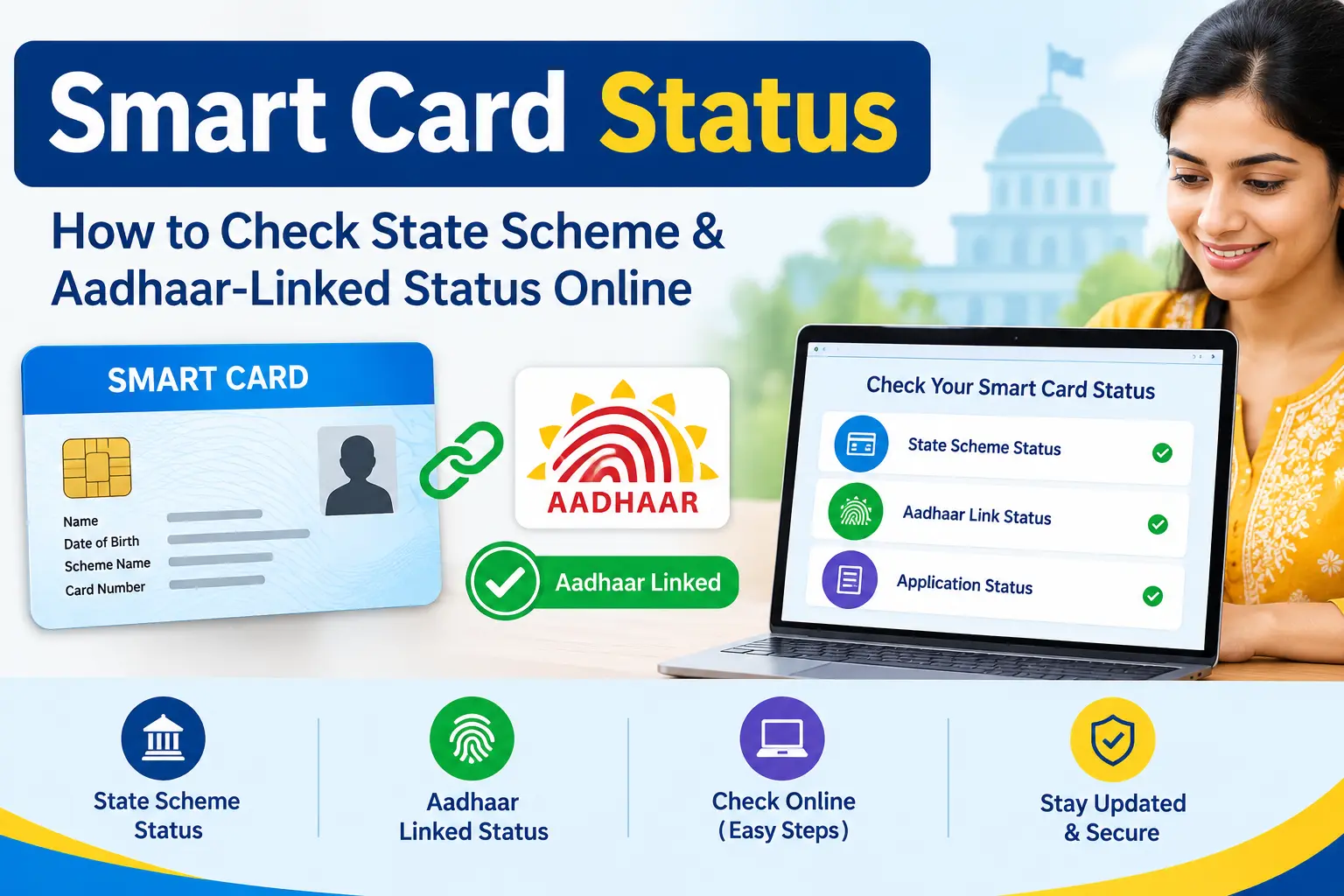
You have an Aadhaar number, but that does not always mean you can enter it on a government website and see every card or scheme connected to it. That is where many smart card status searches become confusing.
A person looking for a smart card status may actually mean a Tamil Nadu Smart Ration Card application. Someone searching for an Aadhaar-linked benefit may be looking for beneficiary status or payment status. And searches such as “Ammavodi status check with Aadhaar card” can lead to older information that no longer reflects the current Andhra Pradesh scheme landscape.
The key is to identify which department, service and type of status you need before entering any personal details.
If you’re running a smart card status check for the first time, the fastest way to avoid delay is confirming the correct department before you search — this guide walks through each journey step by step.
This guide explains the different status-check journeys, the role Aadhaar plays in them, and what to do when a status is pending, unavailable or unclear.
Important: CheckAadharStatus.com is an independent informational website. It is not affiliated with UIDAI, TNPDS, PM-KISAN or the Government of Andhra Pradesh. Always use the relevant official government portal for an actual status check.
Discover More About:👇
Ration Card Status: How to Check Rice Card Status with Aadhaar Number in AP & Telangana
Rythu Bharosa Status Check by Aadhaar: How to Check Farmer Payment Status in 2026
Quick Facts
| Service | Governing authority | What you may be checking | Main information used |
|---|---|---|---|
| Tamil Nadu Smart Ration Card | Tamil Nadu Public Distribution System (TNPDS) | Card/application status | Application or reference details |
| Aadhaar services | UIDAI | Aadhaar-related services and authentication | Aadhaar-specific details |
| PM-KISAN | Department of Agriculture & Farmers Welfare | Registration, beneficiary and payment information | Registration number; Aadhaar can help retrieve it |
| Andhra Pradesh education support | AP School Education Department | Current scheme/beneficiary information | Scheme-specific beneficiary records |
The exact information requested can change when government portals are updated. Always follow the fields shown on the current official website.
What Does “Smart Card Status” Usually Mean?
“Smart card” is not a single nationwide Aadhaar service.
In the context of Indian government-service searches, one important interpretation is the Tamil Nadu Smart Ration Card, managed through the Tamil Nadu Public Distribution System (TNPDS).
Official TNPDS Portal
The TNPDS system handles services connected with Tamil Nadu’s public distribution system. Therefore, a TNPDS card application should not be confused with an Aadhaar application or UIDAI status.
This distinction matters because the department that uses Aadhaar for authentication may not be the department that maintains your application or benefit record.
How to Check Smart Card Status Online
Quick answer: To check smart card status online, visit the official portal for your specific service (TNPDS for Tamil Nadu ration cards, UIDAI for Aadhaar, or your state’s beneficiary portal), select the status-check option, and enter your application or reference number. Most portals return your status within seconds no Aadhaar substitution is needed unless the portal explicitly allows it.
If you want to check smart card status for a Tamil Nadu Smart Ration Card application, start with the official TNPDS website.
1. Open the official TNPDS website
Go directly to the Tamil Nadu Public Distribution System portal.
Avoid unofficial websites that ask you to submit Aadhaar details simply to “unlock” a government status.
2. Select the relevant status or application service
Use the TNPDS option applicable to your ration-card or smart-card application.
The exact layout and wording of the portal can change, so follow the current options displayed on the official website rather than an old screenshot or third-party tutorial.
3. Keep your application or reference information ready
If you received an acknowledgement or reference number when applying, keep it available.
This is important because an application-tracking identifier and Aadhaar number serve different purposes. Do not assume that Aadhaar can replace an application or reference number unless the official TNPDS interface specifically provides that option.
4. Review the displayed status
Once the official system identifies your application, check the status shown there.
If the application is still being processed, do not automatically interpret that as rejection. The meaning of individual status labels depends on the department’s workflow.
If Your Smart Card Application Is Pending
A pending application can be frustrating, particularly when you need the card for another government service.
Before submitting a second application, check:
- whether you entered the correct application or reference details;
- whether you received an acknowledgement or SMS;
- whether your application is still under departmental processing;
- whether the official portal is functioning normally;
- whether the department provides a support or grievance channel for the particular service.
Some applicants have reported their TNPDS status remaining in a pending state for several weeks before resolution, based on publicly available user experiences this varies by case and should not be treated as a fixed timeline. These are individual user experiences, not an official promise about how long a current application will take. Processing time should therefore not be presented as a fixed guarantee.
Can You Check Smart Card Status With Aadhaar?
This is one of the most common points of confusion.
Aadhaar is used by authorised entities for identity authentication and can support delivery of subsidies, benefits and services. UIDAI explains that Aadhaar authentication can help agencies establish that a person is the Aadhaar holder associated with the supplied identity information.
But that does not make Aadhaar a universal government application-status number.
For example, a department may use Aadhaar as part of beneficiary verification while storing the actual application in its own database.
A useful way to remember the difference is:
Aadhaar authentication → identity verification
Application/reference number → application tracking
Registration number → scheme-specific registration
Payment status → benefit/payment processing
These can be connected within a government service, but they are not automatically interchangeable.
Aadhaar Authentication Is Not the Same as Scheme Approval
A successful Aadhaar authentication does not automatically mean that a person has been approved for a benefit.
UIDAI’s role is related to Aadhaar identification and authentication. The department implementing a welfare programme generally determines eligibility, maintains scheme records and processes the associated benefit.
That means these statements are not necessarily equivalent:
- “My Aadhaar is authenticated.”
- “My application is approved.”
- “I am eligible.”
- “My payment has been processed.”
- “The money has been credited.”
A good status-check guide should keep these stages separate.
Ammavodi Status Check With Aadhaar Card: Why the Search Can Be Confusing
The phrase ammavodi status check with aadhar card reflects a real search intent, but it can lead users to outdated information.
Major 2026 Update: Ammavodi Renamed to Thalliki Vandanam
The Andhra Pradesh government officially changed the name of “Jagananna Ammavodi” to Thalliki Vandanam (also spelled Talliki Vandanam) in August 2024.
Current Andhra Pradesh School Education Department information lists Thalliki Vandanam as a financial-support scheme for mothers educating children. The scheme provides ₹15,000 per annum per child to mothers/guardians of students in Classes I-XII and is being implemented from 2025–26.
Historical Ammavodi documentation described student Aadhaar and mother/guardian Aadhaar among the information used in the scheme workflow, along with beneficiary lists and payment tracking.
How to Check Thalliki Vandanam Status Today
- Visit the official Navasakam Beneficiary Management (NBM) portal:
bm-sgsw.ap.gov.in - On the homepage, click on the ‘Status Check’ option and select ‘Talliki Vandanam’
- Enter the beneficiary’s Aadhaar number (this often requires OTP verification)
- View your beneficiary status and payment details
Can You Check Status With a Mobile Number Instead of Aadhaar?
Some users search for a mobile-number-based status check because they don’t have their Aadhaar number handy. On the NBM portal (bm-sgsw.ap.gov.in), the primary lookup field is the beneficiary’s Aadhaar number, with OTP sent to the registered mobile number for verification so the mobile number supports the process but does not replace the Aadhaar number as the main search field. If your registered mobile number has changed, you may need to update it through the official portal or your local welfare office before the status check will work.
What Should You Do If You Are Searching for Ammavodi?
If an old message, document or search result tells you to check Ammavodi status:
- Check the year of the information.
- Identify whether it refers to historical Jagananna Ammavodi.
- Check current Andhra Pradesh School Education information for the applicable scheme.
- Do not assume that an old Aadhaar-based workflow is still the current procedure.
- Use the official government system for current beneficiary or payment information.
This is particularly important for users who search the old scheme name because it is familiar, even though the current programme information may use different terminology.
PM-KISAN Status With Aadhaar: There Is an Important Difference
PM-KISAN creates another common Aadhaar-related misunderstanding.
Users often search for “PM-KISAN status with Aadhaar” because they expect to enter Aadhaar and immediately see their payment information.
The current official PM-KISAN website separates registration-number retrieval from the main status-check process.
Official PM-KISAN Registration Number Service
The official Know Your Registration Number service provides an option to search using Aadhaar number or mobile number.
If you do not know your PM-KISAN registration number, the useful journey is therefore:
Aadhaar → retrieve PM-KISAN registration number → check status
That is different from claiming that every PM-KISAN status page accepts Aadhaar directly.
Check PM-KISAN Status Using Your Registration Number
The current official PM-KISAN Know Your Status page asks for the registration number and captcha, with OTP verification through the registered mobile number.
PM-KISAN Know Your Status
The status information can include details such as payment status, bank information, UTR, payment mode, account-credit information and financial-year e-KYC information, depending on the records available in the system.
This is why a better answer to an Aadhaar-based PM-KISAN search is not simply “enter your Aadhaar.” The correct process depends on which PM-KISAN service you are using.
Important Note About Aadhaar’s Role in PM-KISAN
Aadhaar remains deeply integrated into PM-KISAN. As of March 2026, the Government states that Aadhaar is mandatory for PM-KISAN registration and beneficiaries are Aadhaar-authenticated. Payments are made into Aadhaar-seeded bank accounts through the applicable payment infrastructure.
However, this does not mean the public status-check page uses Aadhaar as its primary input.
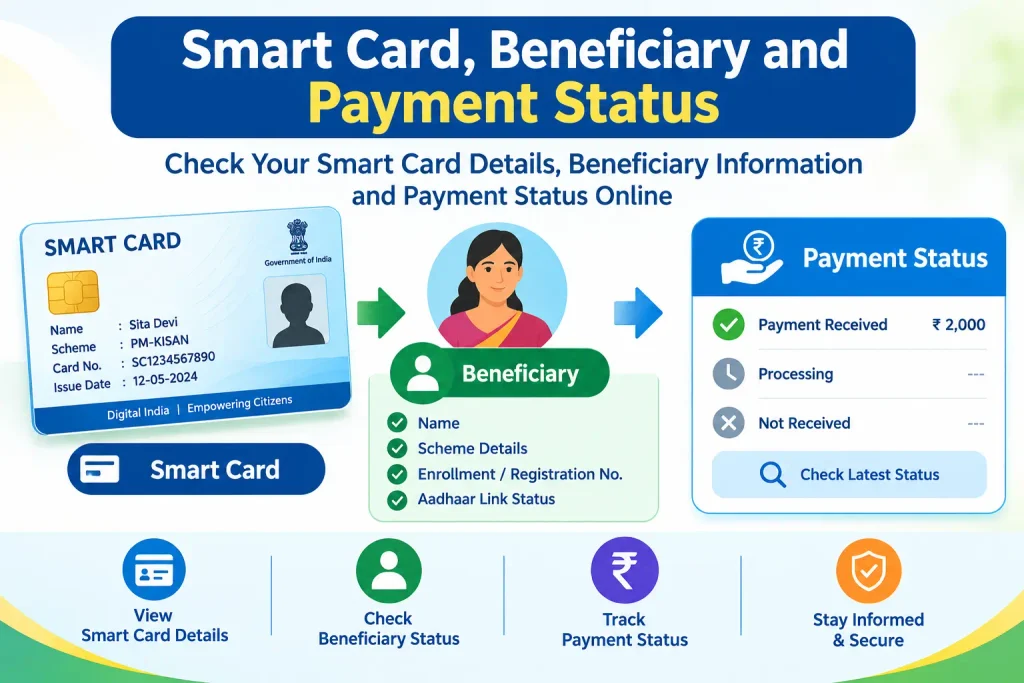
Smart Card, Beneficiary and Payment Status: What Is the Difference?
| Status type | What the user usually wants to know |
|---|---|
| Application status | What stage is my application at? |
| Registration status | Is my registration recorded in the scheme system? |
| Beneficiary status | Is my record included as a beneficiary? |
| Eligibility status | Does the department consider me eligible? |
| Payment status | Has the benefit/payment been processed? |
| Aadhaar authentication | Has my Aadhaar identity been authenticated for the service? |
| e-KYC status | Has the required electronic KYC step been completed? |
| Aadhaar-bank seeding | Is Aadhaar associated with the relevant bank/payment arrangement? |
These terms can appear together in a government service, but one should not be used as proof of another.
What Different Status Messages Can Mean
There is no universal definition for every status label used across Indian government portals. The department’s own wording should take priority.
| Status | Safe interpretation |
|---|---|
| Pending / Under Process | The record has not reached a final stage shown by the system |
| Under Verification | Some verification stage is still being handled |
| Approved / Eligible | The system indicates approval or eligibility, where that label is used |
| Rejected / Ineligible | The system has recorded a rejection or ineligibility decision |
| Payment Processed | Payment processing information has been recorded |
| Payment Credited | The system indicates credit information, where displayed |
| Not Found | The entered details did not retrieve the expected record |
Do not assume that “pending” means rejected, or that “Aadhaar authenticated” means a benefit has already been approved.
Common Problems When Checking Status
“My Aadhaar Number Is Not Working”
First check whether Aadhaar is actually an accepted identifier for that particular service.
If the official portal asks for a reference number, application number or registration number, use the identifier requested by that portal.
“Status Not Found”
Check that:
- the correct service has been selected;
- the number has been entered accurately;
- you are using the correct application or registration details;
- the record belongs to the department’s current system.
If the details are correct but the problem continues, use the department’s official support or grievance mechanism.
If you’ve already tried the official grievance channel and need to track a formal complaint, see our Aadhaar Complaint Status guide for the full process.
“OTP Is Not Coming”
OTP-based services generally depend on the mobile number registered with the relevant service. Check that you are using the correct registered number and that the official portal or app is being used.
Avoid websites that promise to bypass OTP or retrieve confidential information for a fee.
“My Application Is Still Pending”
Do not immediately create a duplicate application.
First check the existing application through the official service and look for any departmental instructions about verification or further action.
“Payment Has Not Arrived”
Do not use Aadhaar linkage alone as proof that payment should have been credited.
Check the scheme’s beneficiary and payment information and, where relevant, the bank-account details shown by the official system.
For a step-by-step walkthrough of tracking a specific DBT payment, see our DBT Status Check with Mobile Number guide.
Aadhaar Linking, Authentication and e-KYC Are Not the Same
These terms are often used interchangeably in online discussions, but they can refer to different actions.
Aadhaar linking generally refers to associating Aadhaar with a particular record or service.
Aadhaar authentication refers to an authorised verification of Aadhaar identity.
e-KYC is an electronic Know Your Customer process where offered by an authorised service provider.
UIDAI provides Aadhaar-based authentication and e-KYC capabilities for authorised use cases.
Completing one of these steps should not automatically be described as proof that a separate welfare application has been approved or paid.
Where Should You Check?
The safest approach is to match the problem with the department.
For Tamil Nadu Smart Ration Card
Use the official TNPDS portal for the relevant ration-card service.
TNPDS Official Website
For Aadhaar Services
Use official UIDAI services for Aadhaar-related authentication, updates and other Aadhaar functions.
UIDAI Official Website
myAadhaar Official Portal
For PM-KISAN
Use the official PM-KISAN portal for registration-number retrieval and beneficiary/payment status.
PM-KISAN Official Portal
For Andhra Pradesh Education Benefits
Use current Andhra Pradesh School Education information when checking a scheme that may previously have been searched under the Ammavodi name.
Frequently Asked Questions
Can I check smart card status using Aadhaar?
Not as a universal rule. Smart-card status belongs to the relevant state or department service. If the official portal asks for an application or reference number, use that information instead of assuming Aadhaar can be substituted.
Is smart card status an Aadhaar or UIDAI service?
Not necessarily. A smart ration card, for example, can be managed by a state public-distribution system. UIDAI manages Aadhaar-related identity and authentication services, not every government card or welfare application.
Why does my smart card status show pending?
Pending generally means the record has not reached a final status displayed by the system. The exact meaning depends on the department’s workflow. It should not automatically be treated as rejection.
Can I find my PM-KISAN registration number using Aadhaar?
Yes. The official PM-KISAN registration-number service currently provides Aadhaar as one of the search options.
Can I directly check PM-KISAN status with Aadhaar?
The current main PM-KISAN “Know Your Status” service uses the registration number. If you do not know your registration number, use the official registration-number lookup service first.
Is Ammavodi still the current Andhra Pradesh scheme name?
Ammavodi is an important legacy search term, but current Andhra Pradesh School Education information lists Thalliki Vandanam among its education initiatives. The scheme was officially renamed in August 2024. Check the latest official AP information instead of relying on an old Ammavodi guide.
What is Thalliki Vandanam?
Thalliki Vandanam is the current Andhra Pradesh education-support scheme, implemented from 2025–26. It provides ₹15,000 annually to mothers/guardians of students in Classes I-XII, paid via DBT to Aadhaar-linked bank accounts.
Does Aadhaar authentication mean my government benefit is approved?
No. Authentication and scheme approval are different processes. Aadhaar can support identification or authentication, while the implementing department handles the relevant application, eligibility and benefit process.
Is e-KYC the same as Aadhaar linking?
No. They can be related in some services, but they are not automatically identical. Always follow the terminology and requirements of the specific government service.
How can I check my smart card status online without visiting an office?
Most smart card and ration card portals, including TNPDS, allow a full online status check using your application or reference number no office visit is required unless the portal specifically flags your application for manual verification.
How do I update my smart card status if my details are incorrect?
Status labels themselves usually can’t be edited by the applicant. If your application details (name, address, linked documents) are wrong, use the correction or update option on the official portal, or contact the department’s support/grievance channel updating the underlying record is what changes the status shown.
Final Takeaway
When you search for smart card status, the first question should not be “Where do I enter my Aadhaar number?” It should be: Which department’s status am I trying to check?
For TNPDS, use the official Tamil Nadu system and the application/reference information applicable to your service. For PM-KISAN, Aadhaar can help you recover the registration number, after which the official status service can be used. For old Ammavodi searches, check current Andhra Pradesh information because the state’s education-support landscape has moved beyond relying solely on the legacy scheme name.
Aadhaar can be an important part of authentication and benefit delivery, but it is not a universal key to every government status record. Matching the right service with the right identifier is the simplest way to avoid confusion—and it also helps protect your personal information.
Disclaimer: CheckAadharStatus.com is an independent informational website and is not affiliated with UIDAI, TNPDS, PM-KISAN, or the Government of Andhra Pradesh. Government portals and procedures can change, so verify important information on the relevant official website before submitting personal details.
