

You paid the fee, got the SMS with your Service Request Number, and then… nothing. A week passes. The tracking page still shows the same status, or worse, it reads “Print Retry” and you have no idea whether that means your card is being reprinted or your order has quietly died. Meanwhile, a bank or telecom counter is asking for a physical Aadhaar copy, and the paper letter you were issued years ago is falling apart. This guide walks you through how long an Aadhaar PVC card realistically takes to arrive, what each status message actually means, and exactly where to click — or call — when things stall. If you are trying to figure out pvc card how many days to get in hand, the answer depends less on UIDAI’s printing queue and more on what happens after dispatch, which is where most delays quietly occur.
What the Aadhaar PVC Card Actually Is:
The PVC card is a wallet-sized, plastic version of your Aadhaar, printed on polyvinyl chloride rather than paper. It carries the same legal standing as your paper Aadhaar letter and your e-Aadhaar PDF — no form is “more valid” than the others, and any agency that accepts Aadhaar must accept all three.What makes it worth ordering is durability plus a set of physical security features you don’t get on a printout: a tamper-evident QR code, micro text, a ghost image of your photograph, and an embossed Aadhaar logo. For anyone who has watched a folded paper Aadhaar disintegrate in a purse or back pocket, that alone justifies the order.
Discover More About:👇
PVC Status Check Online – Aadhaar PVC Card Tracking (2026)
PVC Aadhaar Card: How to Order, Apply & Track Your Aadhaar Smart Card Online
Aadhaar PVC Card Delivery Time: What the Timeline Actually Looks Like:
As per current UIDAI guidelines, the printed card is handed over to India Post within 5 working days of a successful order — and that count starts the day after your payment goes through, not the day you began filling the form.From there, the card travels by Speed Post to whatever address sits in your Aadhaar database. This second leg is where estimates get fuzzy. Delivery depends entirely on your pin code, local postal staffing, and how easily the address can be located. In practice, many people receive the card within roughly 10 to 15 days of ordering, but UIDAI does not promise a fixed date for every location.The widely quoted line that a pvc card will reach you within 30 days from the order date is best read as an outer limit, not an expectation. It exists to cover printing failures, reprints, and postal backlogs. If you are past 30 days with no card and no dispatch SMS, that is your signal to escalate rather than wait.Two things slow this down more than anything else: an outdated address in your Aadhaar record, and a registered mobile number that no longer works. Fix both before you order, not after.
How to Order an Aadhaar PVC Card Step by Step:
You can place the order through the UIDAI portal (uidai.gov.in), the myAadhaar portal, or the mAadhaar app. Here is how it goes in practice:
1. Open the “Order Aadhaar PVC Card” service on the UIDAI or myAadhaar portal.
2. Enter your 12-digit Aadhaar number (UID), or your Enrolment ID (EID) — the 14-digit number printed on your enrolment slip if you never received an Aadhaar number.
3. Type the security code shown on screen.
4. Request an OTP. If your mobile is registered, the OTP arrives there. If it isn’t, select the option to verify using an alternate mobile number instead.
5. Review the preview screen — this appears when you verify via a registered mobile number. Check the name, address, and photo carefully here; this is your last chance to catch an error before printing.
6. Accept the terms and submit.
7. Pay the fee by credit card, debit card, net banking, or UPI. UIDAI revises its charges from time to time, so check the official UIDAI portal for the current fee rather than relying on an old figure.
8. Save your Service Request Number (SRN). It arrives by SMS after payment and is the only reference that matters for tracking.
Pitfalls worth knowing before you start:
- The portal times out. These forms expire if you leave a tab idle too long. Keep your Aadhaar number, mobile, and payment method ready before you begin.
- OTP never arrives. This almost always means your mobile isn’t registered in your Aadhaar record, not that the system is broken. Use the alternate-mobile option, and consider updating your registered number at an Aadhaar Seva Kendra afterwards.
- Wrong EID or URN. A single mistyped digit produces a generic error that looks like a server problem. Re-enter the number slowly rather than refreshing repeatedly.·
- Double payment. If the portal hangs after payment, don’t immediately pay again. Wait for the SMS. Duplicate payments do get reconciled, but it takes time.
How to Track Your Aadhaar PVC Card:
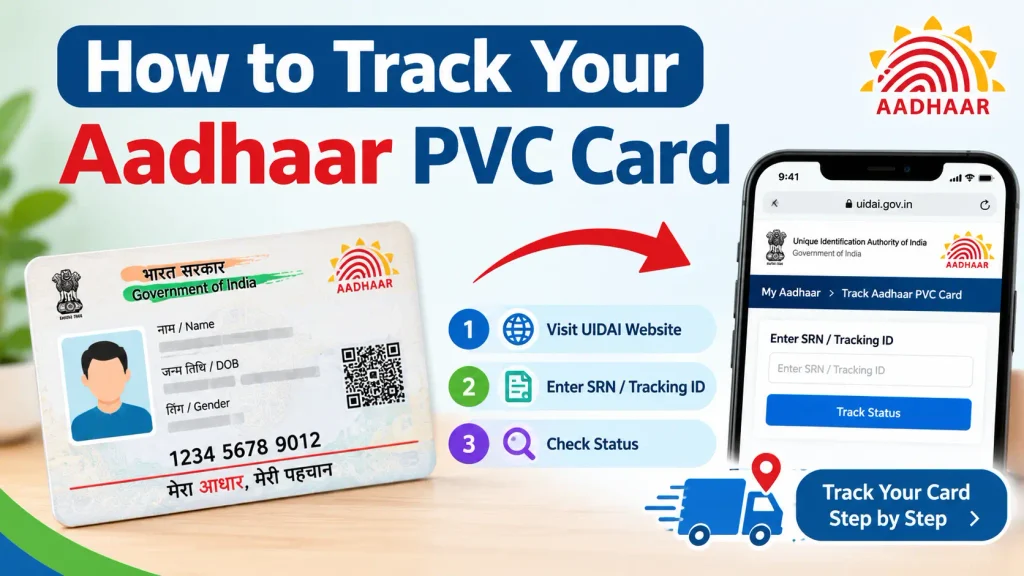
Once your order is in, three channels cover the journey:UIDAI portal: The “Check Aadhaar Card Status” feature accepts your SRN and Aadhaar number, showing whether the request is processing, printed, or dispatched.India Post: The moment the card leaves the printing facility, you receive an SMS with an AWB (Air Waybill) number. Enter it on the India Post tracking site for live location updates — this is the more useful tracker once dispatch happens.UIDAI helpline 1947: The IVRS self-service option reads out your PVC card order status without needing to speak to an agent.
What “Print Retry” Means in Your Aadhaar PVC Status:
“Print Retry” is the status that causes the most unnecessary panic. It generally means the printing attempt failed on the first pass — a printer fault, a data glitch at the production end — and the system has queued the job for another attempt. Your order has not been cancelled, and you have not lost your money.The problem is when it stays there. A brief “Print Retry” is routine. A status frozen on “Print Retry” for several weeks usually means the automatic retry has exhausted itself and the order needs a human to intervene. At that point, stop refreshing the page: call the UIDAI helpline or lodge a grievance on the myAadhaar portal so it can be escalated with a ticket number behind it.
Discover More About:👇
How to Track Aadhaar Update/Correction Status Using SRN Number
Aadhaar Complaint Status: Check Online in 2 Minutes
Common Reasons Your PVC Card Is Delayed:
- Stale address in your Aadhaar record. If the address is outdated or missing a landmark or house number, Speed Post may return the card to sender.
- Remote or poorly serviced pin codes. Rural delivery simply takes longer; there is no workaround for this one.
- A stuck “Print Retry.” As above, this adds real weeks, not days.
- Payment not confirmed. If the transaction failed silently, the order never enters the queue at all — which is why the SRN SMS matters so much. No SRN means no order.
Before ordering, verify your address and mobile number through the UIDAI portal, or update them at an Aadhaar Seva Kendra if they have changed.
Frequently Asked Questions:
Q1: Does “pvc card will reach you within 30 days from the order date” mean I should wait a full month before complaining?
No. Treat 30 days as the outer limit, not the norm. UIDAI hands the card to India Post within 5 working days, and most deliveries finish well inside that window. If you have crossed 30 days without a dispatch SMS, escalate.
Q2: Can I track my Aadhaar PVC card on the India Post website?
Yes, and once the card is dispatched, this is the better tracker. Use the AWB number sent to you by SMS to follow the consignment to your door.
Q3: My Aadhaar PVC card has not been received. What now?
Check the UIDAI portal status and the India Post tracking first. If the status is stuck on “Print Retry” or the consignment shows no movement, call 1947 or file a complaint on the myAadhaar portal with your SRN.
Q4: Is the PVC card valid everywhere the paper Aadhaar is?
Yes. UIDAI treats the PVC card, the paper letter, and e-Aadhaar as equivalent. Any accepting agency must take all three.
A Few Last Things Worth Knowing:
If your status has been sitting unchanged for more than a week, don’t check it daily — the portal updates in batches, and you will only frustrate yourself. Check once a week, and note the date each time so you have a clear record if you eventually need to raise a grievance. And if “Print Retry” persists past three to four weeks, treat it as failed rather than pending: a five-minute call to 1947 with your SRN in hand will get you further than another month of waiting.
