

Your paper Aadhaar letter is torn along the folds. The laminate is peeling. The print has faded to the point where your photograph is barely visible. You need a clean, durable copy for a bank verification or a SIM re-KYC deadline — and you need it without standing in a queue at an Aadhaar Seva Kendra. That is exactly the problem the PVC Aadhaar card solves, and it can be ordered entirely online in a few minutes. This guide covers what the card is, how the ordering process actually behaves on the UIDAI portal, the pitfalls that cause failed orders, and how to track your card once it ships.
What Exactly Is a PVC Aadhaar Card?
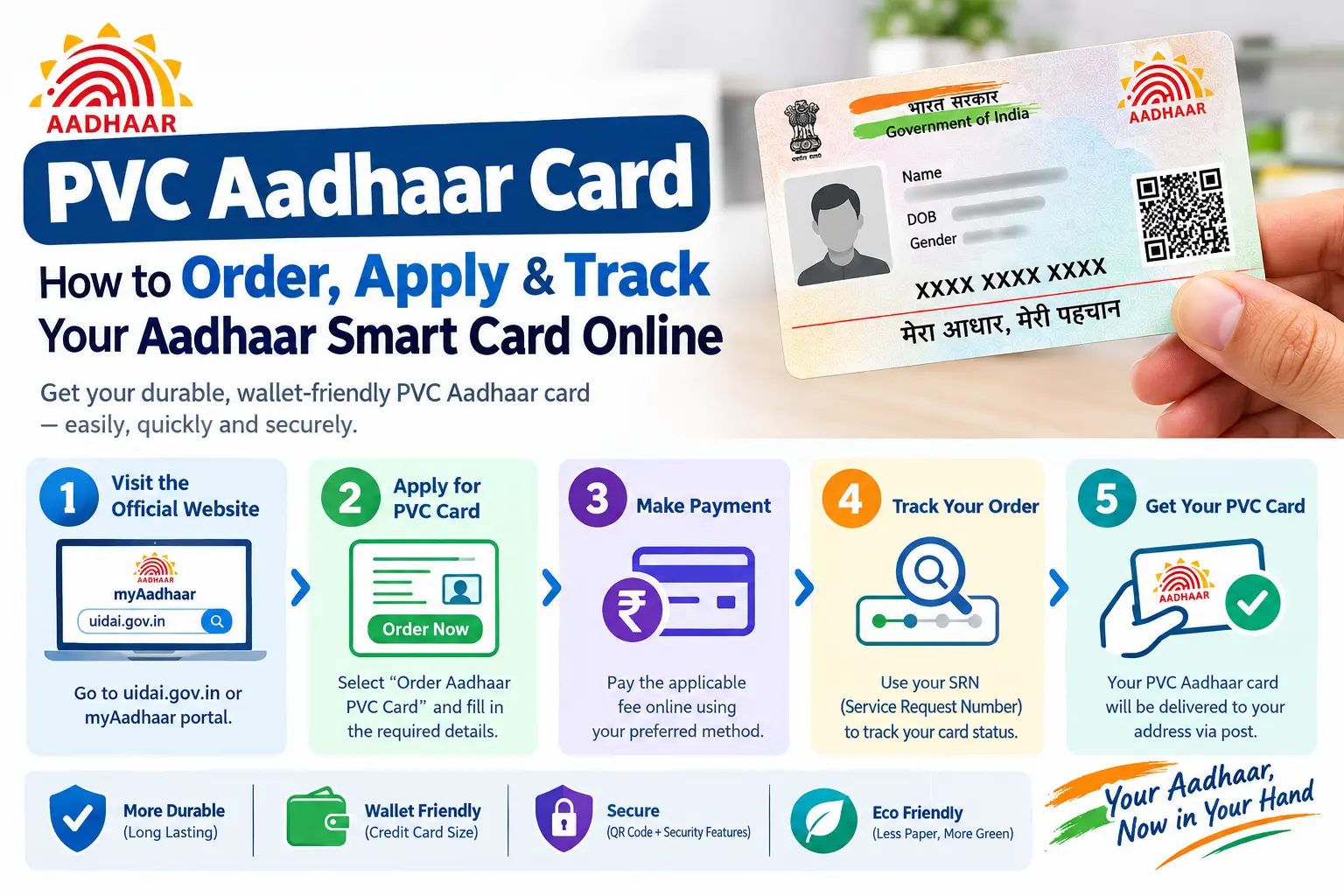
A PVC (Polyvinyl Chloride) Aadhaar card is a credit-card-sized plastic version of your existing Aadhaar document. It carries the same information as your e-Aadhaar or paper letter — name, photograph, Aadhaar number, date of birth, gender, address — along with a secure QR code, but printed on rigid plastic that survives daily handling.
The security features matter more than the material. The card includes a hologram, microtext, and a digitally signed QR code containing your demographic details and photograph. Because that QR is digitally signed, it cannot be edited without invalidating the signature — which is how verification apps detect altered or fake Aadhaar documents.
Critically, a PVC Aadhaar card is not a new Aadhaar number or a separate identity document. It holds the same legal validity as your e-Aadhaar PDF, the mAadhaar app version, and the original paper letter. If an institution accepts Aadhaar as ID, it cannot reject your PVC card on the grounds that it is “only a plastic printout.”
Read More About👇
Why Residents Order the Plastic Version
Three reasons come up repeatedly.
It survives daily use. Paper Aadhaar tears, smudges, and delaminates. A plastic card does not, so you can carry it in a wallet without wrapping it in a protective sleeve.
It fits standard card slots. At roughly the size of a debit card, it stores the same way your other identity cards do — no folding, no oversized laminate sheet.
It verifies offline. The secure QR code can be scanned by authorised verification apps without an internet connection, which is useful when a bank or telecom agent needs to confirm your details on the spot.
How to Order PVC Aadhaar Card Online: Step-by-Step
You can place the order through the UIDAI portal (uidai.gov.in) or the mAadhaar app. The process to apply PVC Aadhaar card online is short, but a few small errors will send you back to the start.
Step 1: Open the Official Ordering Page
Go to the UIDAI website and select the option to order an Aadhaar PVC card. If you prefer the app route, the same service is available inside mAadhaar. You do not need to log in with an Aadhaar-linked mobile number to begin — the next step handles identification separately.
Step 2: Enter an Identifier and Security Code
You will be asked for one of three identifiers:
- Your 12-digit Aadhaar number
- Your Virtual ID (VID) — a temporary, revocable 16-digit number you can generate in place of your Aadhaar number
- Your Enrolment ID (EID) — the 28-digit number printed on the acknowledgement slip you received when you first enrolled
Type the captcha or security code shown on screen, then submit.
Common pitfall: If you enter the EID instead of the Aadhaar number and the enrolment was later rejected or never processed to completion, the portal will throw an error. Double-check which document you are reading from before you type.
Step 3: Complete OTP Verification
An OTP is sent to the mobile number linked with your Aadhaar. Here is the detail most people miss: you are not restricted to that number. The portal offers an option to receive the OTP on a different, working mobile number. If your registered number is disconnected, or if you are ordering on behalf of a parent whose phone is not with them, use that option.
Common pitfall: The OTP expires quickly, and the session can time out while you hunt for your phone. Keep the handset next to you before you click “Send OTP,” and avoid refreshing the browser tab mid-verification.
Step 4: Review the Details That Will Be Printed
The portal shows a preview of exactly what will appear on the card. Read the address and the spelling of your name carefully. This is the last checkpoint — the card is printed from whatever sits in the UIDAI database at that moment. There is no field on this page to correct an error. If something is wrong, you must update your Aadhaar first (through the myAadhaar portal or at an Aadhaar Seva Kendra), wait for the change to reflect, and then return to place the PVC order.
Step 5: Pay the Fee
Payment is accepted by credit card, debit card, net banking, or UPI. As per current UIDAI guidelines, the fee is ₹75 including taxes and Speed Post delivery — revised upward from the earlier ₹50. Fees change periodically, so confirm the amount on the portal before paying rather than relying on any figure quoted elsewhere.
Step 6: Save the Service Request Number
After payment, a receipt is generated and a Service Request Number (SRN) arrives by SMS. The SRN is your only reliable handle for tracking. Screenshot it and note it down somewhere separate from your phone.
Delivery: What to Realistically Expect
UIDAI generally hands the printed card to the Department of Posts within about five working days of your request. Delivery is by India Post Speed Post to the address registered in your Aadhaar — not to any address you type during checkout, because checkout does not ask for one.
From there, timelines vary. Metro and Tier-1 pincodes usually see the card within days of dispatch. Remote or rural pincodes take longer. As a working expectation, most cards arrive within roughly 10 to 15 working days of ordering, but treat that as a typical range rather than a commitment.
If nothing has arrived after about three weeks, stop waiting and start tracking — details below.
How to Track Your PVC Aadhaar Card
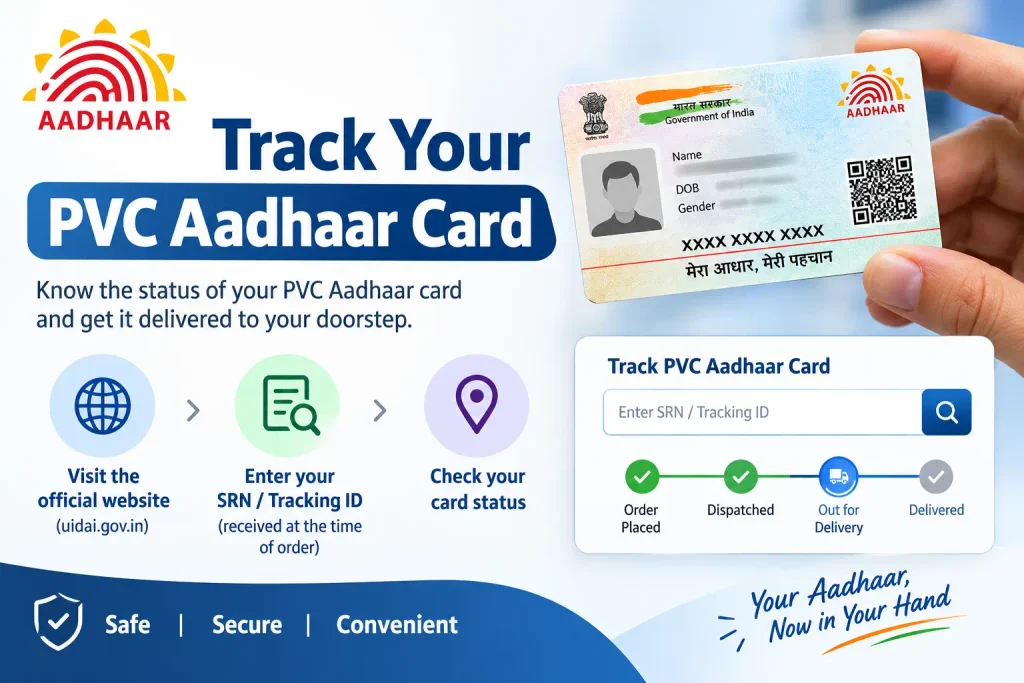
There are two tracking stages, and they use two different numbers.
Before dispatch — use your SRN. Visit the UIDAI website and open the “Check Aadhaar Card Status” feature. Entering your Service Request Number shows the processing stage of your order.
After dispatch — use your AWB number. Once India Post collects the consignment, you receive an SMS containing an AWB (Airway Bill) number. Enter that on the India Post tracking portal to see the current location and expected delivery date.
If you ordered cards for several family members, remember that each order has its own SRN and its own AWB. Track them individually; one number will not cover the whole batch.
Documents Required and Mistakes to Avoid
No documents need to be uploaded for a PVC order — the entire process runs off your existing Aadhaar record and an OTP. That is precisely why the details already in the database matter so much.
Outdated address. This is the single most common failure. The card is printed with the address on file and delivered to that address only. If you have moved, update your address first, confirm the change is reflected, and then order.
Name or detail errors. Spelling mistakes and incorrect dates of birth cannot be fixed during the PVC order. Correction is a separate Aadhaar update process.
Wrong identifier. Mixing up your Aadhaar number, VID, and EID — especially with old enrolment slips — is an easy mistake that produces confusing errors.
Assuming you need your registered mobile. You do not. Any working number can receive the order OTP. Do not delay the order for months because your old number is dead.
Expecting an address change at checkout. The order form prints your record; it does not edit it.
Frequently Asked Questions
How to apply for PVC Aadhaar card if my mobile number is not linked?
Choose the option to receive the OTP on a non-registered number during Step 3. Enter any working mobile number, complete verification, and the order proceeds normally. Dispatch and delivery SMS updates will go to that number.
Can I order PVC Aadhaar cards for my family members?
Yes. Each person needs a separate order, a separate fee payment, and their own Aadhaar number, VID, or EID. Each order generates its own SRN, so record them separately for tracking.
What are the PVC Aadhaar card charges?
The fee is currently ₹75, inclusive of GST and Speed Post delivery, revised from ₹50. UIDAI revises fees from time to time, so verify the live amount on the portal before paying.
How can I check PVC card status?
Use your SRN on the UIDAI website before dispatch, and your AWB number on the India Post portal after dispatch.
What if my PVC Aadhaar card is not delivered?
Check tracking first. If it shows delivered but nothing arrived, raise a complaint with India Post quoting the consignment number, and file a grievance through the UIDAI grievance portal. If the card is genuinely lost, a fresh order with a fresh payment is required.
Is PVC Aadhaar card more valid than e-Aadhaar?
No. The PVC card, e-Aadhaar PDF, and mAadhaar app version carry equal legal validity. An office that rejects a printed e-Aadhaar while accepting a PVC card is applying its own rule, not UIDAI’s.
One Last Thing Before You Order
The order takes minutes; the waiting is where people lose patience. If your tracking shows no movement a week after payment, that is usually normal processing, not a failed order — give it the full three weeks before escalating. And if your address or name genuinely needs correcting, fix that first. Ordering a PVC card against a record you already know is wrong simply produces a durable plastic copy of the same mistake, and you will pay the fee twice.

5 Comments
Pingback: Check Aadhaar Bank Linking Status Online: How to Know If Your Aadhaar Is Linked With Your Bank Account
Pingback: PAN Card Download by Aadhaar Number – Get Instant e-PAN
Pingback: Aadhaar Voter Link Status: How to Check Voter ID Aadhaar Link Status Online
Pingback: Aadhaar PVC Card: How Many Days to Get It?
Pingback: NSAP Beneficiary Status by Aadhaar Number: Check Online