

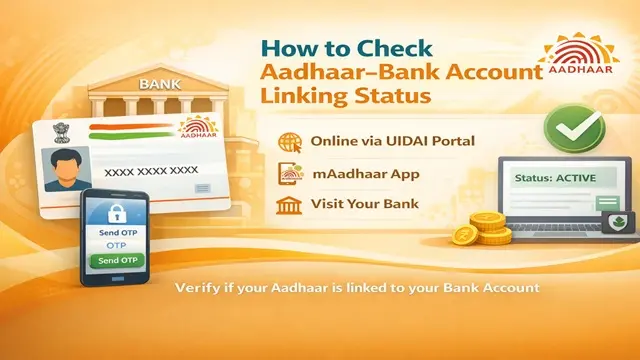
You may have given your Aadhaar details to your bank, but that does not always answer the question you actually need to settle: Is my Aadhaar linked with my bank account, and is the relevant seeding or mapping status active?
This is especially important when you are checking whether an Aadhaar-based banking or Direct Benefit Transfer (DBT) setup is in place.
The confusion often comes from terms such as linking, seeding, NPCI mapping, and DBT, which users sometimes treat as the same thing.
If you are searching for Aadhaar Bank Linking Status, the safest approach is to use the appropriate official channel and understand exactly what the result represents.
This guide explains the status-check process, the terminology, common problems, and what to do when the information does not match what your bank told you.
Important: CheckAadharStatus.com is an independent informational website and is not affiliated with UIDAI, NPCI, or any bank.
For actual Aadhaar or banking services, always use the relevant official website, app, or bank channel.
Discover More About: 👇
How to Change Your Aadhaar Address Online: A Complete Guide (2026)
Address Proof Documents List for Aadhaar: What Documents Are Accepted?
Quick Facts
What Is Aadhaar Bank Linking Status?
Aadhaar bank linking status refers to information that helps you determine whether your Aadhaar has been associated or seeded with a bank account through the relevant banking process .
However, there is an important distinction to understand.
Aadhaar linking, Aadhaar seeding, NPCI mapping and DBT are related concepts, but they should not automatically be treated as identical.
The exact status you need to verify depends on why you are checking it .
For example, someone may simply want to confirm that their bank has recorded their Aadhaar, while another person may specifically need to know about Aadhaar seeding or NPCI mapping for an Aadhaar-based DBT requirement .
This is why searching only for “Aadhaar linked with bank account check” can sometimes lead to confusion.
How to Check Aadhaar Bank Linking Status
The correct method depends on the particular status you need to verify and the official facility currently available to you.
1. Start with the official Aadhaar service
Use the official UIDAI/myAadhaar platform when the status you need is provided through an Aadhaar service .
Avoid websites that claim to be government portals simply because their page design or wording looks official .
2. Keep the required details ready
Depending on the service, you may need information such as your Aadhaar details or a registered mobile number .
Do not enter sensitive information on an unfamiliar website .
3. Follow the verification process
Open the relevant official service and follow its current instructions. If an OTP is required, it should be generated through the official system .
Never give that OTP to another person, even if they claim to be from a bank, UIDAI or a government department .
4. Check the result carefully
Do not stop at seeing a general “linked” message. Check what the particular result actually refers to. If you are checking for DBT purposes, pay particular attention to information relating to seeding or NPCI mapping, where applicable .
5. Contact your bank if the result does not match
If your bank says that Aadhaar has been linked but the relevant status does not appear as expected, contact the bank through its official customer-service channel or branch .
The bank may need to verify its own records and the status of the seeding/mapping request .
Aadhaar Linking vs Seeding vs NPCI Mapping
These terms are responsible for a large part of the confusion around Aadhaar Bank Link Status Check.
The important point is that having your Aadhaar details with a bank should not automatically be interpreted as proof of every other Aadhaar-based banking status .
If you are checking because of a government benefit, scholarship or DBT payment, verify the status that is specifically relevant to that payment .
How to Check Aadhaar Seeding Status
If your goal is specifically to check Aadhaar seeding status, use the official facility applicable to your situation rather than relying on a generic “Aadhaar linked” result from an unrelated service .
Your bank is also an important point of contact because Aadhaar seeding is connected to the bank’s records and process .
If the online result does not reflect a recent request, ask the bank to verify whether the Aadhaar-seeding request has been processed correctly .
Do not pay an unofficial agent to “activate” or “repair” your Aadhaar-bank status .
What If Aadhaar Is Linked but the Status Is Not Showing?
This is one of the most frustrating situations for users.
You may be told by a bank representative that your Aadhaar is linked, while an online check does not show the expected result .
Instead of repeatedly submitting requests, first identify which status is actually missing.
Check:
- Whether the bank has recorded your Aadhaar correctly
- Whether you are checking the appropriate official status
- Whether the relevant seeding/mapping process has been completed
- Whether the information needs to be verified by your bank
If the issue remains unresolved, contact your bank through its official channel and ask specifically about the Aadhaar seeding/mapping status relevant to your requirement .
Discover More About: 👇
PVC Aadhaar Card: How to Order, Apply & Track Your Aadhaar Smart Card Online
How to Book an Aadhaar Appointment Online at UIDAI Enrollment/Update Centre
What If the Wrong Bank Appears?
If an official status indicates a bank you were not expecting, do not assume that the information is automatically an error .
First, verify the information with the relevant official service and then contact the bank concerned .
This becomes particularly important when you have more than one bank account or have changed banks .
Avoid giving your Aadhaar number, account details or OTP to people on social media who offer to “fix” the issue .
Aadhaar Bank Linking Status and DBT
Users often search for Aadhaar DBT status when a government payment has not reached their expected account .
But checking whether Aadhaar is linked with a bank account is not necessarily the same as confirming that a particular DBT payment has been made .
DBT can involve several factors, including the relevant government benefit, beneficiary records and the banking/mapping setup .
Therefore, if you are checking because a payment has not arrived, do not rely on a generic “Aadhaar linked” result alone. Verify the specific DBT and bank information relevant to the benefit .
Common Problems and What to Do
Is Aadhaar Bank Linking the Same as Bank KYC?
No—not necessarily.
Aadhaar may be used as part of a bank’s customer-verification or KYC process, but bank KYC status and Aadhaar-bank linking status are different concepts .
If your bank has asked you to complete a KYC requirement, follow the bank’s official instructions. If you are checking Aadhaar seeding or NPCI mapping for DBT, verify that specific requirement separately .
Can You Check Which Bank Is Linked With Aadhaar?
The answer depends on the official service and the type of information it makes available.
The UIDAI portal and mAadhaar app display the name of the bank currently mapped to your Aadhaar . However, they do not display your full bank account number or IFSC code .
If you have multiple accounts in the same bank, you will need to visit your bank branch to confirm which specific account is seeded .
Do not assume that every Aadhaar-related status page will display every bank relationship associated with you.
If you need confirmation about your bank’s Aadhaar records, your bank’s official channel is an important source of verification .
Why You Should Avoid Unofficial Aadhaar Websites
A search for Aadhaar bank link status check can produce websites that look like government services.
Be careful with sites or individuals that:
- Ask you to pay for an ordinary government-service action without verification
- Request OTPs
- Ask for banking passwords or PINs
- Promise guaranteed Aadhaar-bank activation
- Contact you through unsolicited WhatsApp messages or calls
- Claim to represent UIDAI without proof
For Aadhaar services, begin with the official UIDAI/myAadhaar ecosystem and your bank’s official channels.
[Internal Link: Aadhaar Security and Scam Awareness Guide]
FAQs
How can I check my Aadhaar bank linking status?
Use the appropriate official Aadhaar or banking facility for the status you need to verify . If you specifically need seeding or NPCI-related information, make sure you are checking that particular status rather than a general Aadhaar-bank association .
How do I check if my Aadhaar is linked with my bank account?
You can verify the relevant status through the applicable official Aadhaar/banking channel . If the online result conflicts with what your bank says, contact the bank through its official channel for verification .
What is Aadhaar seeding?
Aadhaar seeding refers to recording or associating Aadhaar details with the relevant bank-account records through the applicable process .
What is NPCI mapping?
NPCI mapping refers to the relevant mapping maintained within the NPCI ecosystem. It can be important for Aadhaar-based DBT flows .
Is Aadhaar bank linking the same as NPCI mapping?
No. The terms describe different aspects of the Aadhaar-banking process and should not automatically be used interchangeably .
What should I do if my Aadhaar is linked but the status is not showing?
First confirm which status you are trying to check. Then verify the information through the appropriate official channel and contact your bank if its records do not match the result .
Does Aadhaar bank linking automatically mean that DBT is active?
Not necessarily. Aadhaar-bank association and DBT involve related but distinct processes . For a DBT issue, verify the specific requirements for the relevant benefit.
Should I pay someone to check or activate Aadhaar-bank linking?
Be cautious. Do not rely on unofficial agents or websites simply because they offer to complete the process for a fee . Use the appropriate official Aadhaar and banking channels instead.
Final Takeaway
When checking your Aadhaar Bank Linking Status, the most important step is to identify exactly what you need to verify: bank linking, Aadhaar seeding, NPCI mapping, or a DBT-related status .
If the information looks different from what your bank told you, don’t immediately submit another request or pay an agent . Verify the result through the appropriate official channel and ask your bank to check its records .
For sensitive Aadhaar and banking tasks, the official source is always the safest place to start.

6 Comments
Pingback: Aadhaar DBT Status Check Online: Complete Guide
Pingback: DBT Status Check with Mobile Number (2026 Guide)
Pingback: How to Change Aadhaar Address Online in 2026
Pingback: NSAP Beneficiary Status by Aadhaar Number: Check Online
Pingback: Udyog Aadhar Download: Registration & Certificate Guide
Pingback: Aadhaar KYC Kaise Karen? Complete Aadhaar KYC Process