

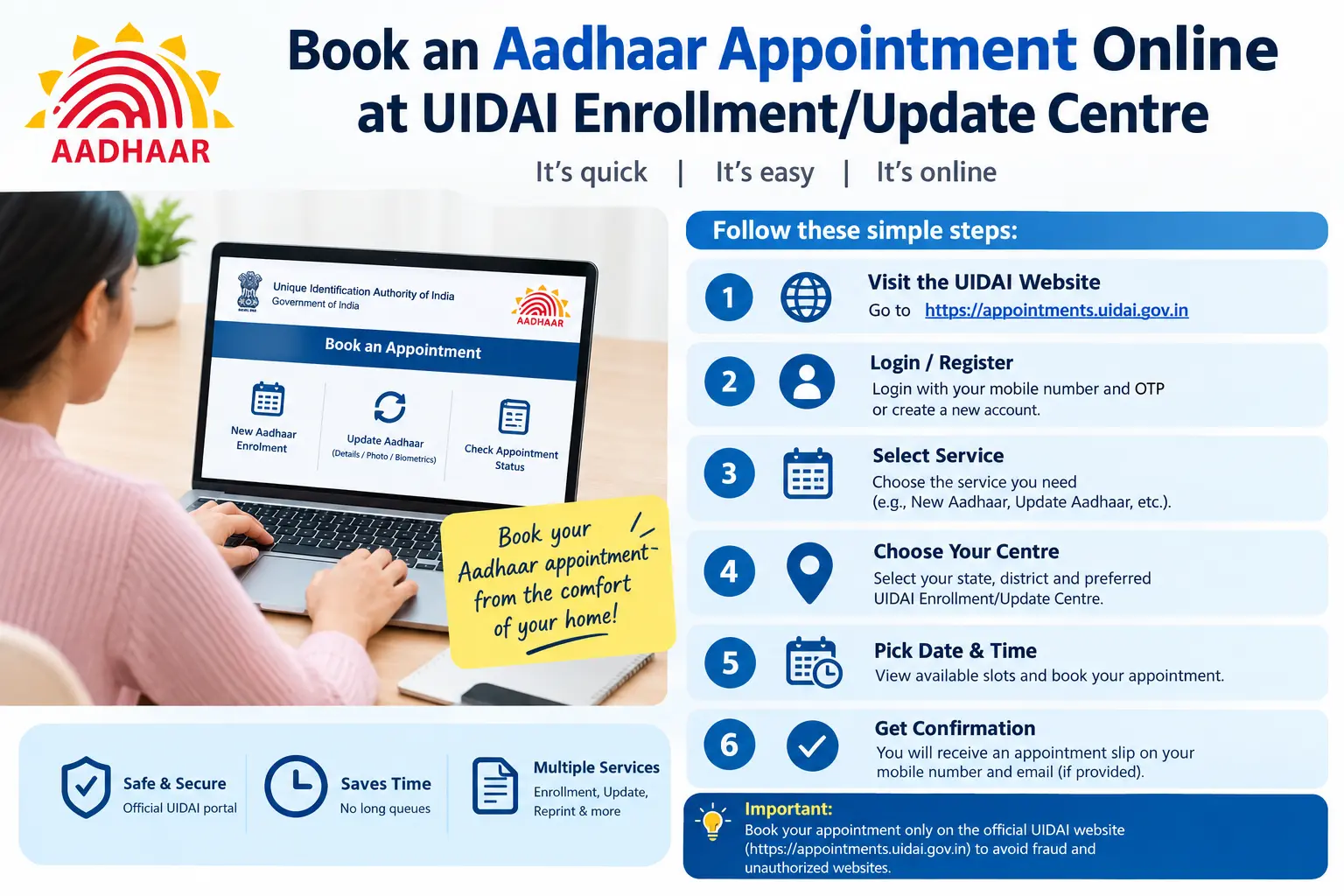
Your bank wants updated KYC before the month ends. Your SIM provider is threatening disconnection because your mobile number isn’t linked to Aadhaar. Or your address on Aadhaar still shows a flat you moved out of two years ago — and every time you try the online update route, the OTP never arrives. These are the moments when an aadhaar appointment stops being optional and starts being urgent. Booking a slot at a UIDAI Enrollment/Update Centre in advance is the most reliable way to get your change processed without spending an entire day in a queue. This guide walks through how the uidai appointment process actually works, what documents to carry, where people commonly get stuck, and how to check whether your booking is still valid.
Why a Booked Slot Beats Walking In
An Aadhaar Seva Kendra handles a fixed number of visitors per hour. Walk-ins compete for whatever capacity is left, and in metro centres that usually means arriving early and waiting anyway. A confirmed slot generally gets you processed ahead of unscheduled visitors.
Three practical gains:
- Predictable timing. You know the centre, date, and slot window before you leave home.
- Correct service routing. Staff know in advance whether you need an aadhaar update appointment (address, name, mobile, photo) or a fresh enrolment, so the counter is prepared.
- Lower rejection risk. When you book for a specific service, the confirmation page also lists what to bring — reducing the chance of being turned away for a missing document.
Booking the slot itself is free. What UIDAI charges is for the enrolment or update service, and those fees are revised periodically. Don’t rely on blog posts or forwarded WhatsApp messages for the amount — check the official UIDAI portal for current fees and timelines.
Where the Booking Actually Happens
Two official channels exist:
The UIDAI website (uidai.gov.in). This is the primary aadhaar appointment portal. The appointment facility is generally reached through the enrolment and update services section, and the Ask UIDAI area (ask.uidai.gov.in) is where several related citizen services live. Use this route for booking, rescheduling, cancelling, and checking an aadhaar appointment status.
Discover More About: 👇
PAN Aadhaar Link Status Kaise Check Karein
How to Change Your Aadhaar Address Online: A Complete Guide (2026)
Address Proof Documents List for Aadhaar: What Documents Are Accepted?
The mAadhaar app. UIDAI’s official mobile app is designed mainly to carry your Aadhaar digitally and access select services. Appointment booking availability through the app has changed over time, so treat the website as the dependable option when you need a slot confirmed today.
Some Aadhaar Seva Kendras also let you book at their own counter, but that defeats the purpose if the centre is crowded. The uidai online appointment route is faster.
Two terms you’ll see on the portal: an EID (Enrolment ID) is the 14-digit number on your enrolment slip, issued before Aadhaar is generated. A VID (Virtual ID) is a temporary 16-digit number you can use in place of your Aadhaar number for some services. Keep whichever applies to you handy before you start.
Read More About👇
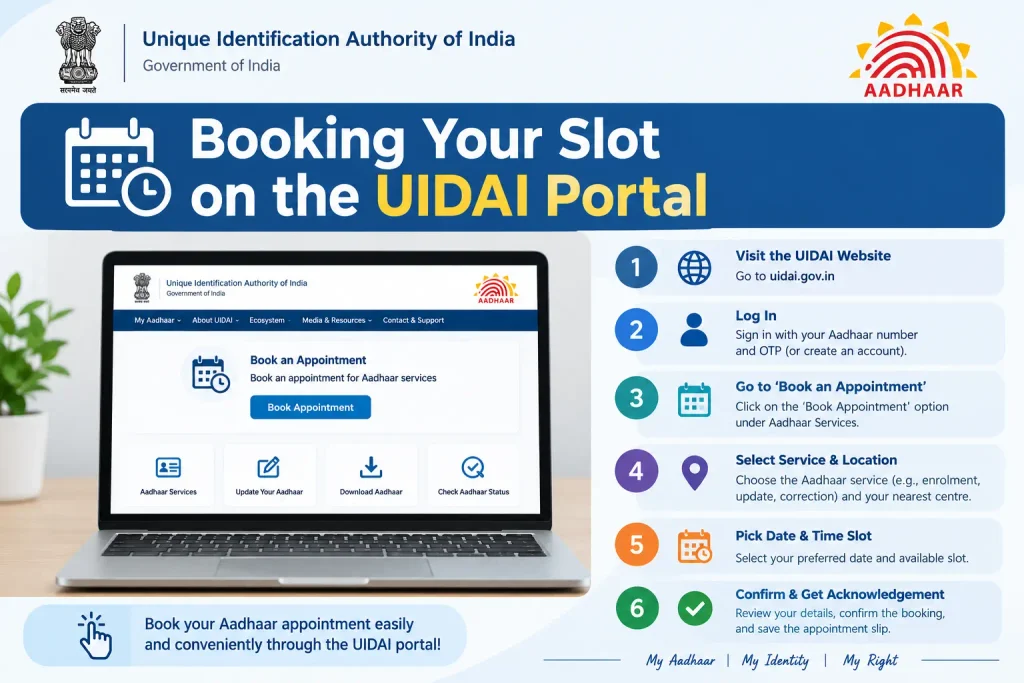
Step-by-Step: Booking Your Slot on the UIDAI Portal
Screen layouts change, but the sequence generally holds:
- Go to uidai.gov.in directly. Type the address rather than clicking links from search ads or WhatsApp forwards. Look-alike sites exist that charge for a free appointment or harvest your Aadhaar number.
- Locate the appointment option. It usually sits within the enrolment/update services area, or via the Ask UIDAI section.
- Select the service type. New enrolment, demographic update (name, address, date of birth, mobile, email), biometric update (fingerprints, iris, photo), or a document update such as an aadhar card photo change appointment. Choosing the wrong category is the most common reason people are redirected at the counter.
- Choose state, district, and centre. Pick the Aadhaar Seva Kendra nearest you. In large cities you’ll often see multiple options — a uidai.gov.in Delhi appointment, for instance, may be available at several kendras across the city.
- Enter your Aadhaar number, EID, or VID and your mobile number. You’ll receive an OTP for verification.
- Select a date and slot. Availability reflects the centre’s real capacity, so popular slots fill quickly.
- Verify with the OTP and submit. A reference number appears on confirmation. Screenshot it — this is what you’ll need for status checks or rescheduling.
- Carry the confirmation plus original documents. A digital copy on your phone is usually fine, but originals of your supporting documents are generally required for verification.
Pitfalls worth knowing before you start:
- OTP not arriving. If your mobile number isn’t registered in Aadhaar, the OTP won’t come through. This is a chicken-and-egg problem — you’ll need to visit a centre in person to link the number first.
- Wrong EID or Aadhaar digits. A single mistyped digit in the 14-digit EID or 12-digit Aadhaar number will either fail validation or, worse, attach the booking to the wrong record.
- Session timeouts. The portal can log you out if you pause too long on the slot-selection screen. Have your centre shortlisted before you begin, not while the timer runs.
- Booking at a centre that doesn’t handle your service. Some centres process enrolments only. Confirm the service filter before selecting the location.
If plans change, most bookings can be rescheduled or cancelled from the same portal before the appointment date. Use the same section to check your aadhaar appointment status if you never received a confirmation.
What to Carry: Documents by Service Type
Requirements differ by service, and UIDAI’s accepted-document lists are updated from time to time. As per current UIDAI guidelines, the following are commonly required:
For new enrolment (including a child’s):
- Proof of Identity — passport, PAN card, voter ID, or similar
- Proof of Address — bank passbook, electricity bill, rent agreement, or similar
- Proof of Relationship — typically a birth certificate or a parent’s Aadhaar, required for minors
- Date-of-birth proof, where applicable
For updates:
- Your existing Aadhaar card or a copy
- The original document supporting the specific change — an address proof for an address update, a valid certificate for a name or date-of-birth correction
- Your registered mobile number, if the update involves linking or changing it
Original documents are generally required; photocopies alone are often not accepted. Because the approved list changes, verify the current one on the official portal the day before your visit rather than trusting an older checklist.
Discover More About: 👇
Aadhaar Card PDF Password: Format & How to Open e-Aadhaar
What is CKYC Number? How to Check, Download & Register on CKYC Portal
Mistakes That Cost People a Second Trip
- Bringing identity proof for an address update. The document must match the change requested, not just prove who you are.
- Assuming fees from an old source. Service charges are revised periodically. Check the portal.
- Using a third-party booking site. Some charge for what UIDAI offers free, and a few collect more personal data than necessary.
- Not checking the booking went through. If no confirmation appeared, verify the status online instead of travelling on hope.
- Arriving well past your slot. Centres generally honour slots within a reasonable window; beyond that, you may be treated as a walk-in.
- Assuming appointment is compulsory. It isn’t — many centres accept walk-ins. It simply improves your odds of being seen quickly.
FAQs About Aadhaar Appointment Booking
Is an Aadhaar appointment mandatory?
No. Walk-ins are accepted at many centres, but scheduled visitors typically get priority, especially at busy locations.
Can I book an aadhar card appointment without a registered mobile number?
The OTP step generally requires a mobile number. If yours isn’t linked to Aadhaar, you’ll likely need to visit a centre in person to complete that linking first. Confirm current procedure on the official portal.
How do I check my aadhaar appointment status?
Return to the UIDAI appointment portal and enter your reference number along with your Aadhaar or EID details. Rescheduling and cancellation are usually available from the same page.
Can I book an appointment for a child’s new Aadhaar?
Yes. A parent or guardian books and accompanies the child, and proof of relationship plus the child’s date-of-birth document are typically required.
Is there a fee for booking an aadhaar appointment?
Booking through official UIDAI channels is generally free. Fees apply to certain enrolment and update services, not to the slot itself.
Can I update my mobile number through an appointment?
Yes — a mobile number update is treated as a demographic update and can generally be requested at an enrolment/update centre with valid documents.
Final Thoughts
If your appointment goes through and the update still doesn’t reflect afterwards, don’t rebook immediately. Aadhaar update requests normally take some days to process, and the acknowledgement slip you receive at the centre carries an Update Request Number (URN) you can use to track progress. Give it the standard processing window first — recheck the status using that URN before assuming something failed. If the window passes with no change, that’s when a follow-up visit or a call to the UIDAI helpline is worth your time, not a fresh booking.

3 Comments
Pingback: mAadhaar App Guide
Pingback: What Is Masked Aadhaar Card?
Pingback: MeeSeva Login 2026: Registration & amp; Status