

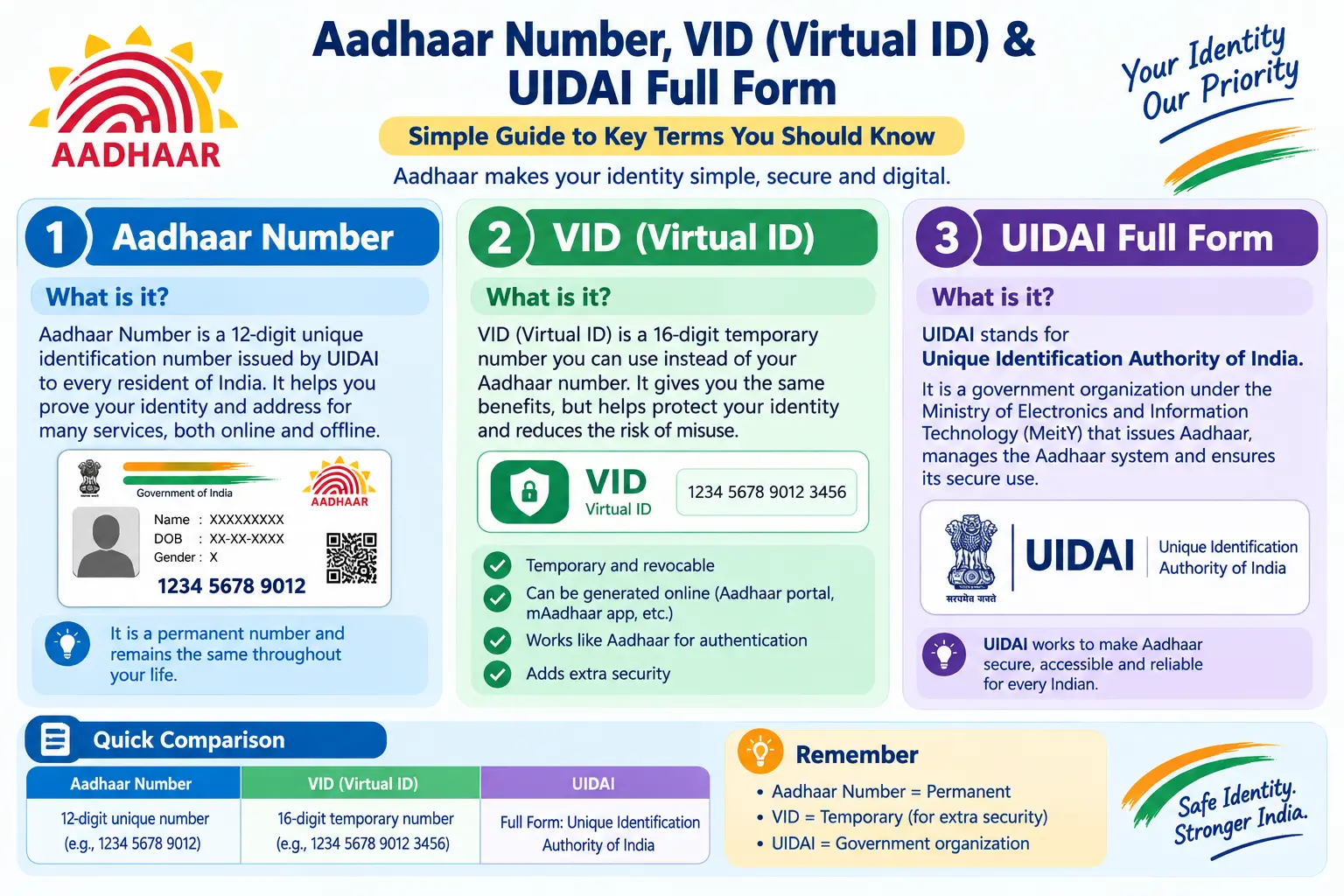
Your bank wants re-KYC before the month ends. The SIM agent is asking for your Aadhaar again. And somewhere in the middle of all this, you’re wondering whether it’s safe to keep handing out the same 12-digit number everywhere. That’s exactly where the UIDAI full form, what is Aadhaar number, and the Virtual ID (VID) come in — not as exam definitions, but as practical tools that decide how much of your identity you expose every time you verify it. This guide explains all three in plain English, then walks through VID generation, Aadhaar XML download, and Aadhaar update history checks with the small pitfalls that actually trip people up.
Discover More About: 👇
e Card Download: How to Download e-Aadhaar, XML, PVC & Get a Physical Aadhaar Card
Aadhaar Biometric Unlock Online: How to Unlock Aadhaar Biometrics
How to Get EID Number: Retrieve Your 28-Digit Aadhaar Enrolment ID
UIDAI Full Form and What the Organisation Actually Does
UIDAI stands for the Unique Identification Authority of India — the body that issues Aadhaar numbers and runs everything around them: enrolment, updates, authentication, and the uidai logo printed on every Aadhaar letter.
One distinction matters more than most people realise. UIDAI verifies identity; it does not decide who qualifies for a welfare scheme, subsidy, or benefit. That call belongs to the implementing department. The UIDAI full form in Hindi reads भारतीय विशिष्ट पहचान प्राधिकरण, while the UIDAI full form in English is the expansion above. So if someone asks “what is the full form of UIDAI?”, you now have the answer — plus the context that it is an issuing and verifying authority, not a benefits approver.
Read More About👇
What is Aadhaar Number – A Simple Explanation
An Aadhaar number is a 12-digit identity number issued to residents of India after enrolment, stored in UIDAI’s central database alongside your aadhaar details — name, date of birth, address, gender, photograph, iris scan, and fingerprints.
A few things worth knowing:
- UID full form in Aadhaar card is “Unique Identification” — which is why the Aadhaar number is also called the UID.
- The digits carry no meaning. They don’t encode caste, religion, income, or region; the number is randomly assigned.
- Your Aadhaar letter contains the number, a QR code, and your basic details. The what is aadhaar letter question usually comes up because people confuse it with the e-Aadhaar.
- An e-Aadhaar (what is e Aadhaar card) is the digitally signed electronic version, downloaded from the official portal or mAadhaar app. It carries the same legal validity as the printed letter.
The aadhar full form in English is simply “Aadhaar” — meaning “foundation” or “base” in several Indian languages. The common misspelling “aadhar” appears everywhere online, but the official spelling is Aadhaar.
VID Number – The Virtual ID That Protects Your Aadhaar
A VID number is a temporary, revocable 16-digit number you can use in place of your real Aadhaar number for authentication and e-KYC. The vid full form in Aadhaar card is “Virtual ID”. The logic is straightforward: why hand your permanent Aadhaar number to every shop, app, and verification agent when a replaceable number will do the job?
What you should know about the aadhaar vid number:
- It’s a 16-digit number mapped to your Aadhaar, but it doesn’t reveal your Aadhaar number.
- Generate a new one whenever you like — the moment you do, the old VID stops working.
- It’s accepted wherever Aadhaar-based authentication or e-KYC is permitted.
- VID generation costs nothing and is done online.
How to Generate Aadhaar VID Number
- Open the official UIDAI portal (uidai.gov.in) or the mAadhaar app.
- Log in with your Aadhaar number and the OTP sent to your registered mobile number.
- Find the VID generation or “Virtual ID” option in your dashboard.
- Generate the VID, then save it somewhere you won’t lose it — a password manager works well.
- Use this VID in place of your Aadhaar number wherever it’s accepted.
Where people get stuck: if no OTP arrives, your mobile number probably isn’t registered or is outdated in UIDAI’s records — a VID cannot be generated without it, and you’ll need to update the mobile number first. Also, avoid refreshing the page mid-session; the portal times out quickly and you’ll have to start over.
Menus shift from time to time, so confirm the current process on the official UIDAI portal if the option isn’t where you expect it.
Aadhaar XML – Your Offline Digital Aadhaar
An Aadhaar XML is a password-protected file holding your Aadhaar details in machine-readable form. Its purpose is offline verification: a verifier can confirm your details without an internet connection and without storing your Aadhaar number.
The terms you’ll meet:
- Offline Aadhaar XML — the file downloaded specifically for offline KYC.
- Aadhaar XML zip file — the compressed package containing the XML plus a share code.
- Aadhaar XML file download — done from the official UIDAI portal using your Aadhaar number or VID and an OTP.
How to Download Aadhaar XML Zip File
- Go to the official UIDAI portal (uidai.gov.in) and pick the Aadhaar XML / offline verification option.
- Enter your Aadhaar number or VID along with the security code shown.
- Verify with the OTP sent to your registered mobile number.
- Set a share code — this is the password you’ll give the verifier — and download the aadhaar xml zip file.
- Share the ZIP and share code only with the authorised verifier who requested it.
Two pitfalls worth flagging. First, the share code must be communicated separately from the file, or the whole point of the password is lost. Second, if you’ve recently updated your Aadhaar, the XML may still reflect older details until the update is fully processed — check your update history before assuming something went wrong.
Aadhaar Update History – How to Check and Download
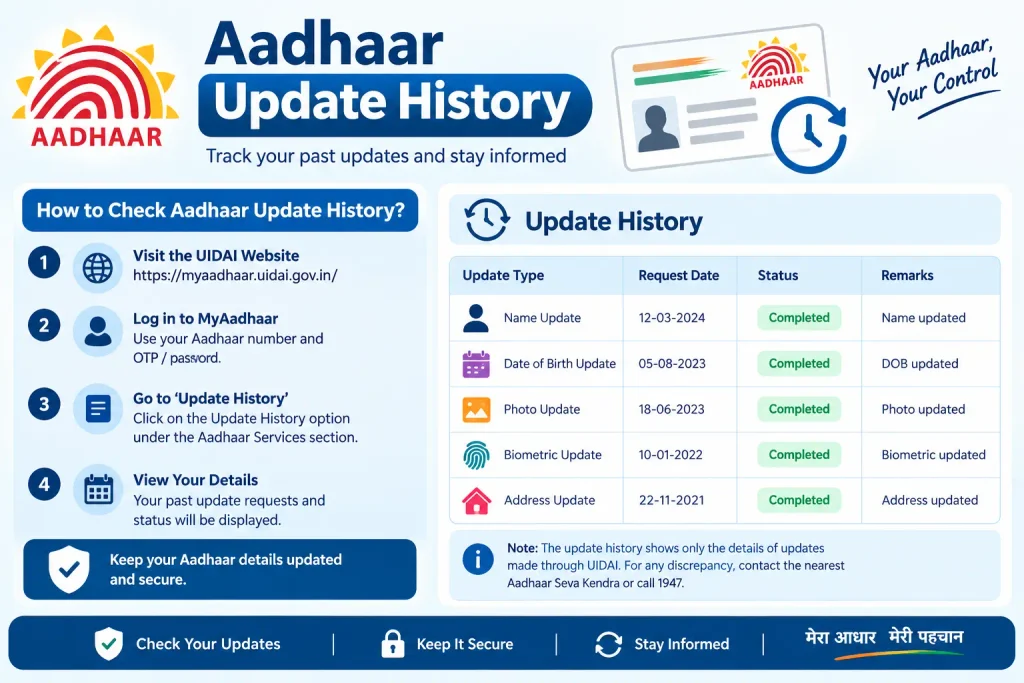
The aadhaar update history lists every change made to your Aadhaar — name corrections, address changes, mobile number updates, biometric updates. Reviewing it is how you confirm that only the changes you requested actually went through.
How to Check Aadhaar Update History
- Open the official UIDAI portal or the mAadhaar app.
- Log in with your Aadhaar number or VID and the OTP on your registered mobile.
- Open the Aadhaar update history section.
- Review each entry — date and type of change.
- Download the aadhaar update history pdf download if you need a record.
Some entries carry reference codes. SRN full form in Aadhaar card is Service Request Number — the number generated when you raise an update request, useful for tracking it. You may also see ECMP full form in Aadhaar, which refers to the Enrolment Client Management Portal used for enrolment and update operations. If something in your history looks unfamiliar, raise a correction request through the official channel — never through a third-party agent who offers to “fix” it for a fee.
Discover More About: 👇
Aadhaar KYC Process: How to Complete Aadhaar-Based KYC
PVC Aadhaar Card: How to Order, Apply & Track Your Aadhaar Smart Card Online
Aadhaar Update Last Date and the Document Terms on Your Form
There is no single Aadhaar update last date that applies to everyone. UIDAI announces document update windows periodically, and these get extended or revised. Check the official UIDAI portal for the current aadhaar document update last date and any applicable fee rather than trusting forwarded messages or screenshots with a fixed deadline.
Three abbreviations appear on Aadhaar forms constantly:
- POI full form in Aadhaar card — Proof of Identity, documents like a passport or PAN that establish who you are.
- POA full form in Aadhaar card — Proof of Address, such as a utility bill or bank statement establishing where you live.
- POR full form in Aadhaar card — Proof of Relationship, used in cases like a child’s enrolment to establish the link to a parent.
When you update Aadhaar details online, keep scanned copies ready in the accepted format and size, and complete the process only on the official portal or at an authorised Aadhaar Seva Kendra. Commonly required items include your existing Aadhaar number or EID, a registered mobile number for OTP, and valid supporting documents if you’re changing details.
Common Mistakes to Avoid
- Sharing your Aadhaar number when a VID would serve the purpose.
- Downloading Aadhaar XML or e-Aadhaar from unofficial sites or apps.
- Never checking your update history, and missing an unauthorised change.
- Acting on forwarded “last date” messages without verifying on the official portal.
- Handing your OTP or share code to a caller or agent claiming to fix your Aadhaar.
- Assuming every nearby verification centre is authorised — confirm before sharing documents.
Frequently Asked Questions
What is the full form of UIDAI and Aadhaar?
UIDAI is the Unique Identification Authority of India. Aadhaar is the 12-digit identity number it issues; “UID” stands for Unique Identification.
What is a VID number in Aadhaar card?
A 16-digit Virtual ID used in place of your Aadhaar number for authentication and e-KYC. It’s temporary and can be regenerated anytime.
How do I download Aadhaar XML or e-Aadhaar?
Log in to the official UIDAI portal or mAadhaar app with your Aadhaar/VID and OTP, then choose the Aadhaar XML or e-Aadhaar download option. The XML is protected by a share code you set yourself.
How can I check my Aadhaar update history?
Use the Aadhaar update history option on the UIDAI portal or mAadhaar app after OTP verification, and download the PDF if you need a record.
Is there a fixed Aadhaar update last date?
No single date applies to all users. UIDAI announces document update windows periodically — confirm current dates and fees on the official portal.
What do POI, POA, and POR mean in Aadhaar?
Proof of Identity, Proof of Address, and Proof of Relationship — the document categories accepted during enrolment or updates.
If your Aadhaar update still shows as pending well past the usual processing window — or your VID generation keeps failing because of an unregistered mobile number — resist the urge to try a “faster” third-party fix. Sort out the mobile number linkage first, since almost every UIDAI service depends on that OTP, and then re-check your update history a few days later before concluding something has gone wrong. Most Aadhaar problems trace back to one outdated detail in the records, not to the system itself.

2 Comments
Pingback: What Is Masked Aadhaar Card?
Pingback: UPHC Full Form, NRLM, NGO & CEC