

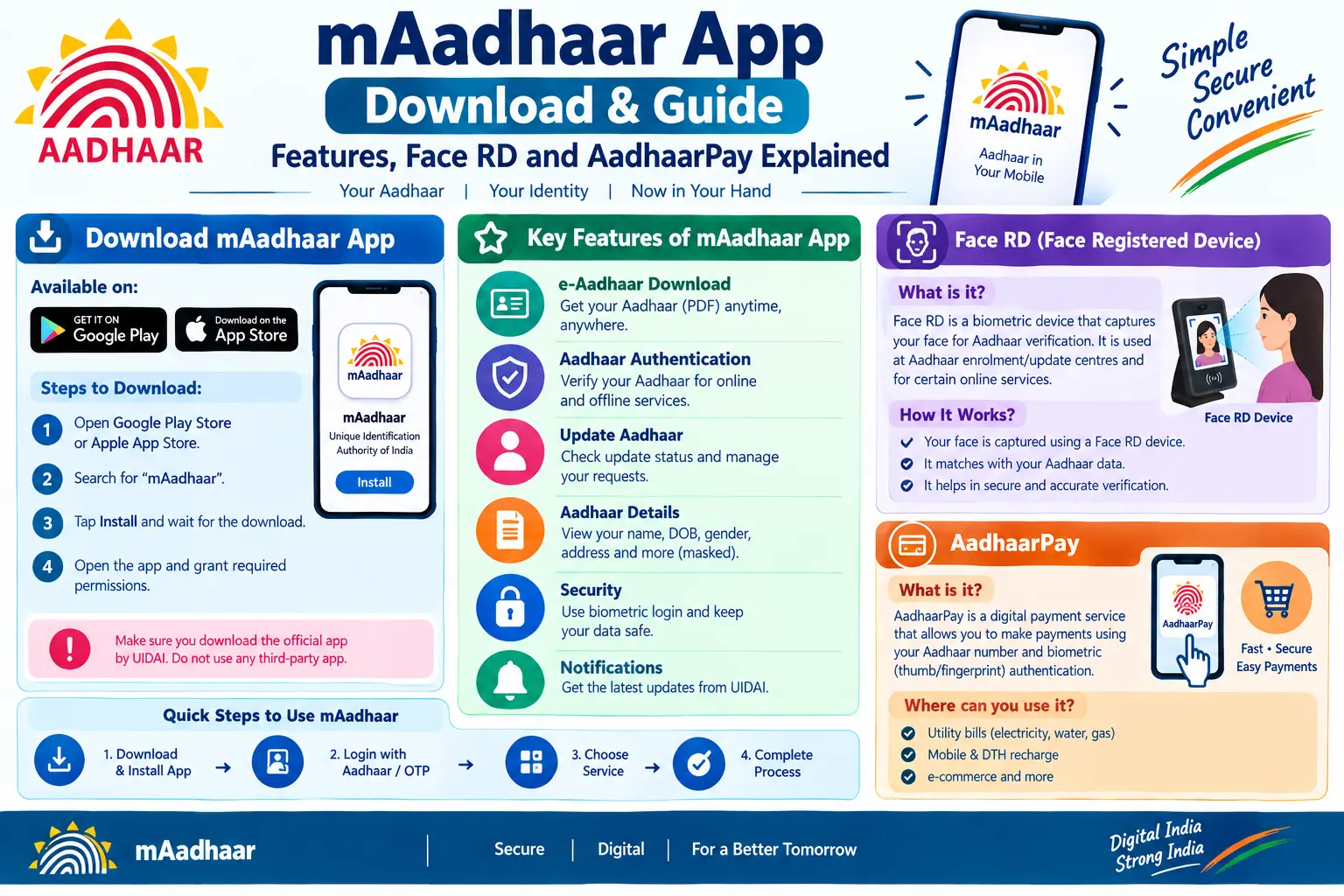
Your bank is asking for Aadhaar e-KYC before the month ends. Your SIM might get deactivated if you don’t re-verify. You reach for your Aadhaar card and realise it’s back home in another city. This is the exact situation the mAadhaar app was built for. It puts a valid digital Aadhaar on your phone, lets you lock your biometrics when you’re not using them, and even handles Aadhaar-based payments. This guide explains what the app does, how to complete the mAadhaar app download and registration, and what Face RD and AadhaarPay actually mean for you.
What Is the mAadhaar App?
The mAadhaar app is UIDAI’s official mobile application, developed by the same authority that issues Aadhaar numbers. It runs on both Android and iOS. Think of it as two things at once: a secure digital holder for your Aadhaar profile, and a service dashboard that saves you a trip to the enrolment centre for routine tasks.
Discover More About: 👇
PVC Aadhaar Card: How to Order, Apply & Track Your Aadhaar Smart Card Online
How to Book an Aadhaar Appointment Online at UIDAI Enrollment/Update Centre
What is Aadhaar Number, VID (Virtual ID) & UIDAI Full Form – Complete Beginner’s Guide
One detail trips people up. You can install the app without an Aadhaar number. But until you register a profile inside it, none of the personalised features—viewing your Aadhaar, locking biometrics, downloading e-Aadhaar—will work. Installation and registration are two separate steps.
Read More About👇
How to Download and Register on the mAadhaar App
Get the app from the Google Play Store on Android or the Apple App Store on iOS. There is no separate “maadhaar apk” you need to hunt for on third-party sites—avoid those, since sideloaded copies are a security risk. Once installed:
Step 1: Open the app and pick your language. It supports English and 12 Indian languages, but form fields typically accept English input only.
Step 2: Enter your Aadhaar number and accept the terms and privacy policy.
Step 3: Select the SIM linked to your registered mobile number. If your mobile number isn’t registered with Aadhaar, OTP won’t arrive here—you’ll need to update your mobile number at an Aadhaar Seva Kendra first.
Step 4: Complete Face Authentication to confirm your identity.
Step 5: Set a 6-digit PIN. This is asked every time you open the app, so pick something you’ll remember.
Two pitfalls worth knowing. First, the OTP has a short validity window; if it expires while you’re switching between apps, request a fresh one. Second, entering your Aadhaar number incorrectly even once can trigger a temporary lockout, so double-check the 12 digits before submitting.
After registration, you can add up to three profiles under the same registered mobile number—useful for parents or children in the household.
Key Features of the mAadhaar App
Services sit in two areas. The Main Service Dashboard handles tasks like downloading Aadhaar, ordering a reprint, updating your address, downloading offline eKYC, showing or scanning the QR code, verifying Aadhaar and email, retrieving your UID or EID, and requesting an address validation letter. EID here means Enrolment ID—the 28-digit number on your enrolment slip, useful before your Aadhaar is generated.
The My Aadhaar section is where personal controls live. You can lock or unlock your Aadhaar number, lock or unlock biometric authentication, generate a Time-based One-Time Password (TOTP) as a backup when SMS OTP fails, and share QR code or eKYC data in password-protected form.
Two of these deserve emphasis. Aadhaar Locking temporarily disables your Aadhaar number so it can’t be used for authentication. Biometric Locking does the same for your fingerprint and iris data. Once locked, biometric authentication simply won’t work until you unlock it—either for a short window or permanently until you disable the lock. If you’ve ever worried about someone misusing your fingerprints at a payment counter, this is the switch that stops it.
Understanding Aadhaar Face RD and Face Authentication
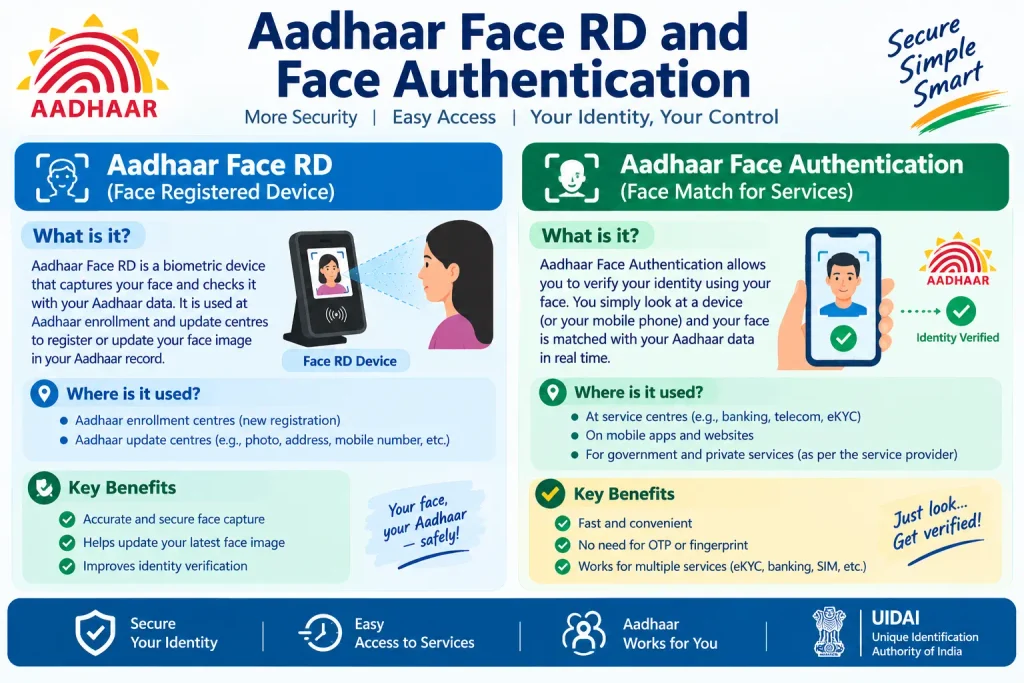
Aadhaar Face RD is the Face RD service application UIDAI introduced for face-based authentication. RD stands for Registered Device. The app works as a capture tool: when a service provider needs to verify you by face, the Face RD app takes a live image, encrypts it, and passes it to the requesting agency as a secure data block.
Face authentication sits alongside fingerprint and iris as an alternative biometric. It’s handy when fingerprint sensors fail—common with elderly users or people in manual labour—or when a service is designed around face verification. Digital Life Certificates, Ayushman Bharat onboarding, and SIM activation through e-KYC already use it.
UIDAI has since introduced an Aadhaar Face Authentication SDK that lets banks and fintech companies embed face verification directly into their own apps. If your bank has adopted it, you won’t need to switch to the standalone Face RD app at all. The rollout is gradual, so whether you need the separate app depends entirely on which service you’re using.
Discover More About: 👇
Aadhaar Address Update Without Proof:
What Is AadhaarPay and How Does It Work?
AadhaarPay is a payment system built on Aadhaar authentication. A customer pays using their Aadhaar number and biometric verification—no debit card, credit card, or even a smartphone needed at the counter. Your Aadhaar-linked bank account is the funding source; your biometrics are the credential.
A related but separate system is the Aadhaar Enabled Payment System (AePS). AePS is a bank-led model run by the National Payments Corporation of India (NPCI) for interoperable transactions using Aadhaar authentication. It covers cash withdrawal, cash deposit, fund transfer, balance enquiry, and mini statements through business correspondents and micro-ATMs—particularly in areas without a nearby branch or ATM.
The practical difference: AadhaarPay was designed as a merchant-facing payment solution, where a shopkeeper with a smartphone and biometric scanner accepts payments. AePS focuses on banking services delivered through authorised correspondents. Both rest on the same principle—Aadhaar plus biometrics to authenticate a transaction.
How to Disable Aadhaar Enabled Payment System
If you want to turn off AePS on your account, most banks let you do it without visiting a branch. Options commonly available:
- SMS banking: Send the bank’s designated keyword (often something like BLOCKAEPS) from your registered mobile number to the bank’s shortcode.
- Internet banking: Log in to net banking and look for the AePS enable/disable toggle, usually under services or account settings.
- Mobile banking app: Many bank apps include an AePS switch in their services menu.
- Customer care: Call your bank’s helpline and follow the IVR or speak to an executive.
Codes and menu paths differ from bank to bank. Check your bank’s official site or app for the exact steps for your account rather than relying on a generic keyword.
Common Mistakes to Avoid
Treating the app as a full replacement for your Aadhaar card. The mAadhaar app shows a valid digital Aadhaar, but some offline verification situations still ask for a printed e-Aadhaar or physical copy. Confirm what the specific service accepts before leaving home without it.
Forgetting the app PIN. The 6-digit PIN is required at every launch. If you forget it, you may have to re-register the profile from scratch.
Mixing up AadhaarPay and AePS. They sound similar but serve different contexts. AadhaarPay is merchant-oriented; AePS is correspondent-oriented. Using the wrong one wastes time at the counter.
Skipping the biometric lock after an update. If you’ve just changed your address or other details, locking biometrics adds a layer of protection you can reverse anytime. There’s no cost to leaving it locked when you’re not actively authenticating.
FAQs
Is the mAadhaar app available for iOS?
Yes. The mAadhaar iOS app is on the Apple App Store, alongside the Android version on Google Play.
Do I need the Aadhaar Face RD app separately?
Depends on the service. Older integrations still rely on the standalone Face RD app, but UIDAI’s newer SDK lets providers embed face authentication directly, which can remove the need for a separate download.
Can I use AadhaarPay without a smartphone?
At the merchant end, yes—a smartphone or compatible device with a biometric scanner is needed to process the transaction. As a customer, you only authenticate with your biometrics; you don’t operate any device yourself.
How do I check my Aadhaar payment status?
For AePS or AadhaarPay transactions, the status usually shows up in your bank statement or passbook. For specific transaction queries, contact your bank or the service provider directly.
Can I disable AePS from the mAadhaar app?
No. The mAadhaar app handles Aadhaar-level controls like biometric locking, but AePS enable/disable is a bank-level setting. Use your bank’s SMS, net banking, or app services for that.
For current fees, timelines, and feature availability, check the official UIDAI website (uidai.gov.in) or call the UIDAI toll-free helpline for your specific case.
If your Aadhaar update or e-KYC request is still stuck after submitting, don’t re-submit immediately—duplicate requests often slow things down further. Note the SRN (Service Request Number) from your acknowledgement slip, wait for the stated processing window, and check status using that SRN before taking any other action. If the deadline from your bank or telecom operator is close, carry your acknowledgement slip to the branch or store as proof that you’ve initiated the process; most accept it as interim compliance.

4 Comments
Pingback: PAN Card Download by Aadhaar Number – Get Instant e-PAN
Pingback: What Is Masked Aadhaar Card?
Pingback: Download Aadhaar XML: Offline eKYC & ZIP Password
Pingback: Life Certificate 2026: Apply Online